

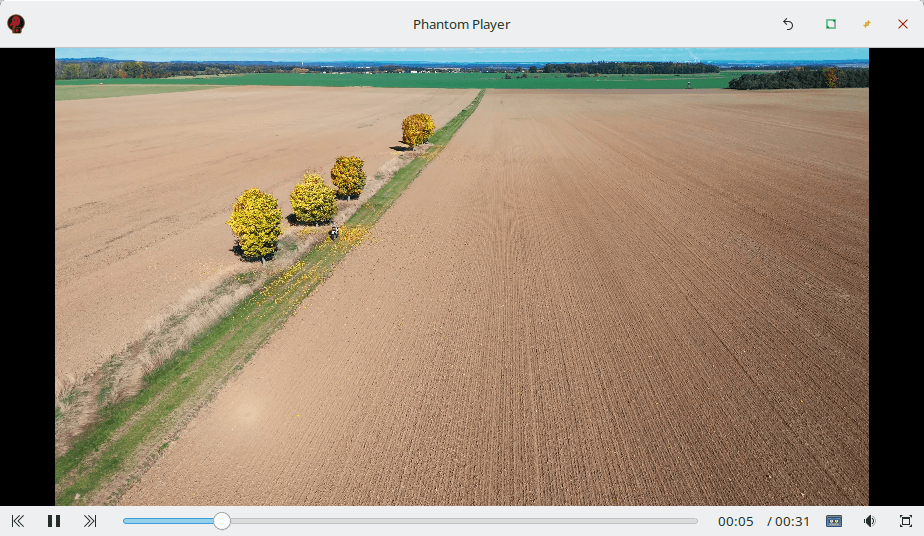
Phantom Player offers a range of practical features, making it easy to play, organize, and manage videos from your hard drive. Whether you’re watching individual videos or managing playlists, it provides a seamless experience.
This is free and open source software.
Key Features
- Playlists: Play videos in order or randomly, with no repetitions.
- Last Played Memory: Remembers the last played playlist and video progress.
- Custom Play Order: Organize the play order to your preference.
- Video Hiding: Hide specific videos or files from a playlist.
- Automatic Video Discovery: Automatically detect new, renamed, or moved videos.
- Skip Intro/Credits: Set start and end times to skip intros or credits.
- Audio/Subtitle Defaults: Set default audio and subtitle tracks for all videos.
- Screen Saver Control: Disable screen savers while watching.
- Loop Mode: Play videos in a continuous loop.
- Rename Videos: Rename videos for a better organization & display.
- Cross-platform support – runs under Linux and Windows.
Website: phantom-player.rsm92.fr
Support:
Developer: Rafael Senties Martinelli
License: GNU General Public License v3.0
Phantom Player is written in Python. Learn Python with our recommended free books and free tutorials.
Related Software
| Media Players | |
|---|---|
| VLC | Cross-platform multimedia player and framework |
| mpv | Media player for the command line. libmpv is used by many front-ends |
| QMPlay2 | Qt based video and audio player |
| MPlayer | Movie player which runs on many systems |
| SMPlayer | Qt based MPlayer front-end |
| GridPlayer | Play multiple videos simultaneously |
| Parole | Modern simple media player based on the GStreamer framework |
| MPC-QT | Clone of Media Player Classic |
| clapper | GNOME media player built using GJS with GTK4 toolkit |
| Totem | Movie player for the GNOME desktop based on GStreamer |
| Dragon Player | Multimedia player with a focus on simplicity rather than features |
| xine | Video player for playing CDs, DVDs, BluRays and VCDs. |
| Showtime | GNOME media player |
| Glide | Simple and minimalistic media player |
| Phantom Player | Simple video player |
| Daikhan | Media player for the modern desktop |
| QtAV | Cross-platform multimedia framework based on Qt and FFmpeg |
| Rage | Simple video and audio player |
| Kaffeine | Simple, easy to use, full featured media player |
Read our verdict in the software roundup.
 Explore our comprehensive directory of recommended free and open source software. Our carefully curated collection spans every major software category. Explore our comprehensive directory of recommended free and open source software. Our carefully curated collection spans every major software category.This directory is part of our ongoing series of informative articles for Linux enthusiasts. It features hundreds of detailed reviews, along with open source alternatives to proprietary solutions from major corporations such as Google, Microsoft, Apple, Adobe, IBM, Cisco, Oracle, and Autodesk. You’ll also find interesting projects to try, hardware coverage, free programming books and tutorials, and much more. Discovered a useful open source Linux program that we haven’t covered yet? Let us know by completing this form. |
Hi Steve. This is cross-platform. 🙂
Hi Torin. Thanks, article updated. That might help the 26% of visitors who use Windows to visit the site.