

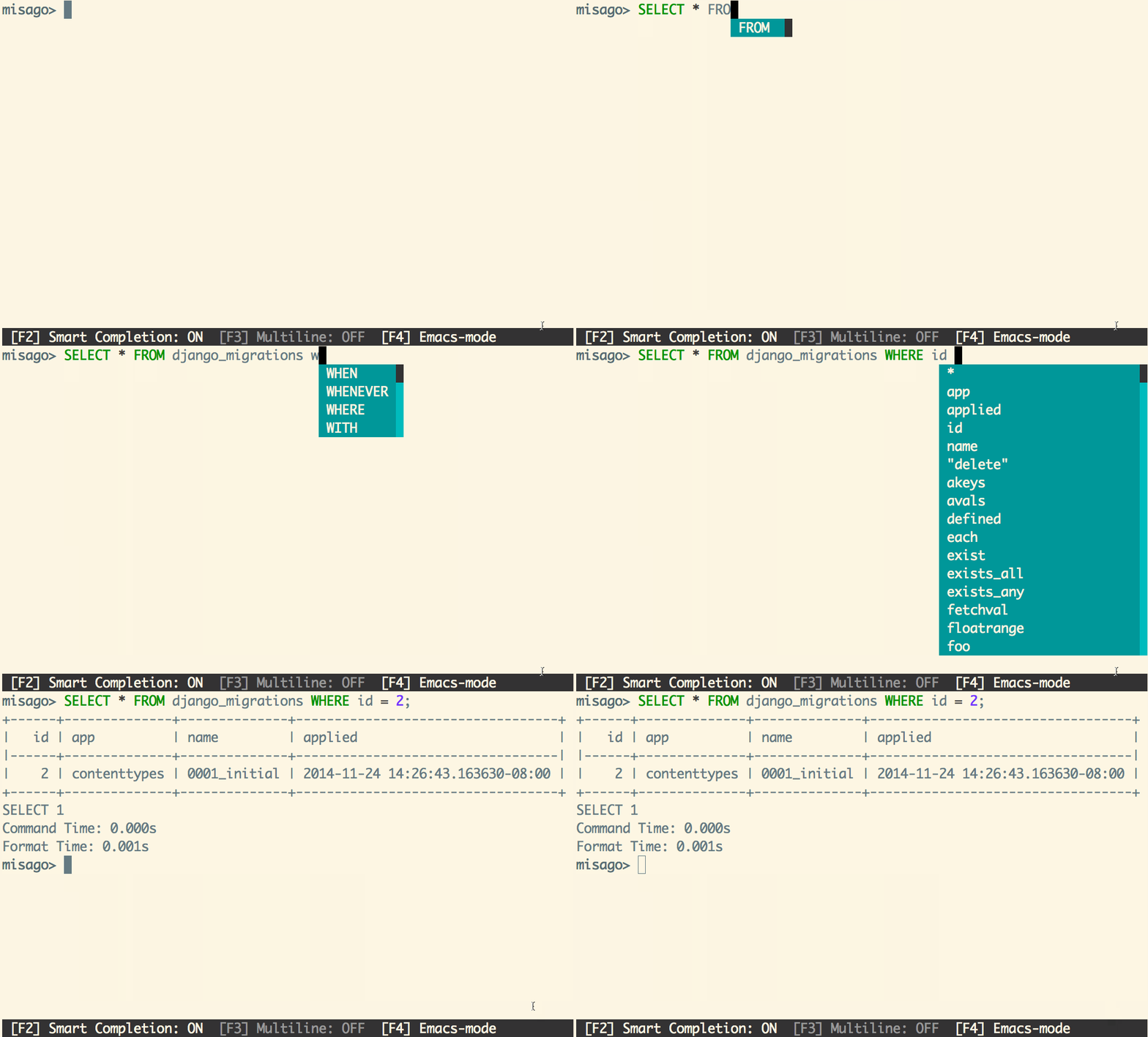
pgcli is an interactive command-line client for PostgreSQL databases. It improves the traditional SQL prompt with context-sensitive suggestions, helping users construct queries and inspect database objects without repeatedly consulting schema documentation.
The application offers an alternative to psql for users who prefer a more interactive terminal experience. It can connect to local or remote PostgreSQL servers, execute SQL statements and display query results in several formats.
pgcli also provides facilities for working with frequently used queries and managing database connections. Its configurable interface supports different editing styles, while integration with external editors and terminal pagers makes it easier to work with lengthy queries and large result sets.
This is free and open source software.
Key Features
- Automatically complete SQL keywords, table names and column names.
- Offer context-sensitive suggestions based on the current SQL statement.
- Resolve table aliases when suggesting column names.
- Support fuzzy matching when searching completion suggestions.
- Provide SQL syntax highlighting using Pygments.
- Offer configurable syntax highlighting themes.
- Support many psql backslash commands for inspecting databases, tables, schemas, indexes and other objects.
- Save frequently used SQL statements as named queries.
- Execute named queries with positional parameters.
- Search previously executed statements using incremental history search.
- Offer Emacs and Vi editing modes, switchable using F4.
- Support multiline SQL editing with configurable execution behaviour.
- Launch an external text editor using the \e command.
- Display query results in formats including psql, grid, CSV, TSV and HTML.
- Automatically switch to vertical output when results exceed the terminal width.
- Use configurable terminal pagers for large result sets.
- Display query execution times.
- Configure connection aliases through the [alias_dsn] section.
- Connect through SSH tunnels to databases that are not directly accessible.
- Support PostgreSQL connection environment variables and SSL settings.
- Warn before executing potentially destructive SQL statements.
- Configure prompts, completion behaviour, output formatting and logging.
- Provide integration with IPython through the pgcli.magic extension.
- Cross-platform support – runs on Linux, macOS, and Windows.
Website: github.com/dbcli/pgcli
Support:
Developer: Irina Truong, Amjith Ramanujam, Darik Gamble, Stuart Quin, Joakim Koljonen, Daniel Rocco, Karl-Aksel Puulmann, Dick Marinus, and contributors
License: BSD 3-Clause ‘New’ or ‘Revised’ License
pgcli is written in Python. Learn Python with our recommended free books and free tutorials.
| Explore Linux | |
|---|---|
 | Best Free and Open Source Software - A huge collection of recommended free and open source software covering every major category. |
 | In-depth Linux Software Reviews - Detailed assessments of Linux software covering features, usability and overall quality. |
 | The Big List of Active Linux Distros - An extensive collection of actively developed Linux distributions. |
 | Open Source Alternatives - Alternatives to software and services from Google, Microsoft, Apple, Adobe, IBM, Autodesk, Oracle and others. |
 | Essential Linux System Tools - Indispensable utilities for monitoring, maintaining and managing Linux systems. |
 | Linux Productivity Tools - Useful utilities for improving productivity and streamlining everyday tasks. |
 | Alternatives to Popular CLI Tools - Modern alternatives to familiar command-line utilities supplied with Linux systems. |
 | Awesome Free Linux Game Tools - Tools, utilities and companion software that improve gaming on Linux. |
 | Machine Learning on Linux - Machine learning and deep learning software, self-hosted applications and practical tools. |
 | Saving Money with Linux - Practical ways to reduce electricity consumption and lower computing costs with Linux. |
 | Linux Candy - Fun, entertaining and sometimes delightfully quirky software from the lighter side of Linux. |
Please read our Comment Policy before commenting.