

The team behind ONLYOFFICE Docs, an open-source office suite for text documents, spreadsheets, presentations and PDFs, has released version 10.0. This major update enables context-aware AI tools in every editor, introduces new modular Apps, improves PDF editing and provides important security updates. The version 10.0 release embraces the online, desktop and mobile editors, delivering approximately 50 new features and more than 1,000 bug fixes.
AI-powered PDF editing
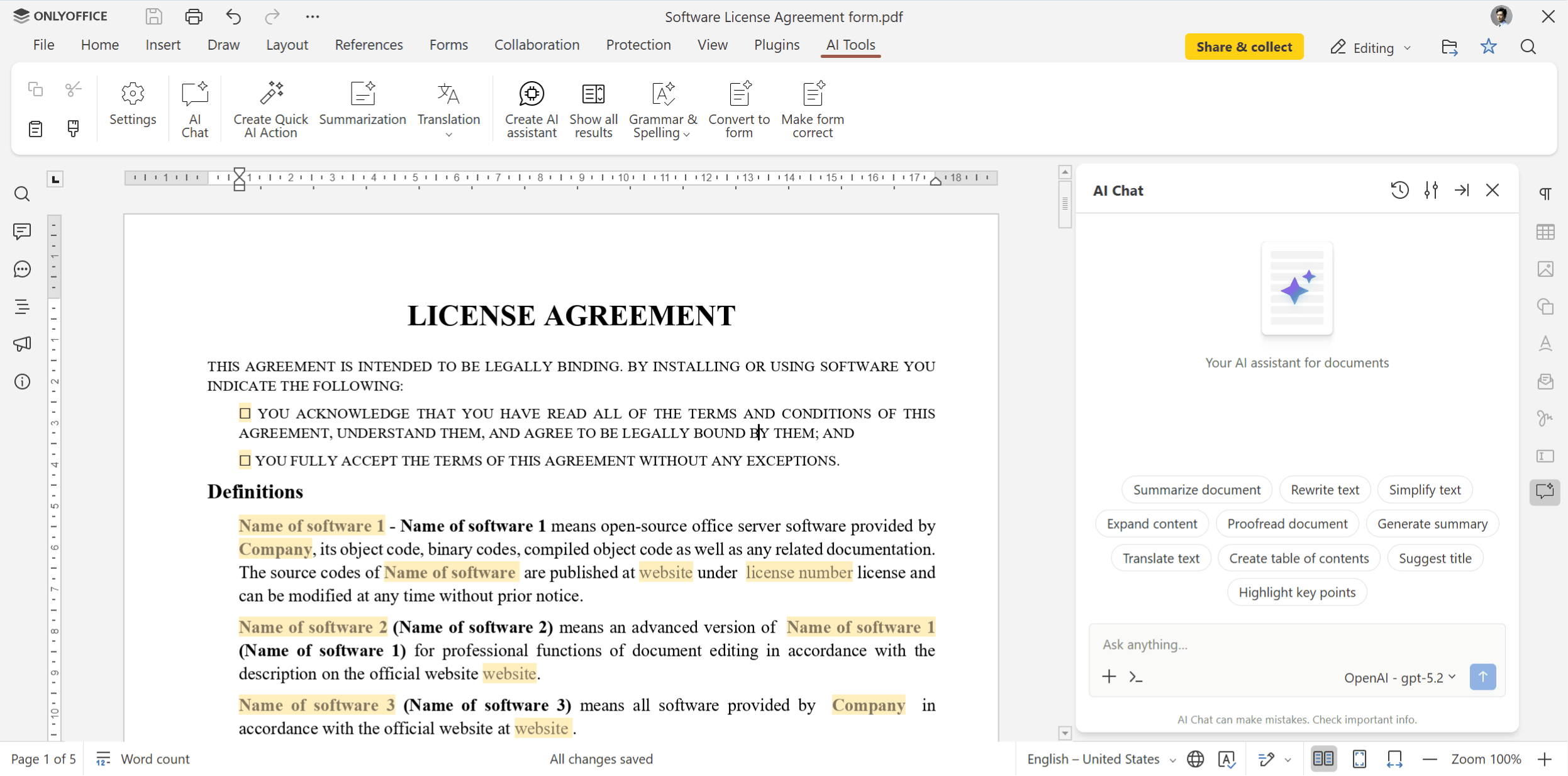
With a strong focus on AI updates, version 10.0 unlocks the capabilities of artificial intelligence inside ONLYOFFICE PDF Editor, allowing Linux users to work on their PDF files faster and with less effort. The built-in AI tools now understand the contents of your PDFs, so you can:
- Ask questions about your PDF documents and get answers;
- Generate summaries and rewrite your text in different ways;
- Find and correct grammar and spelling mistakes;
- Redact sensitive information;
- Create tables of contents and highlight key points;
- Translate and more.
Context-aware AI tools in docs, sheets and slides
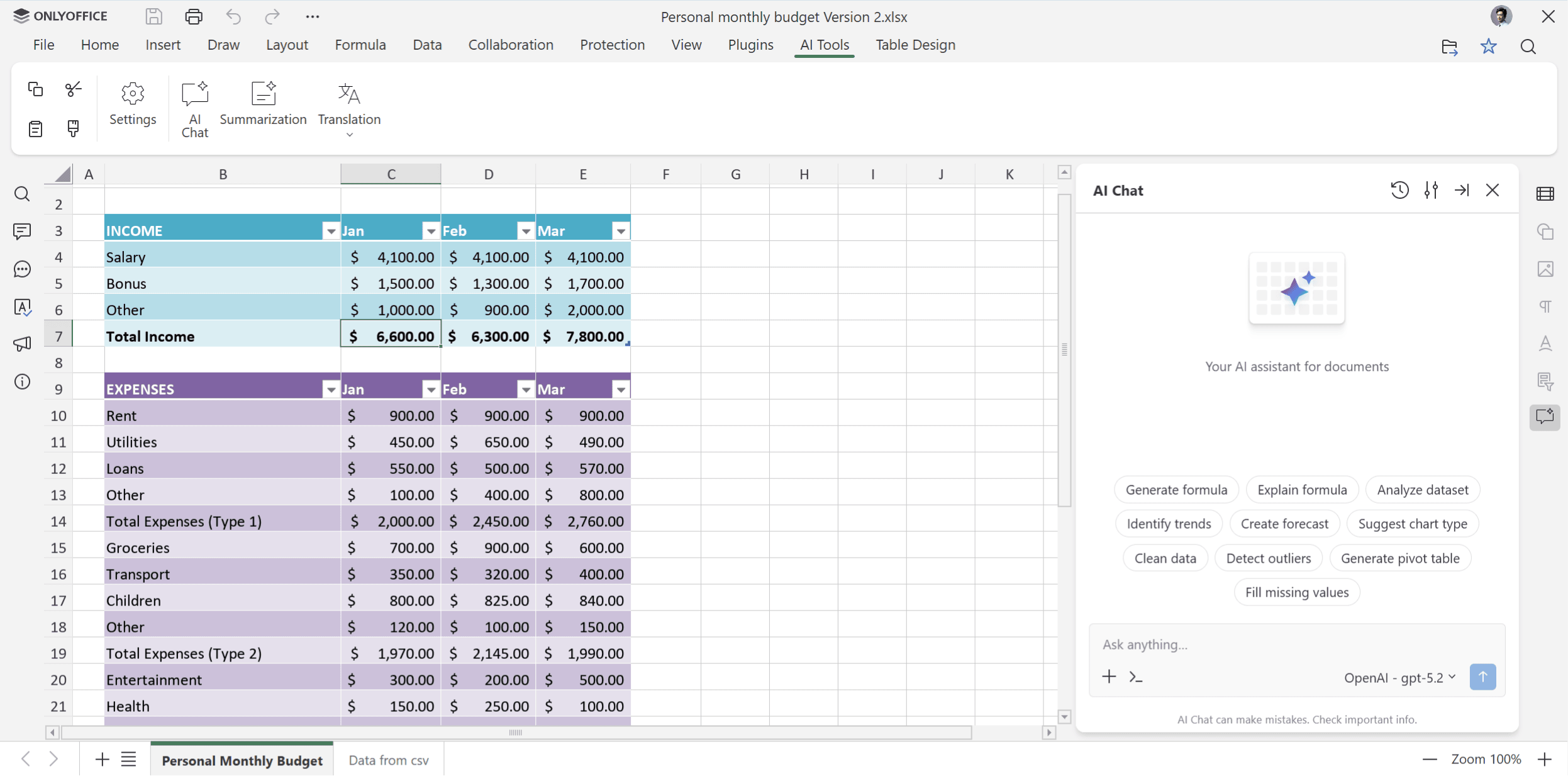
Apart from PDF files, ONLYOFFICE Docs 10.0 also introduces context-aware artificial intelligence inside the document, spreadsheet and presentation editors. Available on a dedicated tab, the AI tools let you configure quick AI actions, set up various AI assistants and even save your prompts and use them again in the AI chat.
Here is what you can do with the new ONLYOFFICE AI tools:
- Documents: summarize long pieces of writing, simplify complex paragraphs, rewrite and proofread sentences, translate, polish grammar and spelling, create tables of contents and apply specific formatting.
- Spreadsheets: generate formulas, analyze data, identify trends, create pivot tables, clean up inconsistent data and add missing values.
- Presentations: generate a slide structure, create slide titles and bullets, add speaker notes, suggest visual elements and create a storytelling flow.
Users who prefer self-hosted ONLYOFFICE Docs deployments are allowed to connect any AI model, including locally hosted ones. If you prefer the AI-free editing experience, you can opt for the free Community edition since it has no-preinstalled AI module.
New modular apps
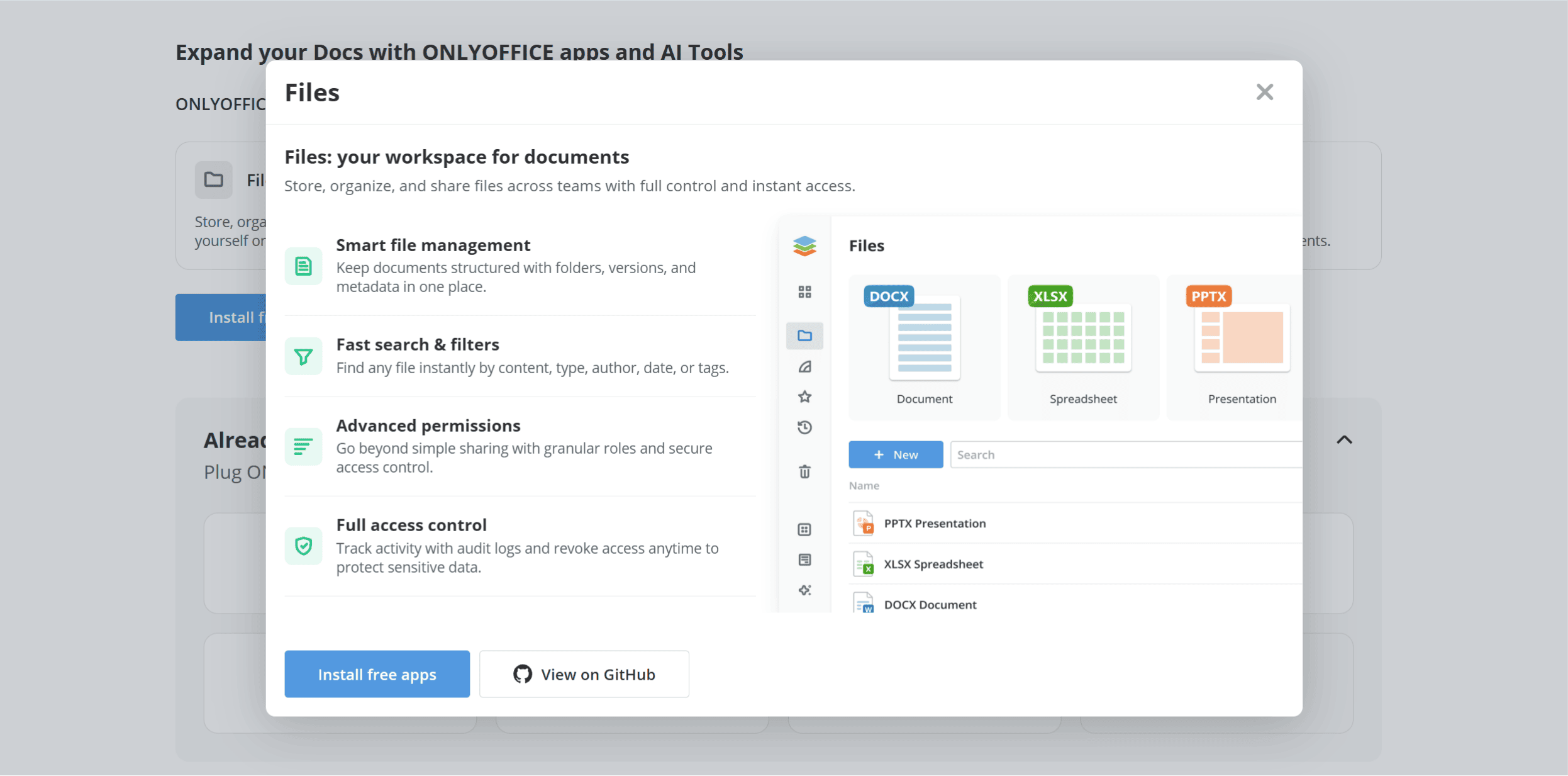
The version 10.0 release introduces a new modular structure by offering four free Apps that extend the functionality of ONLYOFFICE Docs. Licensed under AGPL v3., the new Apps include:
- AI Agents empower your document workspace and automate routine tasks by enabling intelligent search, a personalized knowledge base and extended reasoning, backed by MCP servers.
- Forms streamlines the data collection process, allowing you to create fillable forms and collect responses for further analysis powered by AI.
- Files centralizes document management by providing a single file storage system with various access permissions.
- Rooms supports secure collaboration in dedicated configurable spaces, including Virtual Data Rooms for confidential content.
In the cloud, the Apps are enabled by default. For self-hosted ONLYOFFICE Docs instances, you can install them with a single command.
Better PDF editing
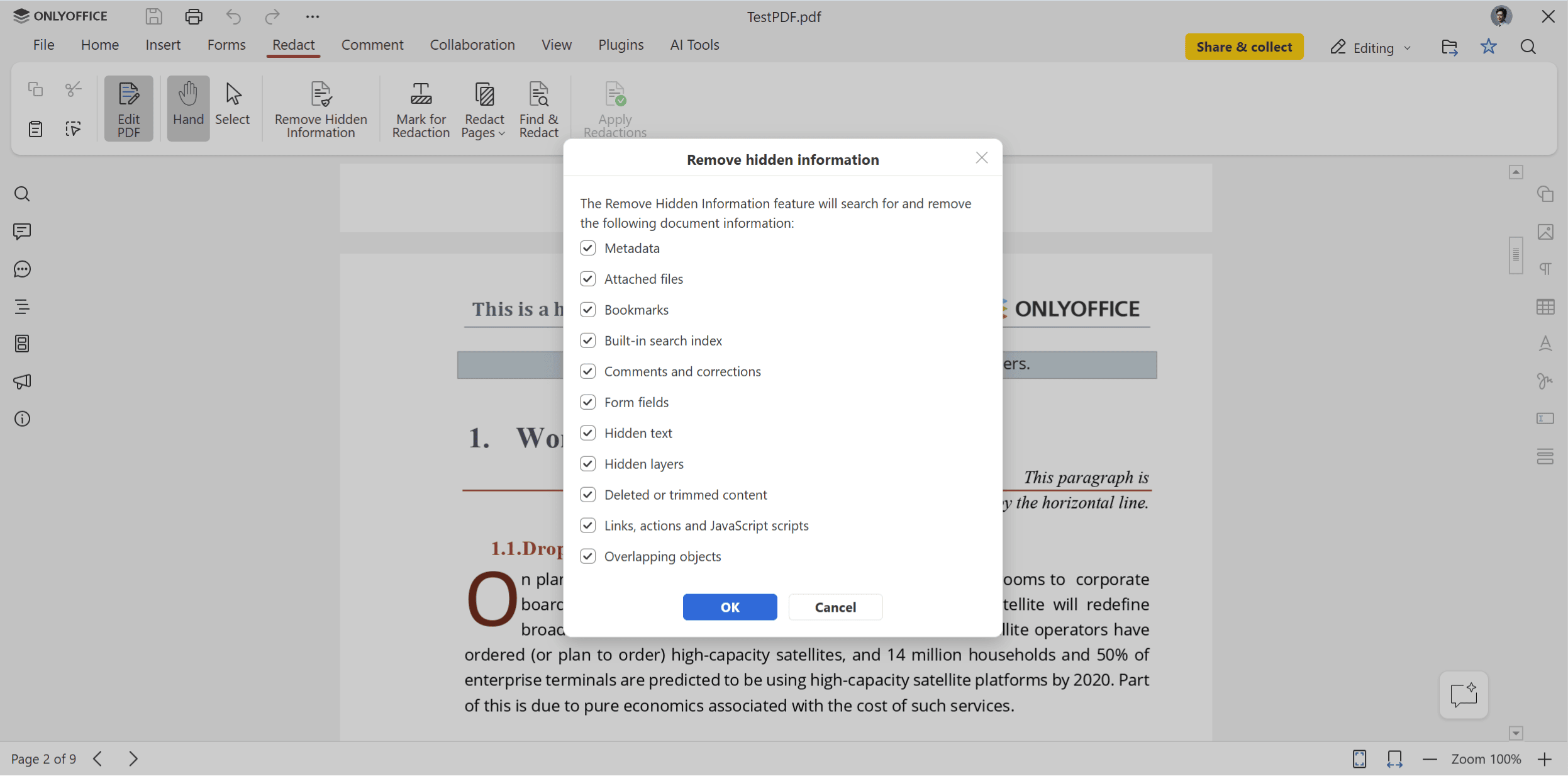
ONLYOFFICE Docs 10.0 comes with a more powerful PDF editor, providing various privacy, annotation, editing and signing improvements. Users can remove hidden metadata before sharing their PDFs, customize annotation appearance, automatically detect tables, add signatures from the Comment tab, reuse saved signatures in fillable forms and toggle spell-checking for individual form fields.
What’s new in documents, spreadsheets and presentations
With version 10.0, Document Editor comes with an important collaboration improvement, allowing co-authors to follow each other’s cursor in real time. Moreover, the new “Keep with next” option keeps related content together, and there is better right-to-left (RTL) support.
ONLYOFFICE spreadsheets now work faster due to optimized functions such as SUMIF and COUNTIFS and are more comfortable to use thanks to formula hints and an animated copy marquee.
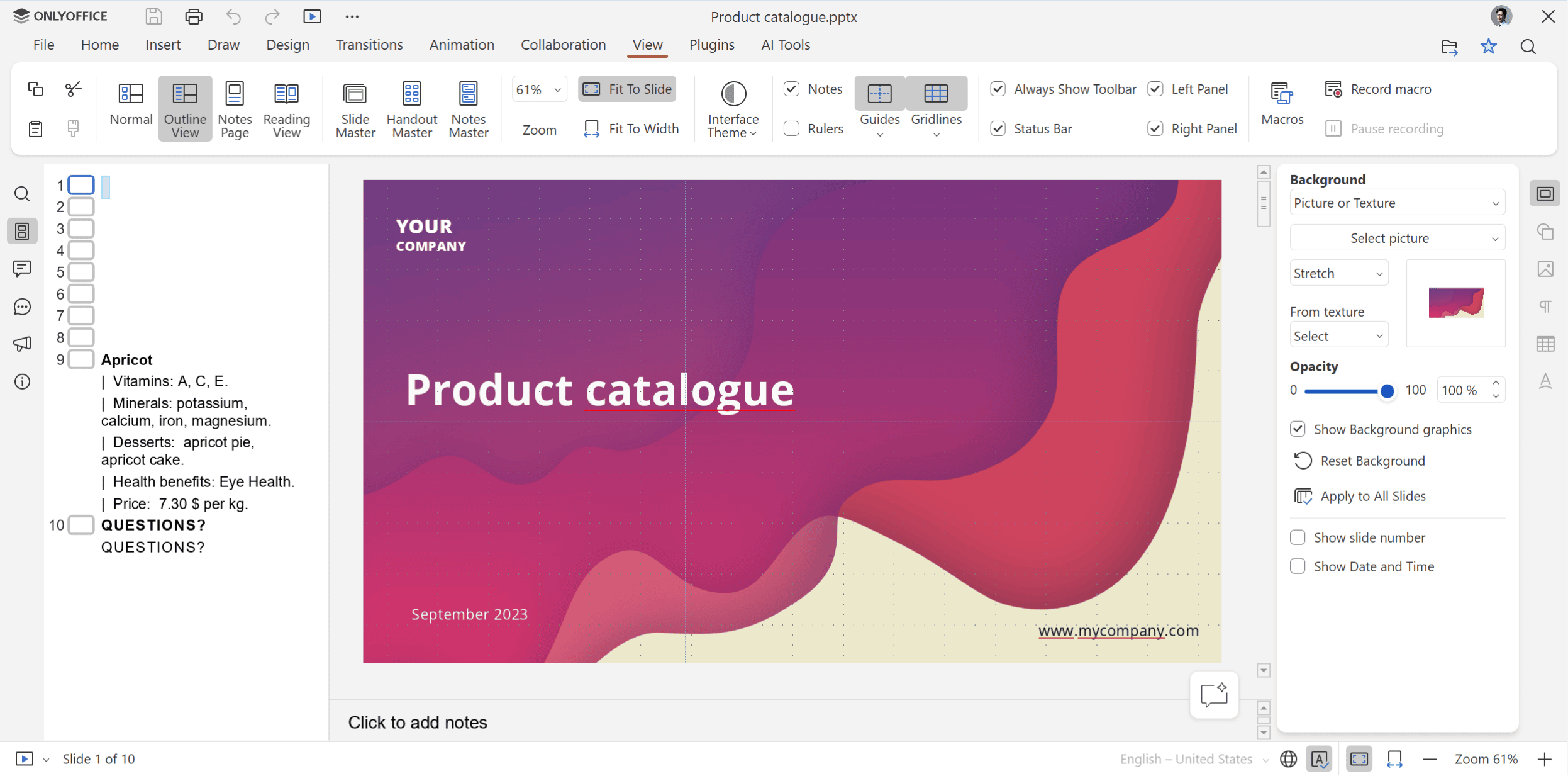
Presentation Editor is equipped with new view modes and extended print settings. Additionally, slides can now be exported as GIFs or videos.
Across the whole suite, ONLYOFFICE users can now work with .ofd files, save spreadsheets in .xls format, convert SVG images to editable shapes and add data tables to charts.
Security enhancements
If you pay special attention to security, there is good news. ONLYOFFICE Docs 10.0 fixes 35 vulnerabilities, strengthening the protection of sensitive data. This is very important, taking into consideration the fact that the number of AI-driven cyberattacks, seeking to exploit weaknesses, is rising.
ONLYOFFICE Desktop Editors 10.0
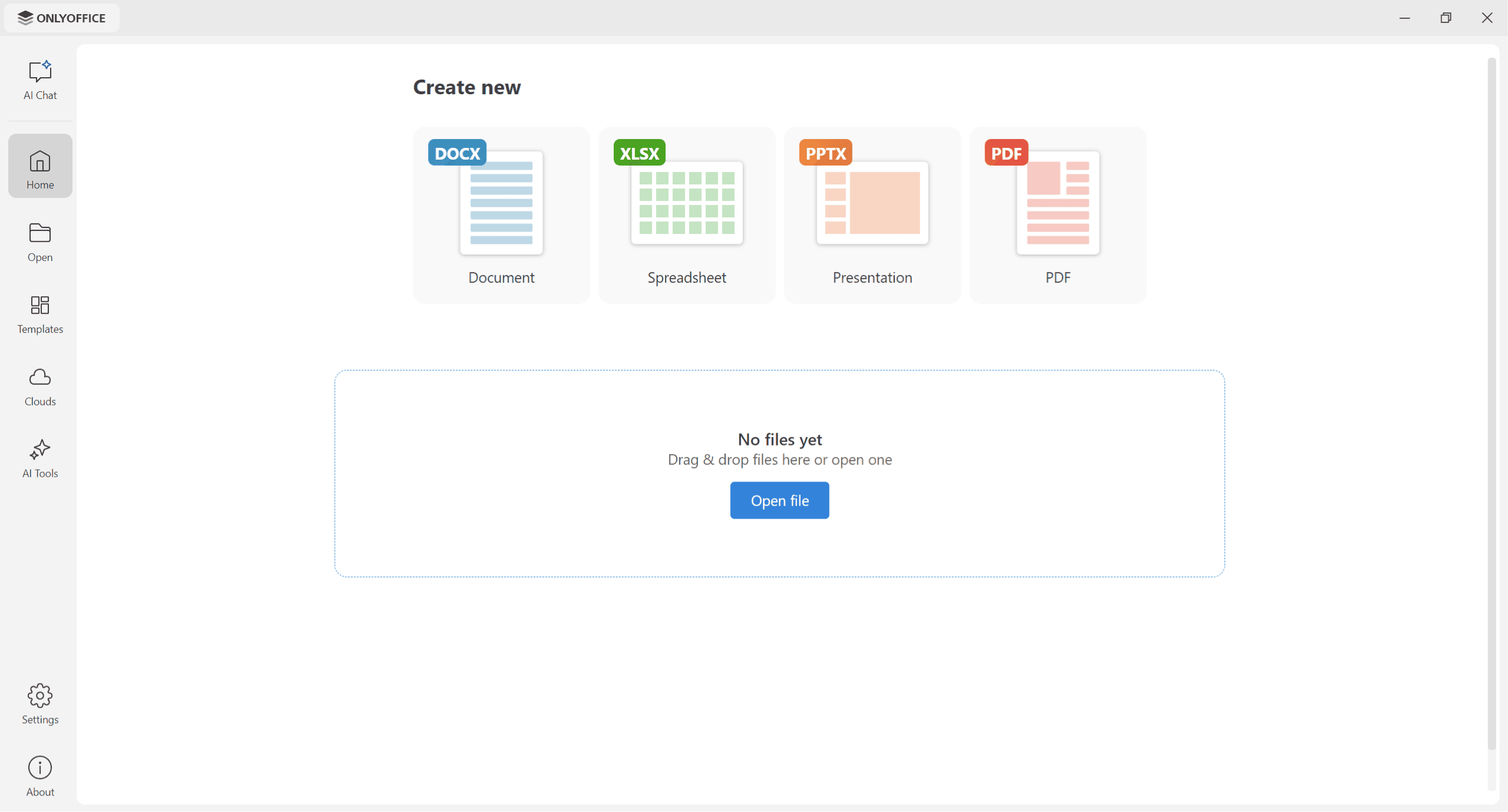
ONLYOFFICE Desktop Editors, a free desktop application for Linux, Windows and macOS, has also been updated to version 10.0. Apart from the new features described above, the desktop client comes equipped with a refreshed homepage, redesigned Templates and Clouds sections, Odoo integration and some visual improvements on Linux.
You can download ONLYOFFICE Desktop Editors 10.0 for various Linux distributions from the official website and GitHub.
Give ONLYOFFICE Docs 10.0 a try
If you want to try version 10.0, download ONLYOFFICE Docs and deploy it locally on your Linux machine. The corresponding packages are available on the ONLYOFFICE website and GitHub (ONLYOFFICE Document Server).
Please read our Comment Policy before commenting.