

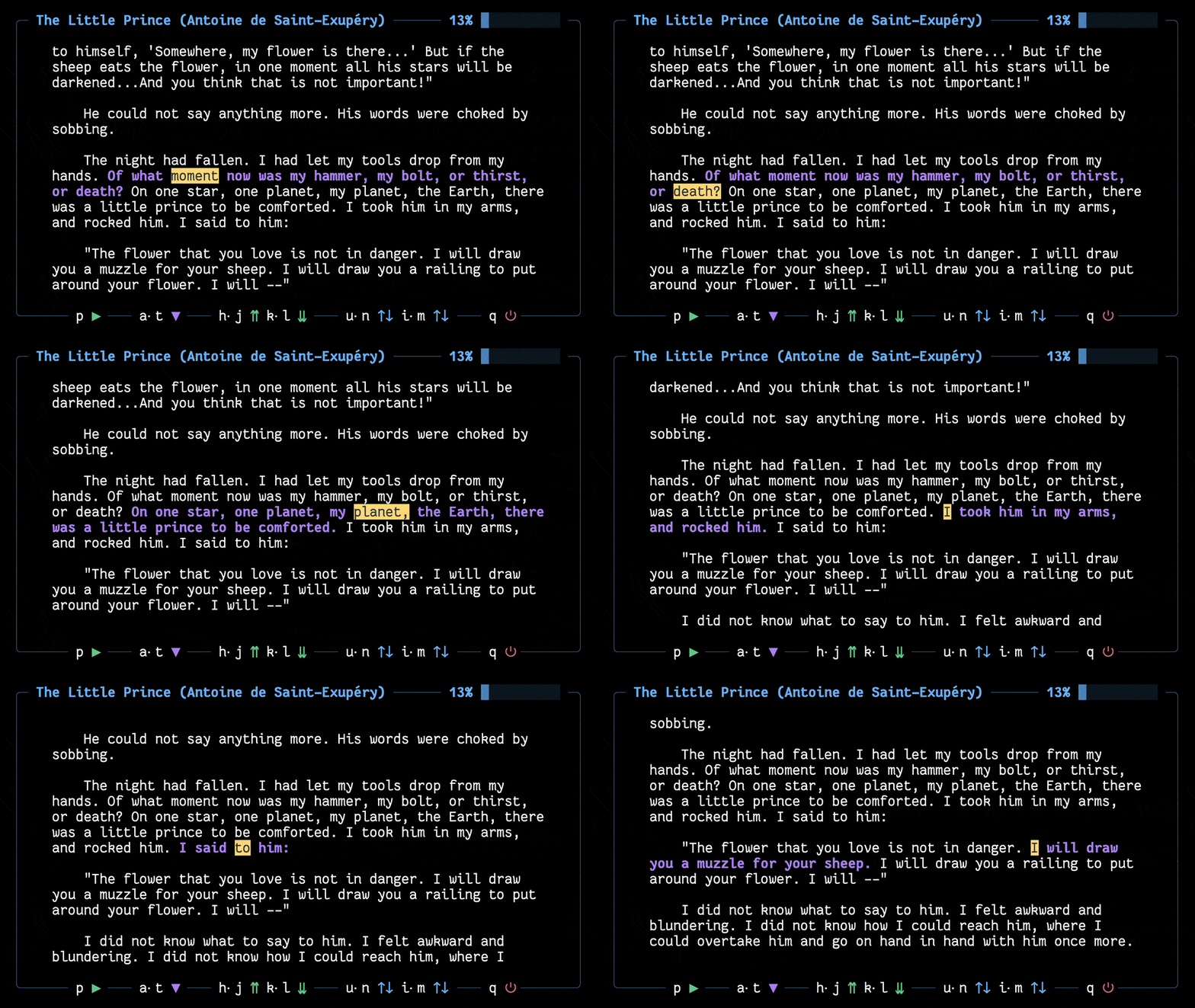
Lue is a terminal-based ebook and document reader that combines conventional reading with text-to-speech playback. It supports EPUB, PDF, DOCX, RTF, HTML, Markdown and plain text documents, providing a consistent interface for reading different types of content. Its main attraction is the ability to listen to a document while following the text, with highlighting and scrolling synchronised to the spoken words.
The application offers two speech engines. Edge TTS uses an online service, while Kokoro provides local speech synthesis after the necessary models have been configured. Lue also works without speech synthesis for users who simply want a terminal document reader. Reading positions are preserved between sessions, and its keyboard-driven interface provides several display modes, including a minimalist layout and a dedicated speed-reading view.
This is free and open source software.
Key Features
- Read EPUB, PDF, DOCX, RTF, HTML, Markdown and plain text documents.
- Provide text-to-speech playback using Edge TTS or Kokoro.
- Use Kokoro for local speech synthesis without an ongoing internet connection.
- Offer a reading-only mode with speech synthesis disabled.
- Support speech synthesis in more than 100 languages through the available voices and engines.
- Adjust speech playback speed between 1x and 3x.
- Highlight individual words or complete sentences during speech playback.
- Synchronise automatic scrolling with spoken content.
- Navigate through a document using chapter lists, page controls and keyboard shortcuts.
- Use mouse clicks to select sentences and navigate the reading progress bar.
- Automatically save reading progress and restore the previous position.
- Open recently read books through a dedicated history menu.
- Choose between minimal, medium and full interface layouts.
- Provide a speed-reading mode displaying individual words.
- Support default, Vim-inspired and customisable keyboard layouts.
- Choose between several colour themes and customise interface elements.
- Apply configurable PDF filters to remove repetitive headers, footers and page numbers from extracted text.
- Configure speech voices, languages and playback settings through command-line arguments.
- Cross-platform support – runs on Linux and macOS.
Website: github.com/paulilaaso/lue
Support:
Developer: Starry Eyes
License: GNU General Public License v3.0
Lue is written in Python. Learn Python with our recommended free books and free tutorials.
| Explore Linux | |
|---|---|
 | Best Free and Open Source Software - A huge collection of recommended free and open source software covering every major category. |
 | In-depth Linux Software Reviews - Detailed assessments of Linux software covering features, usability and overall quality. |
 | The Big List of Active Linux Distros - An extensive collection of actively developed Linux distributions. |
 | Open Source Alternatives - Alternatives to software and services from Google, Microsoft, Apple, Adobe, IBM, Autodesk, Oracle and others. |
 | Essential Linux System Tools - Indispensable utilities for monitoring, maintaining and managing Linux systems. |
 | Linux Productivity Tools - Useful utilities for improving productivity and streamlining everyday tasks. |
 | Alternatives to Popular CLI Tools - Modern alternatives to familiar command-line utilities supplied with Linux systems. |
 | Awesome Free Linux Game Tools - Tools, utilities and companion software that improve gaming on Linux. |
 | Machine Learning on Linux - Machine learning and deep learning software, self-hosted applications and practical tools. |
 | Saving Money with Linux - Practical ways to reduce electricity consumption and lower computing costs with Linux. |
 | Linux Candy - Fun, entertaining and sometimes delightfully quirky software from the lighter side of Linux. |
Please read our Comment Policy before commenting.