

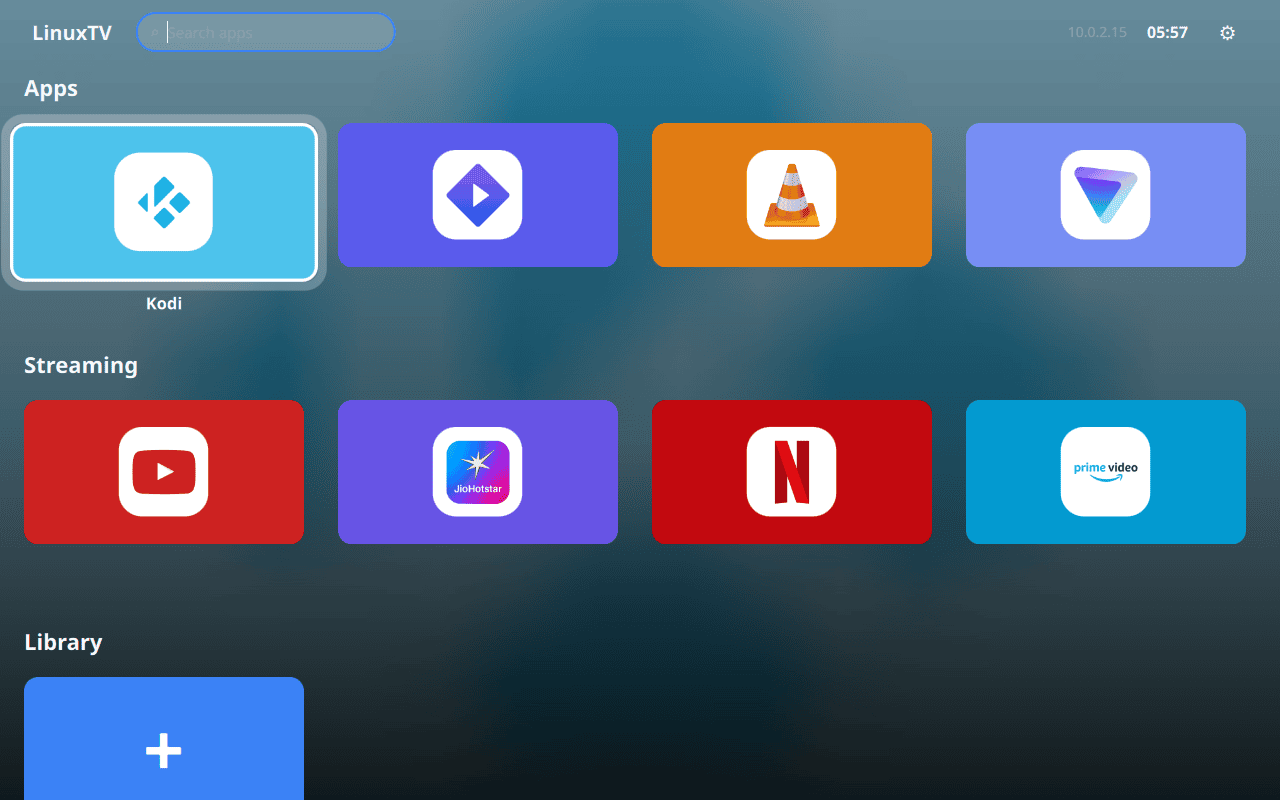
LinuxTV is a Debian-based Linux distribution designed for computers connected to a television. Rather than booting into a conventional desktop environment, it starts with a fullscreen launcher intended to be viewed and controlled from across a room.
The interface uses Qt Quick and QML with a Python backend. Applications are presented as large cards, with support for favourites, searching and drag-and-drop reordering. Native applications and web applications can appear alongside each other, while commonly needed settings such as Wi-Fi, Bluetooth, sound and brightness are accessible without dropping back to a conventional desktop.
A companion Android application turns a phone into a remote control. It provides directional navigation, a touchpad, keyboard input, volume and brightness controls, macros and power controls. Communication between the phone and LinuxTV takes place over a WebSocket connection.
| Working state: | Active |
| Desktop: | LinuxTV fullscreen QML launche |
| Init Software: | systemd |
| Package Management: | APT |
| Release Model: | Continuous builds based on Debian stable |
| Platforms: | x86_64 |
| Home Page: | github.com/guruswarupa/LinuxTV |
| Developer: | guruswarupa |
| This article is part of our Big List of Active Linux Distributions and Open Source Operating Systems. |
What's a Linux distribution ("distro")? |
| A distro provides the user with a desktop environment, preloaded applications, and ways to update and maintain the system. Each distro makes different choices, deciding which open source projects to install and provides custom written programs. They can have different philosophies. Some distros are intended for desktop computers, some for servers without a graphical interface, and others for special uses. Because Linux is an open source operating system, combinations of software vary between Linux distros. |
Please read our Comment Policy before commenting.