

Internet radio brings live broadcasts from around the world to your desktop. You can catch the news from home while travelling, tune into a jazz station in another country, or find a specialist music station that suits your mood.
BearWave is a graphical internet radio player for Linux. It uses the community-maintained Radio Browser directory to help you find stations and lets you add streams of your own.
This is free and open source software.
Installation
I installed BearWave on CachyOS using the bearwave-git package from the Arch User Repository (AUR). The package builds from the current upstream source. With yay and base-devel installed, run the following command.
yay -S bearwave-git
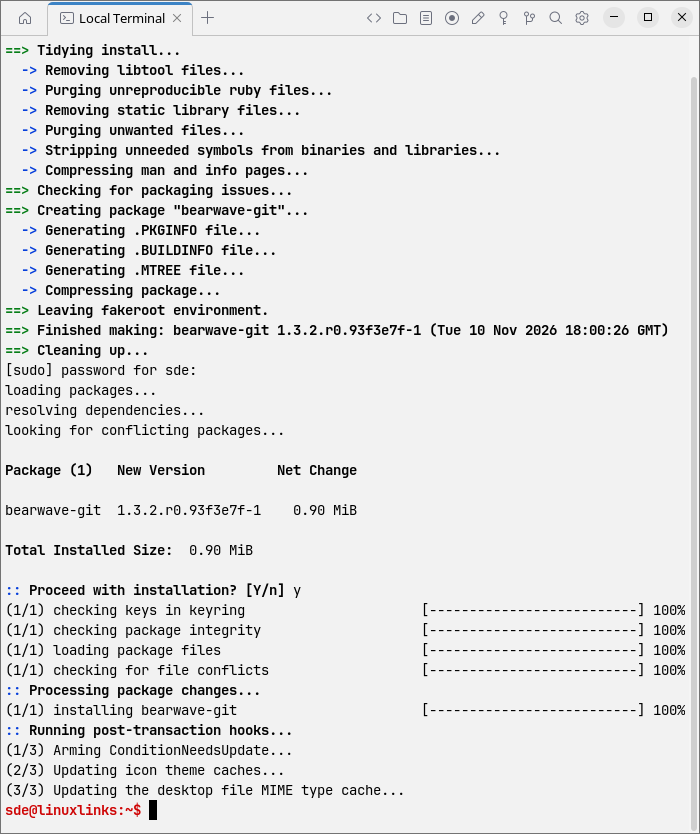
The package built and installed cleanly on my system. Open BearWave from the application menu or launch it from a terminal.
bearwave
The developer also distributes a Flatpak through BearWave’s own signed repository. If you already have Flatpak installed, these commands install and launch the player.
flatpak install --from \
  https://flatpak.bearwave.app/bearwave.flatpakref
flatpak run de.nerdbear.bearwave
In Operation
BearWave opens on Top, a list of popular stations from Radio Browser. A single click starts playback. The station cards show the codec and bitrate where available. I find this particularly handy when the directory lists several streams for the same station.
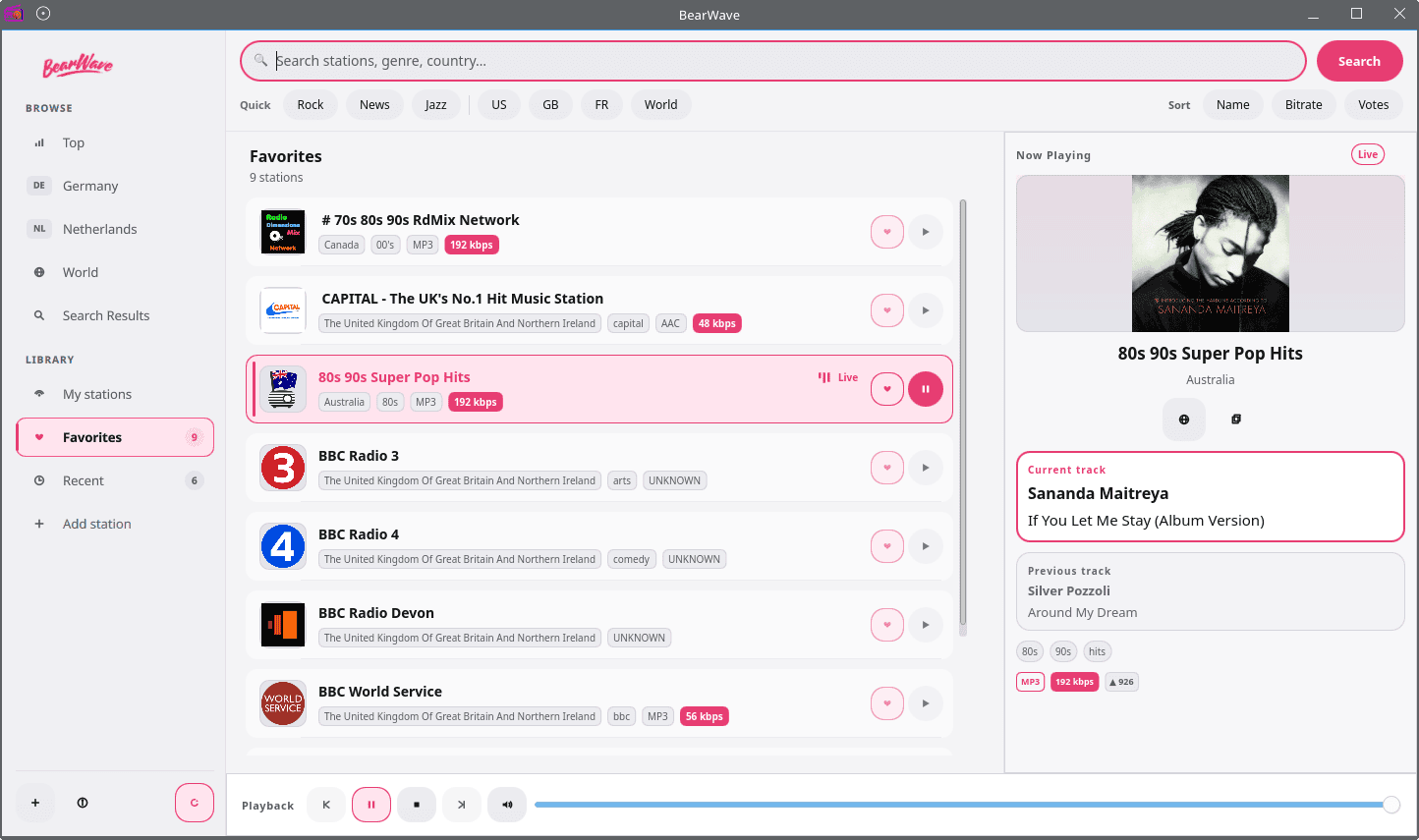
In a wide window, Now Playing sits alongside the station list. In a narrower window, a player bar along the bottom takes its place. The compact layout is handy when I’m sharing the screen with other applications.
- Browse by country or genre in World, with dedicated pages for Germany and the Netherlands.
- Search the directory or filter the current station list by name, genre or country.
- Sort station results by name, bitrate or Radio Browser votes.
- Save favourites and revisit previously played stations under Recent.
- Add a stream URL under My stations and edit or remove it later.
- Resume the last station at the saved volume.
- View track titles, artwork and a short history of songs played on the current stream, where available.
- Open the station’s website or copy its stream URL from Now Playing, where those links are available.
- Keep listening after closing the window. The tray menu offers Play or Pause, Show or Hide, and Quit. Left-clicking the tray icon also shows or hides the window.
- Control playback with Plasma’s media controls and keyboard media keys through MPRIS.
- Press Space to play or pause and Ctrl+F to jump to the search box.
- Receive desktop notifications when the track changes.
- Choose English, German, Dutch or Russian in the About dialog. The change takes effect when you restart BearWave.
Summary
BearWave is a capable internet radio player with a good range of features. The breadth of the Radio Browser directory is a major draw, especially if you like to stray beyond your usual stations.
I find the tray controls particularly useful for background listening. I can close the main window and still control playback without reopening it.
I’d like BearWave to keep song titles across station changes. The history clears when I stop playback or switch stations, so it’s most useful for identifying something I’ve just heard.
BearWave is playback-only. I’d love to see it add recording along the lines of Shortwave, so I could save a track that catches my ear during a live broadcast and listen to it again later.
The interface could use some polish. I find the pink accent too strong, and the icons look out of place on my KDE Plasma desktop. BearWave follows the desktop’s light or dark setting, and I’d welcome a choice of accent colours and an option to use the desktop’s icon theme.
On my CachyOS system, ps_mem reported that BearWave used 229.2 MiB of RAM while playing a radio station.
For more options, see the LinuxLinks roundup of graphical internet radio software.
Website github.com/spalencsar/bearwave
Support
Developer Sebastian Palencsár
License GNU General Public License v3.0
BearWave is written in C++ and uses QML for its interface. Learn C++ with our recommended free books and free tutorials.
 LinuxLinks helps you discover the best free and open source software for Linux. Explore our extensive collection of recommended applications, including alternatives to popular proprietary software. We also publish software reviews, Linux tutorials, hardware reviews, free programming books and articles covering the wider open source community. Browse our Linux resources to discover more. Know a useful free and open source Linux application we haven't covered? Suggest a program for inclusion. Has your software been featured on LinuxLinks? Display one of our Featured on LinuxLinks badges on your website or GitHub README. |
Please read our Comment Policy before commenting.