

Hatari is an Atari ST and STE emulator. The Atari ST was a 16/32 bit computer system which was first released by Atari in 1985.
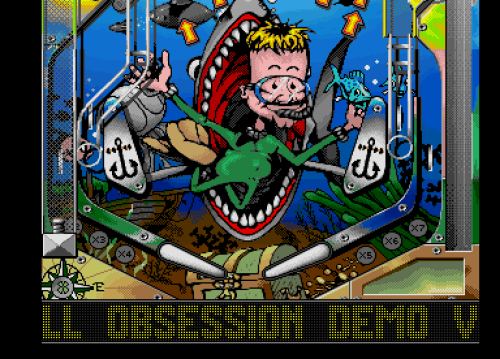
Hatari tries to emulate the hardware of a ST as close as possible so that it is able to run most ST games and demos. It supports more graphics modes than the ST and does not require an original TOS image (as it supports EmuTOS).
Hatari is an adaption of the WinSTon source code to the SDL library, using the portable UAE CPU core instead of the original, non-portable assembler CPU core.
There is also very experimental hardware emulation of the Atari Falcon, a personal computer released in 1992, and the TT.
Features include:
- 68000 – 68040 emulation via the UAE CPU core.
- Support for all known TOS versions (including EmuTOS).
- ST RAM size variable (from 512kiB up to 14MiB are possible).
- Optional cartridge images for the ST ROM port.
- Most of the ST specific hardware.
- ST Shifter with ST-High, ST-Medium and ST-Low resolutions, overscan effects for all borders in color resolutions.
- 512 color ST palette.
- Many raster effects.
- Scaling of ST-low resolution by factor two.
- Interleaved lines rendering of ST-medium and (scaled) ST-low resolutions for the TV “monitor type”.
- Blitter chip emulation (not very accurate).
- PSG YM2149 emulation (soundchip) including STFM samples.
- Printer emulation on GEMDOS and Hardware level (print to file).
- Experimental support for RS232.
- Experimental MIDI output support (no MIDI input/through support).
- Mega ST real time clock.
- IKBD emulation (keyboard, mouse and joystick) with custom keyboard mapping.
- Joystick emulation via cursor keys and joystick emulation via a connected PC joystick.
- FDC emulation using floppy disk images in standard formats (*.ST, *.MSA and *.DIM).
- Support for packed disk images (PkZip and Gzip).
- Optional write-protection for disk images.
- Partial ACSI emulation for hard disk support.
- GEMDOS interface driver to mount a directory as a hard drive.
- Support for memory snapshots (save whole system state).
- Driver for extended VDI resolutions.
- Recording of sound as .WAV and .YM files.
- Screenshots in .BMP format.
- Animation capturing.
- TOS versions 1.00, 1.02, 1.04 and 2.06 can be used in ST mode.
- Experimental support for the NCR5380 SCSI chip in Falcon and TT mode.
- Very experimental support for the SCC chip of the Mega-STE, TT and Falcon.
- Full support for MMU/MCU RAM configuration at $FF8001.
STE hardware emulation
- Horizontal and vertical hardware fine scrolling.
- Split screen techniques / in-screen video address manipulations.
- (STE specific) right border opening.
- 4096 colors STE palette.
- DMA sample sound (“microwire” audio balance support missing).
- STE joypads.
- TOS versions 1.06, 1.62, 2.05 and 2.06 can be used in STE mode.
Website: hatari.tuxfamily.org
Support:
Developer: Nicolas Pomarede, Thomas Huth, Eero Tamminen, Laurent Sallafranque, and many contributors
License: GNU General Public License v2.0
Hatari needs a fast machine (CPU with 1 GHz or more for ST/STE emulation, > 2 GHz for Falcon emulation) which is running a POSIX compatible operating system (preferably Linux) that supports the SDL library.
Hatari is written in C. Learn C with our recommended free books and free tutorials.
Return to Home Computer Emulators
| Explore Linux | |
|---|---|
 | Best Free and Open Source Software - A huge collection of recommended free and open source software covering every major category. |
 | In-depth Linux Software Reviews - Detailed assessments of Linux software covering features, usability and overall quality. |
 | The Big List of Active Linux Distros - An extensive collection of actively developed Linux distributions. |
 | Open Source Alternatives - Alternatives to software and services from Google, Microsoft, Apple, Adobe, IBM, Autodesk, Oracle and others. |
 | Essential Linux System Tools - Indispensable utilities for monitoring, maintaining and managing Linux systems. |
 | Linux Productivity Tools - Useful utilities for improving productivity and streamlining everyday tasks. |
 | Alternatives to Popular CLI Tools - Modern alternatives to familiar command-line utilities supplied with Linux systems. |
 | Awesome Free Linux Game Tools - Tools, utilities and companion software that improve gaming on Linux. |
 | Machine Learning on Linux - Machine learning and deep learning software, self-hosted applications and practical tools. |
 | Saving Money with Linux - Practical ways to reduce electricity consumption and lower computing costs with Linux. |
 | Linux Candy - Fun, entertaining and sometimes delightfully quirky software from the lighter side of Linux. |
Please read our Comment Policy before commenting.