

GRUB (GRand Unified Bootloader) is a boot loader software commonly used in Linux systems.
It’s the program that runs first when a computer starts up and is responsible for loading the operating system kernel into memory. GRUB allows users to choose which operating system or kernel configuration to boot into, especially useful in multi-boot setups
GRUB specifically acts as the intermediary between the computer’s hardware and the operating system. It presents a menu of available operating systems or kernel options, allowing users to make a selection.
To edit the GRUB bootloader configuration, you can modify the /etc/default/grub file and then update the grub.cfg file. Alternatively, you can use a graphical tool. We pick 5 useful GRUB tools.
Here’s our verdict captured in a legendary LinuxLinks-style ratings chart. Only free and open source software is eligible for inclusion.
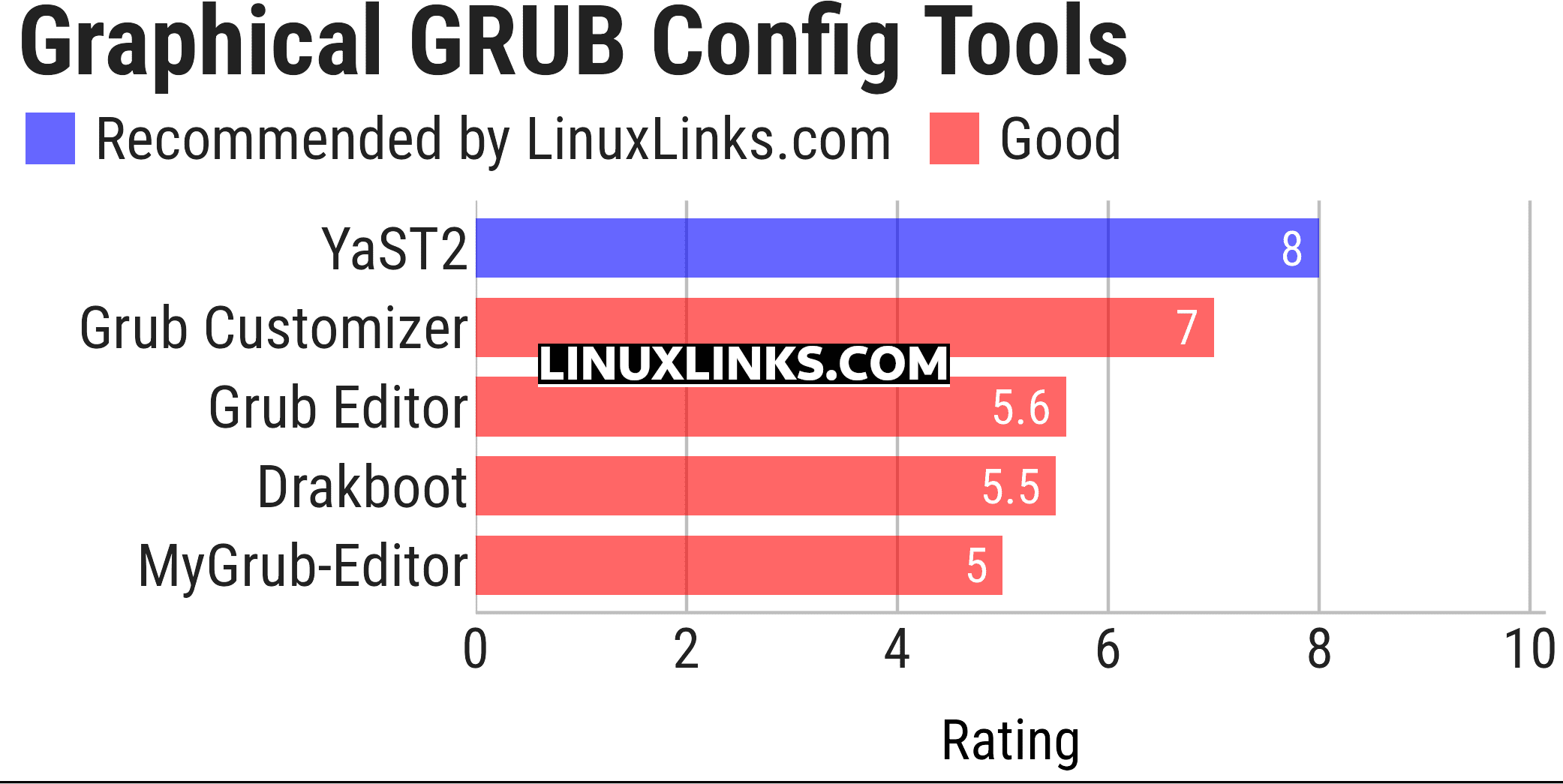
Click the links in the table below to learn more about each tool.
| Graphical GRUB Config Tools | |
|---|---|
| YaST2 | GRUB graphical configuration tool for openSUSE |
| Grub Customizer | Configure the GRUB2/BURG settings and menu entries |
| Grub Editor | GUI application to edit grub configurations |
| Drakboot | GRUB graphical configuration tool |
| MyGrub-Editor | GRUB configuration tool for PCLinuxOS |
This article has been updated to reflect the changes outlined in our recent announcement.
 Explore our carefully curated directory of recommended free and open source software, covering every major software category. Explore our carefully curated directory of recommended free and open source software, covering every major software category.The directory forms part of our extensive collection of articles for Linux enthusiasts. It includes hundreds of detailed reviews, together with free and open source alternatives to proprietary software from companies such as Google, Microsoft, Apple, Adobe, IBM, Cisco, Oracle, and Autodesk. LinuxLinks also covers interesting projects worth exploring, Linux-compatible hardware, free programming books and tutorials, and much more. Know a useful free and open source Linux application that we haven’t covered? Tell us about it using our submission form. |
Please read our Comment Policy before commenting.