
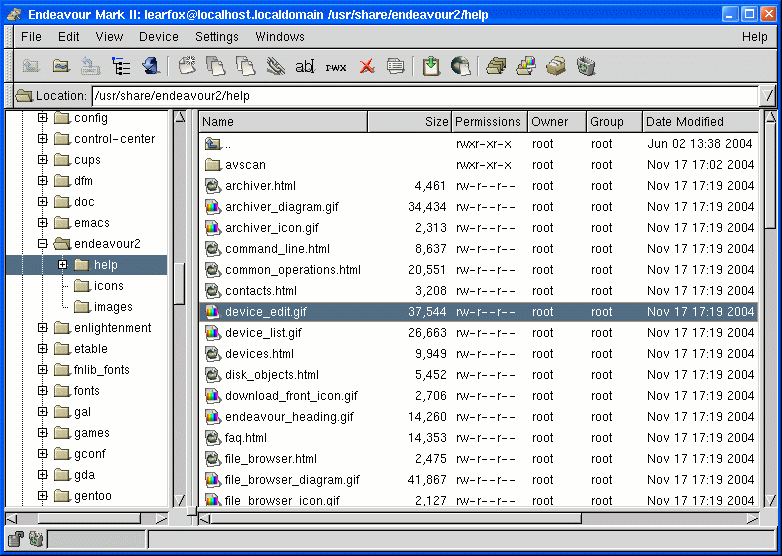
Endeavour Mark II is a complete file management suite that includes a File Browser, Image Browser, Archiver, Recycled Objects system, together with a set of file & disk management utility programs.
It comes with an intuitive interface and can be controlled using the mouse or the keyboard.
The image browser offers all the basic features such as thumbnail preview, image rotation and zooming.
Features include:
-
- Two pane tree & list style File Browser.
- Image Browser with thumbs list and a pan & zoom image viewer.
- Archiver for viewing, creating, and extracting packages.
- Commercial quality user-interface design.
- Convient drag & drop operations.
- Drag & drop downloading with the WGet Front End.
- Extended MIME Types support with external import/export support for other MIME Type file formats.
- Fully customizable tool bars and list headings.
- A recycled objects system.
- Device and disk utility programs:
- Download – Front end for the GNU WGet.
- HEdit – Hex editor.
- SysInfo – CPU Status Display.
- TEdit – Text editor.
- ZipTool – Front end for ZipTools.
Website:
Support:
Developer: Tara Milana
License: GNU GPL
Endeavour Mark II is written in C. Learn C with our recommended free books and free tutorials.
Return to File Managers Home Page
| Explore Linux | |
|---|---|
 | Best Free and Open Source Software - A huge collection of recommended free and open source software covering every major category. |
 | In-depth Linux Software Reviews - Detailed assessments of Linux software covering features, usability and overall quality. |
 | The Big List of Active Linux Distros - An extensive collection of actively developed Linux distributions. |
 | Open Source Alternatives - Alternatives to software and services from Google, Microsoft, Apple, Adobe, IBM, Autodesk, Oracle and others. |
 | Essential Linux System Tools - Indispensable utilities for monitoring, maintaining and managing Linux systems. |
 | Linux Productivity Tools - Useful utilities for improving productivity and streamlining everyday tasks. |
 | Alternatives to Popular CLI Tools - Modern alternatives to familiar command-line utilities supplied with Linux systems. |
 | Awesome Free Linux Game Tools - Tools, utilities and companion software that improve gaming on Linux. |
 | Machine Learning on Linux - Machine learning and deep learning software, self-hosted applications and practical tools. |
 | Saving Money with Linux - Practical ways to reduce electricity consumption and lower computing costs with Linux. |
 | Linux Candy - Fun, entertaining and sometimes delightfully quirky software from the lighter side of Linux. |
Please read our Comment Policy before commenting.
I’m use “Endeavour Mark 2” how my standard file manager from distro TinyCoreLinux 5.3.x and also version 5.4.x. Although, the Interface and Graphics to be ancient, this works for me, because my computer is modest(old hardware). Before to looking for something pretty, always I prefer the have a program(software) with better performance(light weight).