

DOSBox Staging is a modern continuation of DOSBox with advanced features and current development practices.
It emulates an Intel x86 PC running the MS-DOS operating system with the primary aim of running games, but most application programs will work as well. It is meant as a (mostly) drop-in replacement for older DOSBox versions. Your existing configurations will continue to work, but you will have access to many advanced features.
This is free and open source software.
Features include:
- Graphics:
- Authentic adaptive CRT emulation out-of-the-box.
- Accurate VGA emulation.
- Aspect ratio correct output & image captures by default.
- 3dfx Voodoo 1 support.
- Intelligent integer scaling options.
- Extensive viewport customisation.
- ReelMagic support.
- Expanded S3 video card emulation (4 or 8 MB of RAM).
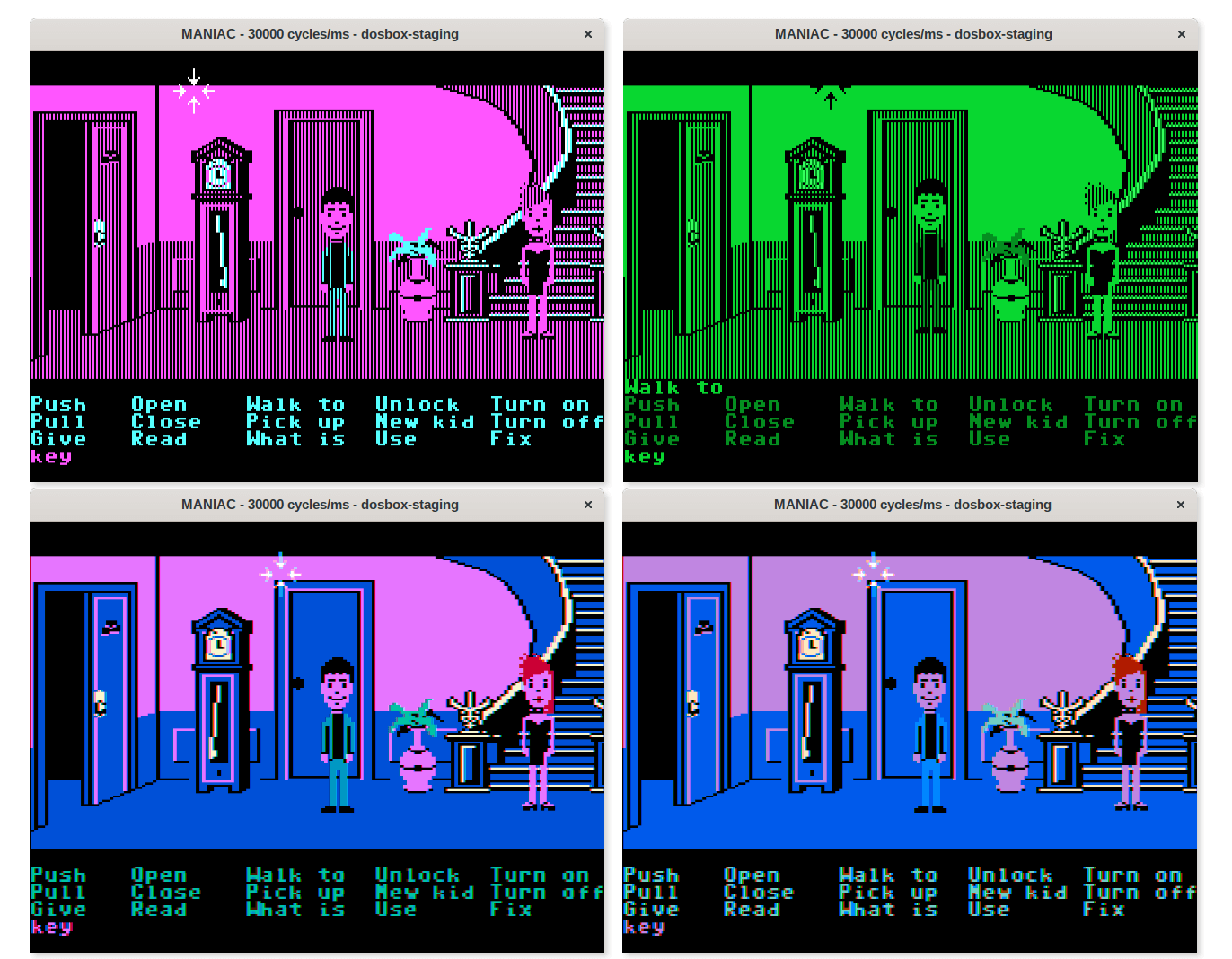
- Monochrome & composite CGA modes.
- Custom CGA palette overrides.
- Sound devices:
- Integrated Roland MT-32 emulation (ROMs are not included).
- Built-in MIDI support via FluidSynth.
- Bit-perfect OPL output via NukedOPL.
- Enhanced Gravis UltraSound support.
- AdLib Gold 1000 + surround module.
- Improved PC speaker emulation.
- Covox Speech Thing, Disney Sound Source, Stereo-on-1 DAC.
- IBM PS/1 Audio.
- Innovation SSI-2001.
- IBM Music Feature Card.
- Audio:
- Authentic early DAC artifact and output filter emulations.
- Per-channel chorus and reverb.
- Crossfeed for headphone listening.
- Room-acoustics simulation for small-speaker audio systems.
- High-quality resampling via SpeexDSP.
- Master compressor to avoid clipping.
- Pop and click prevention.
- Support for Opus, OGG/Vorbis, MP3, and FLAC audio CD tracks.
- Sanitise MIDI output & Roland RA-50 compatibility.
- Input:
- Raw mouse input.
- Mouse-wheel support.
- Immediate mouse mode for fast-paced games.
- Extensive serial mice emulation options.
- Dual-mouse gaming in supported games.
- Support for third-party INT33 Windows mouse drivers.
- Modern 10-axis controller support.
- Real-time joystick calibration.
- Revised default keyboard shortcuts.
- Host Integration:
- High DPI support on Windows, macOS, and Linux (Wayland).
- Vertical sync (vsync) support.
- Advanced frame pacing options for high and variable refresh rate (VRR) monitors.
- Resizable window support.
- Options for customising window size, position, and window decorations.
- Window transparency support.
- Windows 3.1 seamless mouse integration.
- General:
- Sensible defaults — minimal manual configuration is needed.
- Portable & layered configurations.
- 64-bit dynamic recompilation for improved performance (ARM & x64).
- Physical CD-ROM mount support.
- IDE support for CD-ROMs.
- ENet modem transport.
- Ethernet support via SLiRP.
- Autotype commands at startup.
- Automounting of resource drives.
- Mount overlay support.
Website: github.com/dosbox-staging/dosbox-staging
Support:
Developer:
License: GNU General Public License v2.0
DOSBox Staging is written in C++. Learn C++ with our recommended free books and free tutorials.
| Explore Linux | |
|---|---|
 | Best Free and Open Source Software - A huge collection of recommended free and open source software covering every major category. |
 | In-depth Linux Software Reviews - Detailed assessments of Linux software covering features, usability and overall quality. |
 | The Big List of Active Linux Distros - An extensive collection of actively developed Linux distributions. |
 | Open Source Alternatives - Alternatives to software and services from Google, Microsoft, Apple, Adobe, IBM, Autodesk, Oracle and others. |
 | Essential Linux System Tools - Indispensable utilities for monitoring, maintaining and managing Linux systems. |
 | Linux Productivity Tools - Useful utilities for improving productivity and streamlining everyday tasks. |
 | Alternatives to Popular CLI Tools - Modern alternatives to familiar command-line utilities supplied with Linux systems. |
 | Awesome Free Linux Game Tools - Tools, utilities and companion software that improve gaming on Linux. |
 | Machine Learning on Linux - Machine learning and deep learning software, self-hosted applications and practical tools. |
 | Saving Money with Linux - Practical ways to reduce electricity consumption and lower computing costs with Linux. |
 | Linux Candy - Fun, entertaining and sometimes delightfully quirky software from the lighter side of Linux. |
Please read our Comment Policy before commenting.