

Removing an image background ought to be a quick job. Online services make it easy, but uploading photographs to someone else’s server isn’t always appealing. Subscriptions and usage limits can also feel excessive for an occasional cutout.
Local machine-learning tools offer a convenient alternative, keeping your images on your computer and working without an internet connection. The real test is how well they separate the subject from its surroundings, especially when the edges are complicated.
Defuse is a small background-removal utility written in Python with GTK4 and libadwaita. It uses the ISNet-general model through ONNX Runtime, with WebGPU acceleration on supported x86-64 systems and CPU processing as a fallback. Its approach is simple: open an image, remove the background and save the result.
Installation
I’m evaluating Defuse with CachyOS, an Arch-based distribution. The recommended installation method is through Flathub:
$ flatpak install flathub io.github.shonebinu.Defuse
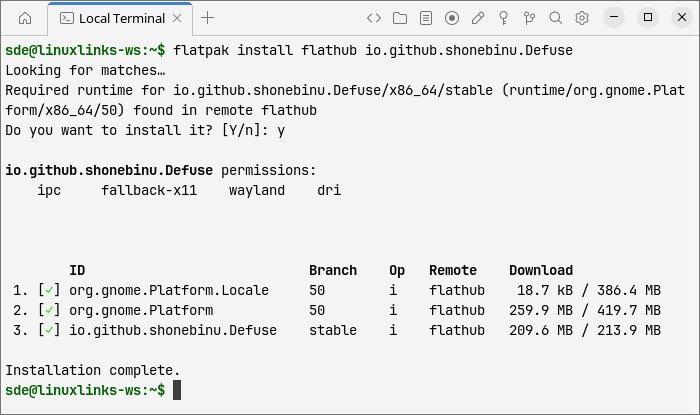
The Flatpak bundles the model and ONNX Runtime components, so there’s nothing else to download or configure. I’m testing version 0.1.3.
In Operation
Defuse opens to a sparse window with an Open Image button and a drag-and-drop prompt. The GTK4/libadwaita interface will feel familiar to GNOME users, although there’s so little to learn that your choice of desktop hardly matters.
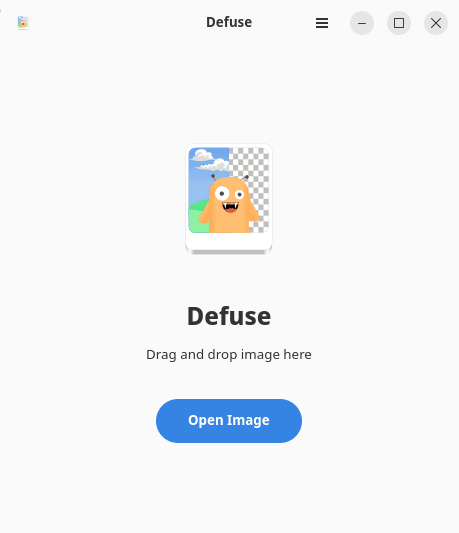
Drop an image onto the window or use the file chooser, and Defuse displays a preview. Click Remove Background to start processing; there are no settings to adjust first.

The result replaces the original preview, with the background made transparent. You can then save it as a PNG, ready to use in another image or layout.

The main features are:
- Local processing – images stay on your computer, with no account or online service required.
- Automatic background removal – uses the bundled ISNet-general model through ONNX Runtime.
- Hardware acceleration – x86-64 builds support WebGPU, automatically retrying on the CPU if GPU processing fails.
- Image-format support – uses Pillow to load images, with improvements to WebP and AVIF handling.
- Simple previews – displays the source image before processing and the cutout afterwards.
- Responsive interface – loading, processing and encoding run away from the main interface thread, with activity indicators showing work in progress.
- PNG export – saves the result with transparency intact.
The lack of controls keeps things quick, but it also leaves you dependent on the automatic result. There are no brushes to restore a missing detail or erase a leftover patch of background, and no edge-refinement settings. Batch processing, alternative models and background replacement are also absent. If a cutout needs tidying, you’ll need another editor.
Summary
Defuse makes a routine editing task pleasantly undemanding. Installation includes everything needed, and the short journey from opening an image to saving a cutout is its strongest selling point. Keeping photographs on your own machine adds to the appeal.
It’s an early-stage application, and the absence of correction tools is the main limitation: a convincing cutout is ready to use, while an imperfect one means more work elsewhere. For occasional background removal, though, Defuse offers a useful starting point without the overhead of a full image editor.
Website: github.com/shonebinu/Defuse
Support:
Developer: Shone Binu
License: GNU General Public License v3.0
Defuse is written in Python. Learn Python with our recommended free books and free tutorials.
Please read our Comment Policy before commenting.