

Darkwrite is a desktop note-taking application designed to provide an attractive environment for writing without requiring an account or an internet connection. It combines a rich-text editor with extensive appearance customisation, making it suitable for personal notes, journals, ideas and task lists.
The editor supports headings, formatting, links, tables and embedded images. It also handles checklists and code blocks, allowing users to keep a mixture of written material and structured information in the same application.
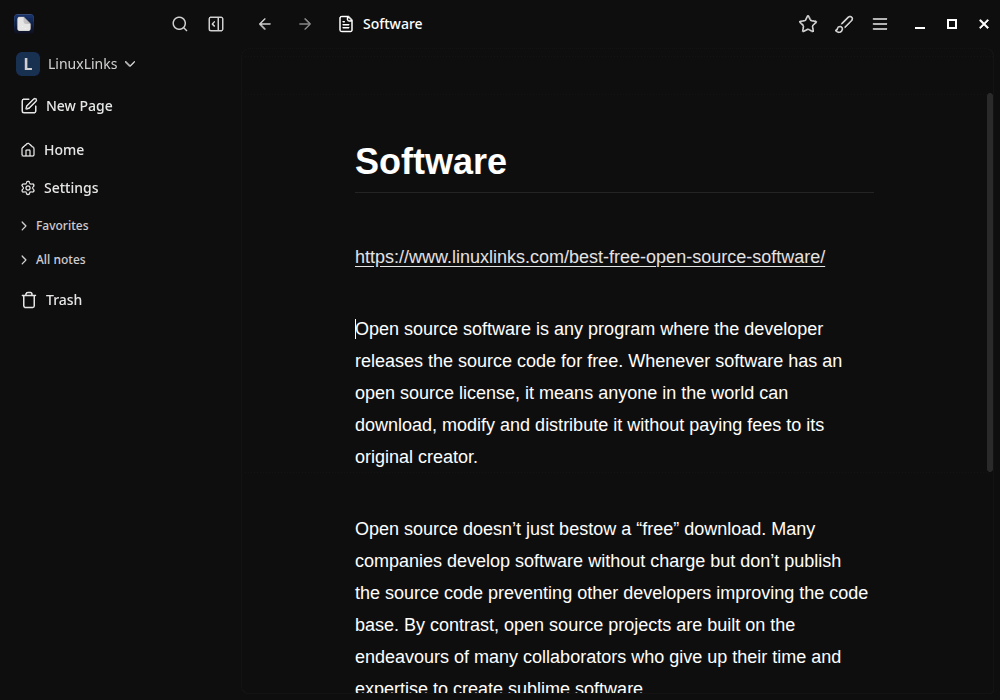
One of Darkwrite’s distinctive features is its approach to presentation. It includes a selection of themes and allows users to create their own. Fonts and text styles can be adjusted globally or for individual notes, while covers and icons make documents easier to distinguish visually.
Notes are stored locally rather than transmitted to a compulsory online service. Darkwrite also provides backup and export facilities, allowing users to protect their work and access it outside the application.
This is free and open source software.
Key Features
- Create and edit rich-text notes.
- Format text using headings, lists and inline styling.
- Create checklists and numbered lists.
- Insert links to files and other resources.
- Embed images and resize them within notes.
- Include colourful code blocks and tables.
- Use custom properties to organise note content.
- Choose from built-in visual themes or create custom themes.
- Configure application fonts and note-specific typography.
- Add icons and cover images to notes.
- Keep notes stored locally and work entirely offline.
- Export notes as HTML documents.
- Create backup archives and restore saved information.
- Cross-platform support – runs on Linux, macOS, and Windows.
Website: github.com/astudentinearth/darkwrite
Support:
Developer: Burak
License: GNU Affero General Public License v3.0
DarkWrite is written in TypeScript. Learn TypeScript with our recommended free books and free tutorials.
Related Software
| General Purpose GUI Note Taking Apps | |
|---|---|
| Joplin | Note taking and to-do application with synchronisation |
| Trilium Notes | Hierarchical note taking application |
| CherryTree | Hierarchical note taking application packed with features |
| TagSpaces | Personal data manager for organizing, editing and tagging information |
| VNote | Vim-inspired note-taking application |
| Simplenote | Fast, free, synchronized notes |
| Notesnook | Focused on user privacy and ease of use |
| Tusk | Evernote desktop software |
| QOwnNotes | Plain-text file notepad with markdown support and ownCloud integration |
| heynote | Dedicated scratchpad for developers |
| tomboy-ng | Reincarnation of tomboy |
| Beaver Notes | Notes stay on your device. No sign-ups, no tracking, no complexity |
| Iotas | Distraction-free note taking via its mobile-first design |
| Gnote | Port of Tomboy to C++ |
| KleverNotes | Note taking and management application |
| Treedome | Seeks inspiration from CherryTree |
| Print(Notes) | Markdown notes app made with Flutter |
| Folio | Markdown note-taking app for GNOME |
| FeatherNotes | Lightweight Qt5 hierarchical notes manager |
| nvPY | Inspired by Notational Velocity and ResophNotes |
| Lockbook | Encrypted notebook |
| FromScratch | Simple but smart note-taking app |
| NotNative | Modern note-taking app with Vim-like editing |
| HelixNotes | Local-first Markdown note-taking app |
| Darkwrite | Eye-candy note taking and to-do app |
| Bookup | Streamline notes with Markdown |
| BasKet Note Pads | Organizing, sharing, and taking notes |
| Swifty Notes | Native GTK markdown notes |
| mnemo | Local-first, cross-platform note-taking app leveraging the Typst ecosystem |
| MyNotex | Take and to manage textual notes and activity management |
| Hugvi | Code note-taking desktop app |
Read our verdict in the software roundup.
 LinuxLinks helps you discover the best free and open source software for Linux. Explore our extensive collection of recommended applications, including alternatives to popular proprietary software. We also publish software reviews, Linux tutorials, hardware reviews, free programming books and articles covering the wider open source community. Browse our Linux resources to discover more. Know a useful free and open source Linux application we haven't covered? Suggest a program for inclusion. Has your software been featured on LinuxLinks? Display one of our Featured on LinuxLinks badges on your website or GitHub README. |
Please read our Comment Policy before commenting.