

RustLock is a command-line tool written in Rust that allows users to quickly lock their Linux session from the terminal. It provides a simple and lightweight way to trigger the system screen lock, making it useful for scripts, shortcuts, and automated workflows.
This is free and open source software.
Key Features
- Visual Effects:
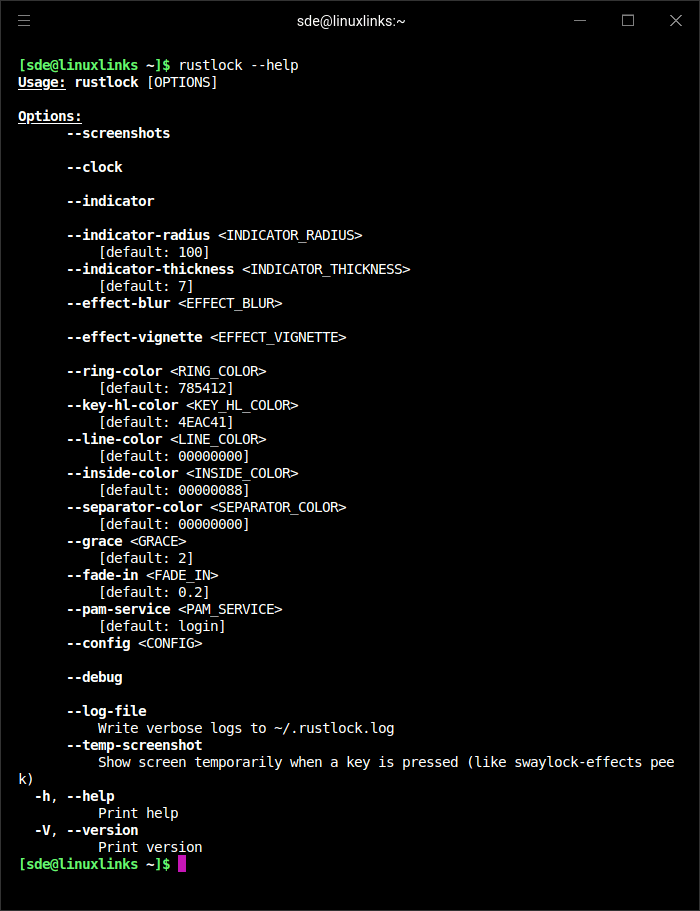
- Gaussian blur (configurable radius and passes).
- Vignette effect (configurable base and factor).
- Smooth fade-in animation.
- Password Indicator:
- Circular ring with configurable radius and thickness.
- Dynamic key highlight segments that rotate with each keystroke.
- Customizable colors (ring, inside, separator, highlight).
- Information Display:
- Centered clock (HH:MM format).
- Full date.
- System uptime.
- Screenshot Support:
- Captures desktop background before locking.
- Applies visual effects to background.
- Authentication:
- PAM-based authentication.
- Configurable grace period (any key press within N seconds unlocks without password).
- Logging: Verbose debug logs written to ~/.rustlock.log.
Website: github.com/JorySeverijnse/rustlock
Support:
Developer: Jory Severijnse
License: MIT License
RustLock is written in Rust. Learn Rust with our recommended free books and free tutorials.
 Explore our carefully curated directory of recommended free and open source software, covering every major software category. Explore our carefully curated directory of recommended free and open source software, covering every major software category.The directory forms part of our extensive collection of articles for Linux enthusiasts. It includes hundreds of detailed reviews, together with free and open source alternatives to proprietary software from companies such as Google, Microsoft, Apple, Adobe, IBM, Cisco, Oracle, and Autodesk. LinuxLinks also covers interesting projects worth exploring, Linux-compatible hardware, free programming books and tutorials, and much more. Know a useful free and open source Linux application that we haven’t covered? Tell us about it using our submission form. |
Please read our Comment Policy before commenting.