

Qucs stands for Quite Universal Circuit Simulator.
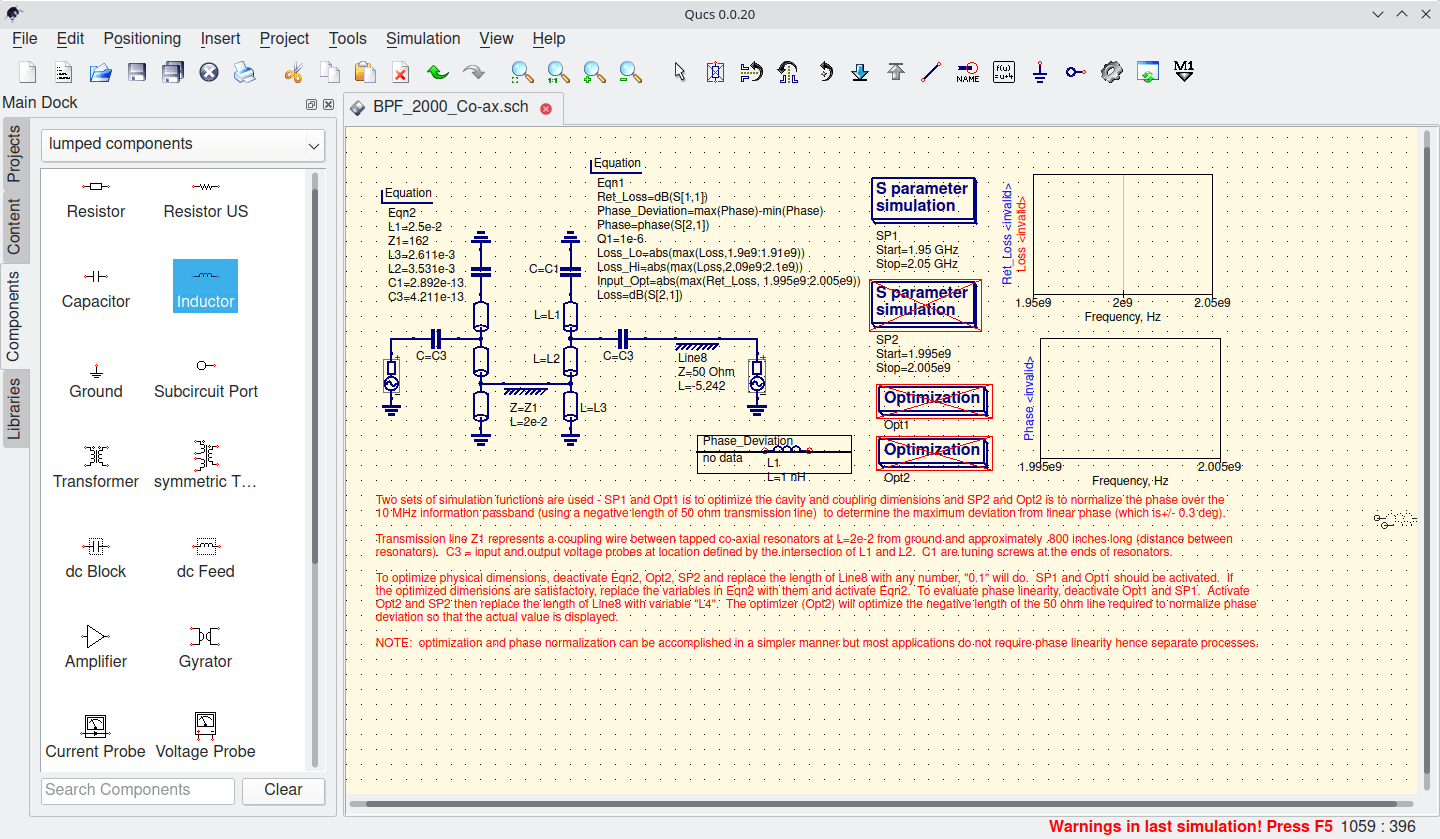
Qucs is an integrated circuit simulator which means you are able to setup a circuit with a graphical user interface (GUI) and simulate the large-signal, small-signal and noise behaviour of the circuit. After the simulation has finished you can view the simulation results on a presentation page or window.
The software aims to support all kinds of circuit simulation types, e.g. DC, AC, S-parameter and harmonic balance analysis.
Key Features
- Easy to use graphical interface for schematic capture.
- Simulation data representation in various types of diagrams, i.e., Smith-Chart, Cartesian, Tabular, Polar, Smith-Polar combination, 3D-Cartesian, Locus Curve, Timing Diagram and Truth Table.
- Transmission line calculator.
- Filter synthesis.
- Smith-Chart tool for power and noise matching.
- Attenuator design synthesis.
- Device model and subcircuit library manager.
- Optimizer for analog designs.
- Verilog-A interface.
- Support for multiple languages (GUI) and internal help system).
- Subcircuit (including parameters) hierarchy.
- Powerful data post-processing possible using equations.
- Symbolically defined nonlinear and linear devices.
- Documentation including:
- many useful tutorials (WorkBook).
- reports (ReportBook).
- technical description of the simulator.
Website: qucs.sourceforge.net
Support: User Manual, GitHub Code Repository
Developer: Michael Margraf, Stefan Jahn
License: GNU GPL v2
Qucs is written in C++. Learn C++ with our recommended free books and free tutorials.
Related Software
| GUI Circuit Simulators | |
|---|---|
| logisim-evolution | Design and simulate digital logic circuits |
| Qucs-S | Provides GUI for different circuit simulation kernels |
| Digital | Digital logic designer and circuit simulator designed |
| SimulIDE | Simple real time electronic circuit simulator |
| Qucs | Stands for Quite Universal Circuit Simulator |
| Xschem | Schematic capture program |
| XCircuit | Circuit drawing and schematic capture tool |
| Coulomb | Simple and elegant circuit simulator |
| CircuitJS1 | Offline desktop adaptation |
| OpenCircuits | Web-based digital circuit and logic designer |
| CircuitVerse | Construct digital logic circuits online |
| Issie | Interactive Schematic Simulator with Integrated Editor |
| CircuitSim | Real-time circuit simulator |
Read our verdict in the software roundup.
 Explore our carefully curated directory of recommended free and open source software, covering every major software category. Explore our carefully curated directory of recommended free and open source software, covering every major software category.The directory forms part of our extensive collection of articles for Linux enthusiasts. It includes hundreds of detailed reviews, together with free and open source alternatives to proprietary software from companies such as Google, Microsoft, Apple, Adobe, IBM, Cisco, Oracle, and Autodesk. LinuxLinks also covers interesting projects worth exploring, Linux-compatible hardware, free programming books and tutorials, and much more. Know a useful free and open source Linux application that we haven’t covered? Tell us about it using our submission form. |
Please read our Comment Policy before commenting.