

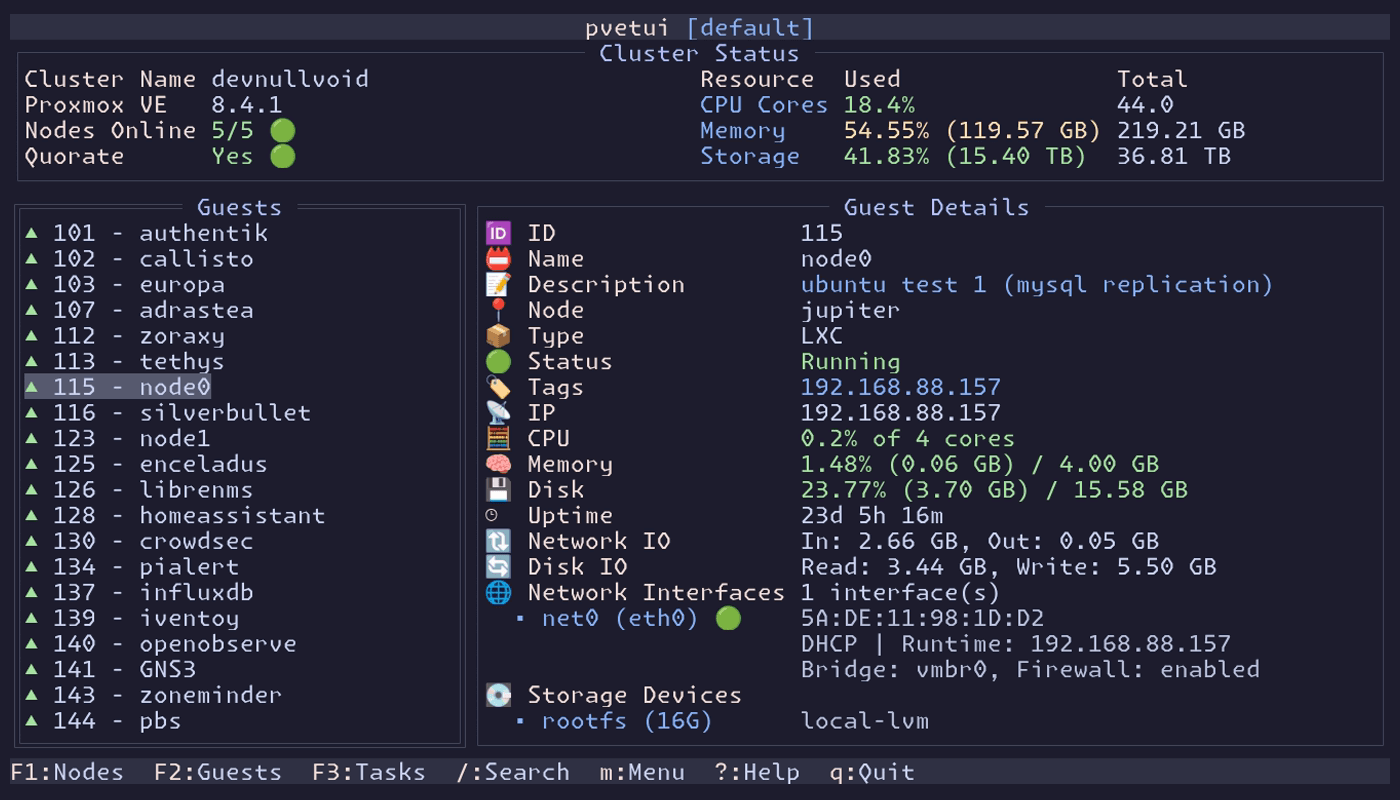
pvetui (Proxmox Virtual Environment Terminal User Interface) is a terminal user interface (TUI) tool for managing a Proxmox VE server or cluster. It serves as a keyboard-driven, command-line alternative to the standard web-based graphical interface, designed for speed and efficiency in terminal environments.
This is free and open source software.
Features include:
- Lightning Fast: Intelligent caching for responsive performance.
- Complete Management: VMs, containers, nodes, and cluster resources.
- Multi-Profile Support: Manage multiple Proxmox connections with profile switching.
- Automatic Migration: Legacy configs seamlessly migrate to modern profile-based format.
- Secure Authentication: API tokens or password-based auth with automatic renewal.
- Integrated Shells: SSH directly to nodes, VMs, and containers.
- VNC Console Access: Embedded noVNC client with automatic authentication.
- Plugin System: Opt-in extensions including the Community Scripts installer; enable via Manage
- Plugins dialog or config file.
- Modern Interface: Vim-style navigation with customizable key bindings.
- Flexible Theming: Automatic adaptation to terminal emulator color schemes.
- Comprehensive Documentation: Detailed guides for configuration, theming, and development.
- Aggregate Group Mode: Combine multiple Proxmox profiles into one unified view with routed actions per cluster.
Website: github.com/devnullvoid/pvetui
Support:
Developer: devnullvoid
License: MIT License
pvetui is written in Go and JavaScript. Learn Go with our recommended free books and free tutorials. Learn JavaScript with our recommended free books and free tutorials.
| Explore Linux | |
|---|---|
 | Best Free and Open Source Software - A huge collection of recommended free and open source software covering every major category. |
 | In-depth Linux Software Reviews - Detailed assessments of Linux software covering features, usability and overall quality. |
 | The Big List of Active Linux Distros - An extensive collection of actively developed Linux distributions. |
 | Open Source Alternatives - Alternatives to software and services from Google, Microsoft, Apple, Adobe, IBM, Autodesk, Oracle and others. |
 | Essential Linux System Tools - Indispensable utilities for monitoring, maintaining and managing Linux systems. |
 | Linux Productivity Tools - Useful utilities for improving productivity and streamlining everyday tasks. |
 | Alternatives to Popular CLI Tools - Modern alternatives to familiar command-line utilities supplied with Linux systems. |
 | Awesome Free Linux Game Tools - Tools, utilities and companion software that improve gaming on Linux. |
 | Machine Learning on Linux - Machine learning and deep learning software, self-hosted applications and practical tools. |
 | Saving Money with Linux - Practical ways to reduce electricity consumption and lower computing costs with Linux. |
 | Linux Candy - Fun, entertaining and sometimes delightfully quirky software from the lighter side of Linux. |
Please read our Comment Policy before commenting.