

ov is a feature-rich terminal pager designed for viewing text files, command output and continuously changing information. It provides an alternative to traditional pagers such as less and more, while also incorporating functionality associated with tail and watch.
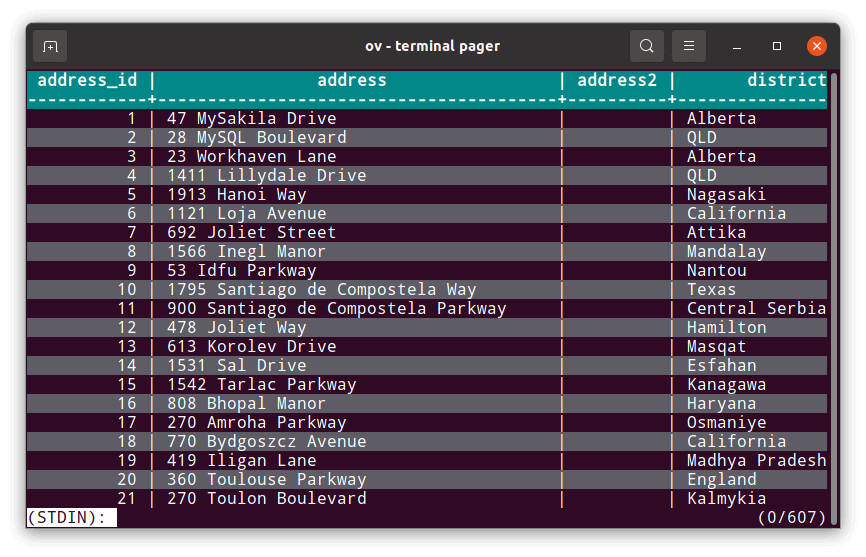
The program is particularly useful for displaying tabular information. It can recognise columns using configurable delimiters, highlight individual columns and keep selected rows or columns visible while navigating large amounts of data. This makes it useful for examining CSV files, database query results and structured command output.
ov also supports real-time monitoring. Its follow mode displays new content as files grow, while its execution and watch modes can show dynamically changing command output. Combined with extensive search, keyboard navigation and display customisation, these facilities make ov suitable for log inspection, system administration and general terminal-based data analysis.
This is free and open source software.
Key Features
- Efficiently opens files larger than available system memory.
- Display fixed header rows while scrolling through text.
- Keep selected columns visible during horizontal navigation.
- Column mode recognises delimiters in tabular output.
- Column rainbow mode highlights individual columns using different colours.
- Configurable column widths and alignment.
- Section-based navigation using configurable delimiters.
- Switch between character wrapping, word wrapping and unwrapped display.
- Optional alternating row styles.
- Follow mode displays new content as files grow.
- Follow multiple files and switch between updated files.
- Execution mode displays dynamically generated command output.
- Watch mode periodically checks files for changes.
- Incremental search, regular-expression search and filtering.
- Highlight multiple search expressions using different colours.
- Display a sidebar containing help, marks or document lists.
- Supports configurable keyboard shortcuts and display styles.
- Compressed file support includes gzip, bzip2, zstd, lz4 and xz.
- Handles Unicode and East Asian character widths.
- Cross-platform support – runs on Linux, macOS, and Windows.
Website: github.com/noborus/ov
Support:
Developer: Noboru Saito
License: MIT License
ov is written in Go. Learn Go with our recommended free books and free tutorials.
Alternatives to more | Alternatives to less | Alternatives to watch |
Alternatives to tail
| Explore Linux | |
|---|---|
 | Best Free and Open Source Software - A huge collection of recommended free and open source software covering every major category. |
 | In-depth Linux Software Reviews - Detailed assessments of Linux software covering features, usability and overall quality. |
 | The Big List of Active Linux Distros - An extensive collection of actively developed Linux distributions. |
 | Open Source Alternatives - Alternatives to software and services from Google, Microsoft, Apple, Adobe, IBM, Autodesk, Oracle and others. |
 | Essential Linux System Tools - Indispensable utilities for monitoring, maintaining and managing Linux systems. |
 | Linux Productivity Tools - Useful utilities for improving productivity and streamlining everyday tasks. |
 | Alternatives to Popular CLI Tools - Modern alternatives to familiar command-line utilities supplied with Linux systems. |
 | Awesome Free Linux Game Tools - Tools, utilities and companion software that improve gaming on Linux. |
 | Machine Learning on Linux - Machine learning and deep learning software, self-hosted applications and practical tools. |
 | Saving Money with Linux - Practical ways to reduce electricity consumption and lower computing costs with Linux. |
 | Linux Candy - Fun, entertaining and sometimes delightfully quirky software from the lighter side of Linux. |
Please read our Comment Policy before commenting.