

The Minisforum MKB i83 is an unusual product from a company better known for mini PCs, but it makes a lot of sense as part of a compact desktop setup.
This is an 83-key mechanical keyboard with a small footprint, aluminium alloy body, RGB lighting, PBT keycaps, Kailh red linear switches, and three connection options: Bluetooth, 2.4GHz wireless, and wired USB-C.
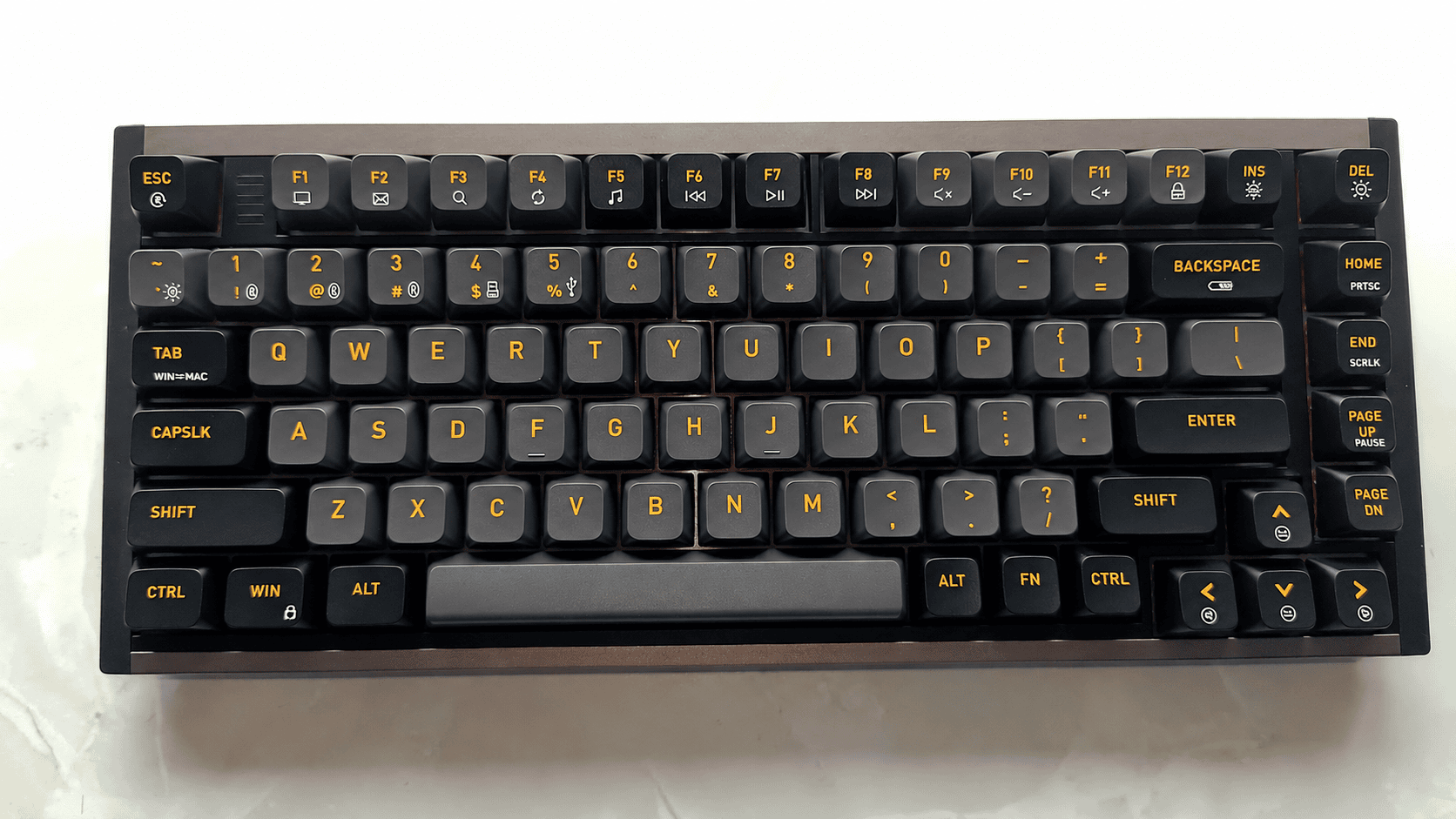
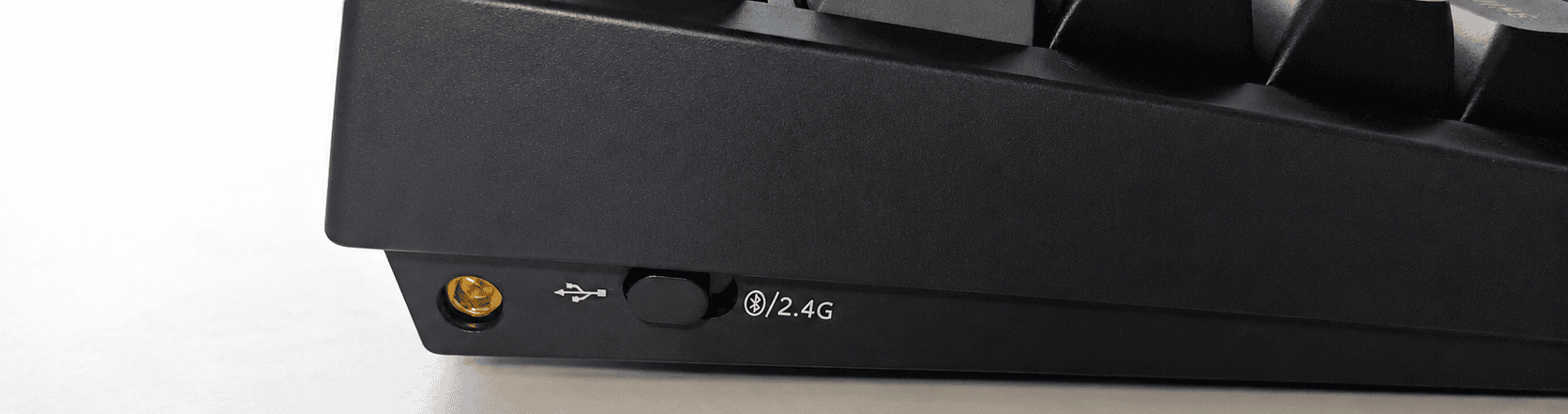
There’s a switch on the left-hand side that lets you select the three connection options.
Accessories included
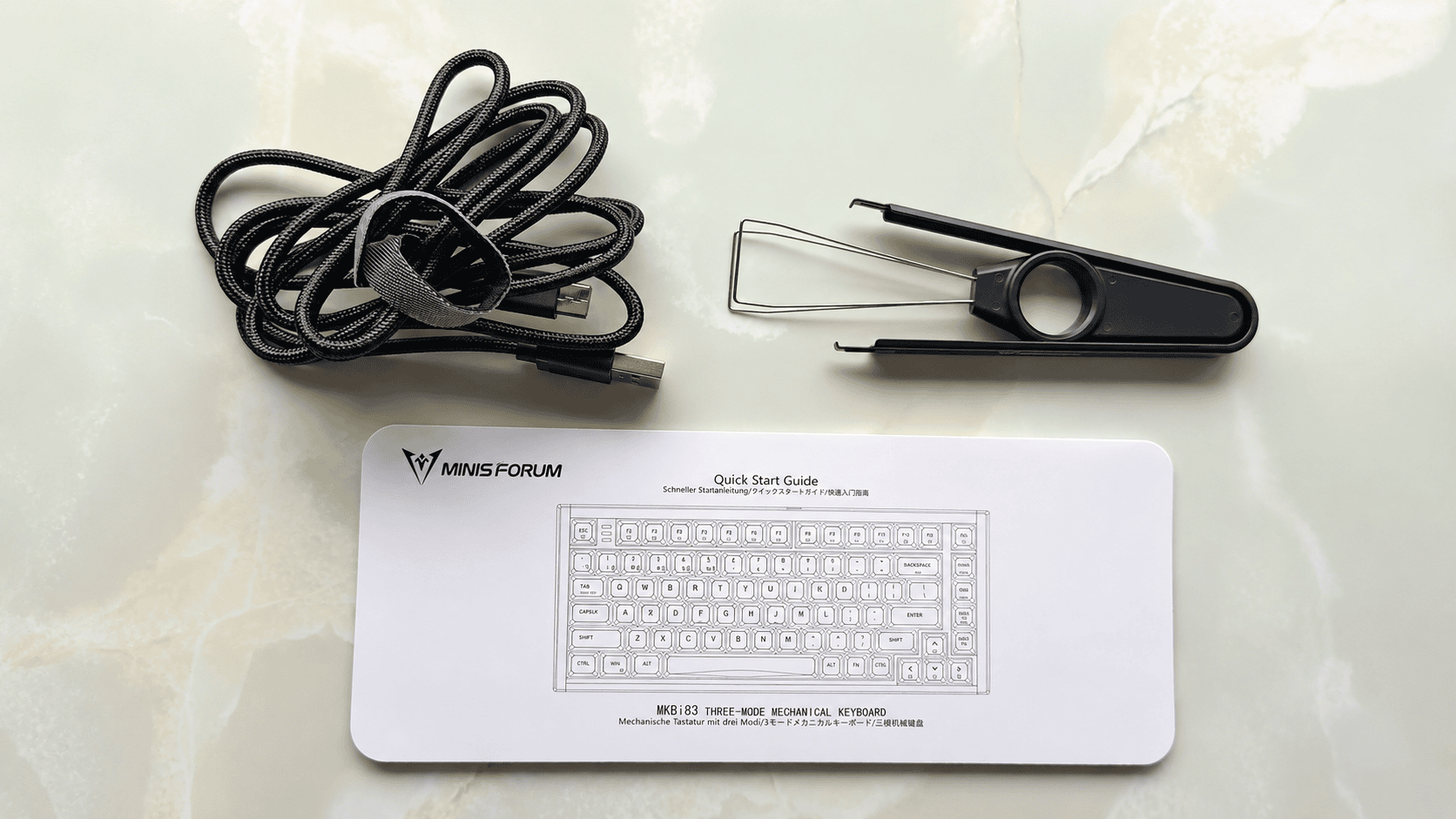
- Braided USB cable: A black woven cable and a Velcro-style strap for tidying the coil.
- Keycap / switch puller: A black plastic tool with wire prongs, used for removing keycaps and switches during cleaning or maintenance.
- Quick Start Guide: A slim white printed guide for the MINISFORUM MKB i83 three-mode mechanical keyboard, showing the keyboard layout and basic setup information.
- Key-axis clamp: not shown.
Design and Typing Experience
The first impression from the specification is strong. At 334 x 140 x 48 mm, it’s compact without being as cramped as ultra-small 60% boards. You still get a useful function layer, media shortcuts, Print Screen access, RGB controls, Win lock, Mac/Windows mode switching, and battery checking from the keyboard itself. The manual is functional rather than polished, but it covers the essentials clearly enough.
Build quality is one of the MKB i83’s main selling points. The aluminium body gives it a more premium feel than many plastic wireless mechanical keyboards in this price bracket, while the PBT keycaps should resist shine better over time. The hot-swappable switch sockets are also welcome. They make the keyboard more flexible, especially if you like the layout and chassis but later decide that Kailh red linear switches aren’t your ideal typing feel.
The typing experience should appeal most to users who like a smooth, light key press. On balance, the keyboard offers fast, comfortable typing from the outset, with less adjustment time than some other mechanical keyboards. That fits the choice of Kailh red switches: they’re smooth and quick, but they won’t suit everyone. Writers who prefer a tactile bump may find them a little too soft or featureless.
The red switches feel smooth and uninterrupted. When you press a key, it travels straight down with no tactile bump. They’re fairly light, so they can feel fast and effortless, especially for gaming or rapid repeated keypresses. The downside is that they can feel a bit “empty” or hollow for typing, because there’s no physical signal telling you the key has actuated. That led to accidental presses and harder bottoming out until I got used to them. I usually use brown or blue switches.
The 3000mAh battery is generous, although the claimed long runtime applies with RGB lighting off. With lighting enabled, battery life will inevitably be lower.
Battery status is not exposed to Linux over Bluetooth or UPower in my testing. The only available battery indicator is the keyboard’s built-in Fn + Backspace LED display. This lights the number row as a simple charge meter.
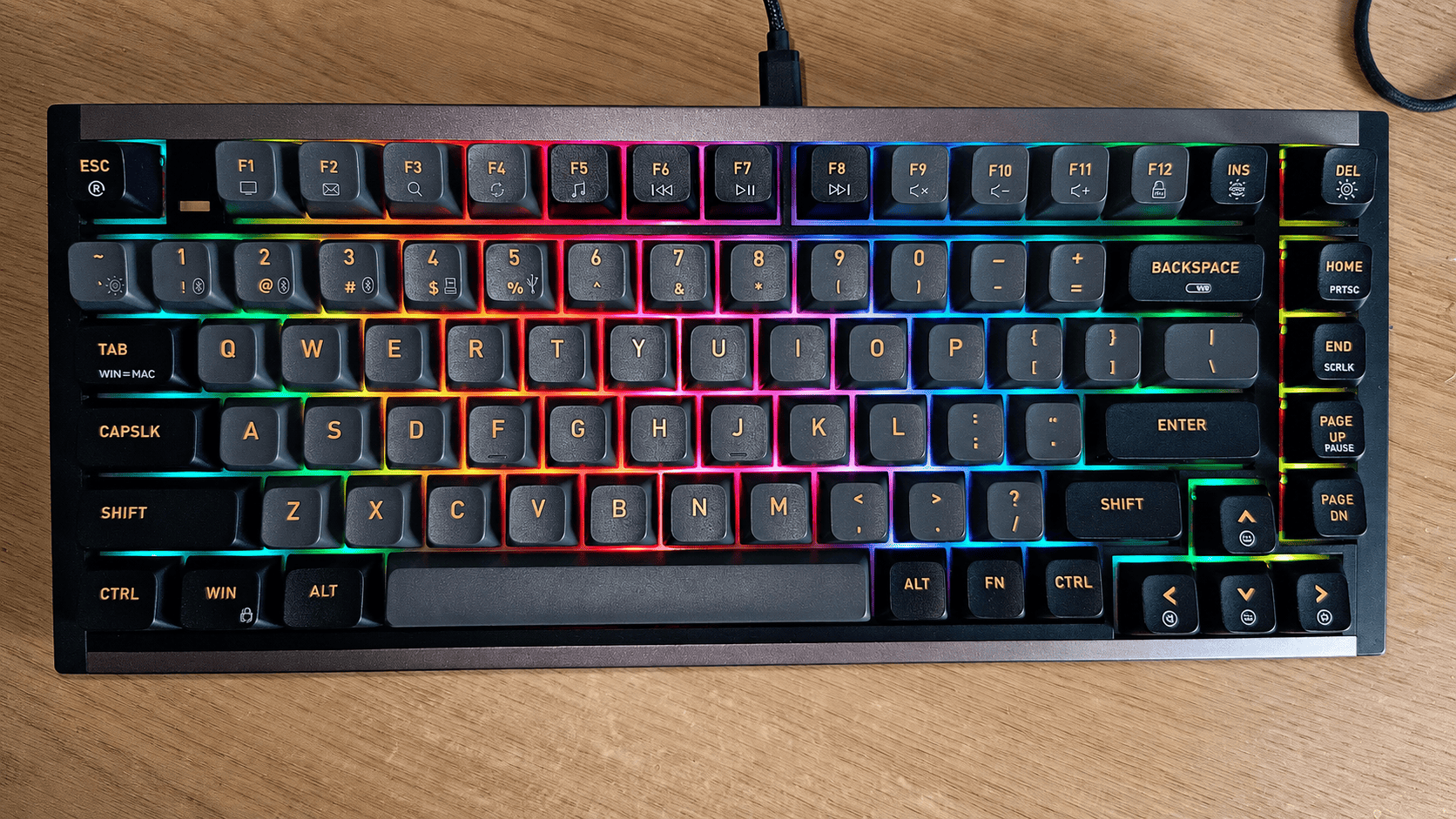
RGB lighting
Linux remapping
If you need remapping under Linux, you need to do that in software. I usually use the remapping functionality available in KDE, but you can also use other tools such as keyd.
What I like
- For the price, build quality is very good with its aluminium alloy frame.
- Kailh Red switches are better than I expected. The key action is smooth, easy to press, fairly quiet, and unlikely to fatigue your fingers. The keyboard is fully hot-swappable.
- The PBT keycaps look good and should resist shine better than cheaper ABS keycaps.
- RGB lighting with 18 lighting effects. The keyboard controls include backlight on/off, colour switching, effect cycling, brightness up/down, and effect speed adjustment.
- Connectivity is flexible, with 2.4GHz receiver mode, Bluetooth and wired USB-C. The keyboard has three Bluetooth profiles and can switch between Bluetooth device 1/2/3 with a short press, while a long press starts pairing. There’s support for up to 5 devices across Bluetooth, 2.4GHz and wired modes.
- N-key rollover / full-key no conflict is useful for gaming and complex key combinations.
- The 1000Hz report rate in wired mode is welcome.
- For a compact aluminium wireless mechanical keyboard with hot-swappable switches, it offers good value.
- The 2.4GHz receiver stores neatly on the right-hand side of the keyboard.
Caveats
- Layout is US only.
- The MKB i83 has RGB backlighting, but the key legends don’t shine through, so the lighting is more decorative than practical for identifying keys in the dark. If you want lit-up characters, you’d need replacement shine-through keycaps in a compatible 83-key/75% layout.
- The keyboard is quiet but not silent, despite the sound-dampening structure.
- Battery life fell short of the claimed 300 hours, and that was with RGB lighting turned off. The battery is also slow to charge, although the keyboard can be used via USB-C while charging.
- No proper firmware remapping tool.
- Only red switches are available.
Verdict
The Minisforum MKB i83 is a surprisingly good first keyboard from a company best known for mini PCs. Its aluminium body, PBT keycaps, hot-swappable switches and flexible wired, Bluetooth and 2.4GHz connectivity give it a more premium feel than many compact mechanical keyboards in this price range.
It won’t suit everyone. The US-only layout is limiting, the RGB lighting is decorative rather than genuinely useful in the dark, and there’s no proper firmware remapping tool. Battery life also fell short of the launch claim in my testing, even with RGB lighting disabled.
Even so, the MKB i83 gets more right than wrong. If you’re happy with red linear switches and want a compact wireless keyboard with a solid chassis, easy device switching and decent Linux behaviour, it’s a strong value choice.
The keyboard is priced at £99.00. I reviewed the champagne model, although an orange version is also available.
Please read our Comment Policy before commenting.