
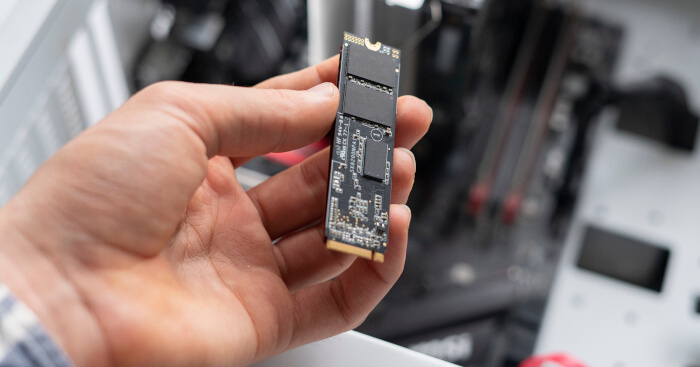
FSArchiver is a system tool that allows you to save the contents of a filesystem to a compressed archive file.
The filesystem contents can be restored on a device which has a different size and it can be restored on a different filesystem.
Unlike tar/dar, fsarchiver also creates the filesystem when it extracts the data to devices. Everything is checksummed in the archive in order to protect the data. If the archive is corrupt, you just lose the current file, not the whole archive.
FSArchiver can extract an archive to a partition which is smaller that the original one as long as there is enough space to store the data. It can also restore the data on a different file-system, so it can use it when you want to convert your file-system: you can backup an ext3 file-system, and restore it as a reiserfs.
This is free and open source software.
Key Features
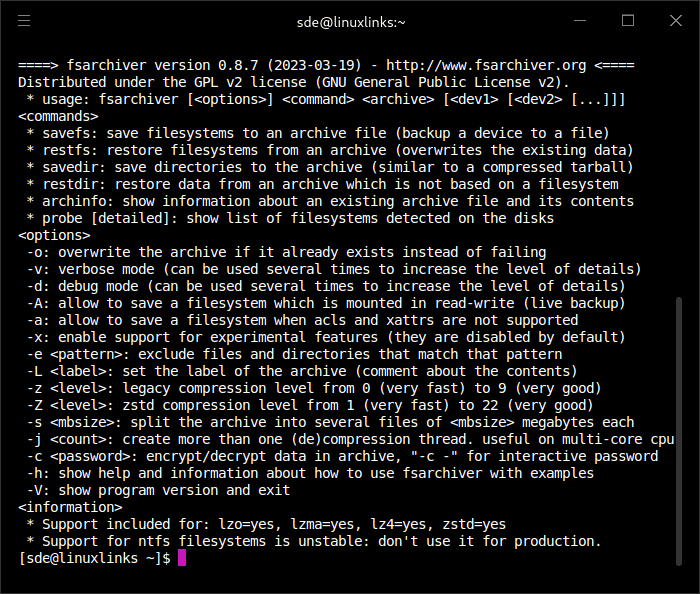
- Support for basic file attributes (permissions, ownership, …).
- Support for basic file-system attributes (label, uuid, block-size) for all Linux file-systems.
- Support for multiple file-systems per archive.
- Support for extended file attributes (they are used by SELinux).
- Support for all major Linux filesystems (extfs, xfs, btrfs, reiserfs, etc).
- Support for FAT filesystems (in order to backup/restore EFI System Partitions).
- Experimental support for cloning ntfs filesystems.
- Checksumming of everything which is written in the archive (headers, data blocks, whole files).
- Ability to restore an archive which is corrupt (it will just skip the current file).
- Multi-threaded lzo, gzip, bzip2, lzma/xz compression: if you have a dual-core / quad-core it will use all the power of your CPU.
- Lzma/xz compression (slow but very efficient algorithm) to make your archive smaller.
- Support for splitting large archives into several files with a fixed maximum size
- Encryption of the archive using a password. Based on blowfish from libgcrypt.
Website: www.fsarchiver.org
Support: GitHub Code Repository
Developer: Francois Dupoux
License: GNU General Public License v2.0
FSArchiver is written in C. Learn C with our recommended free books and free tutorials.
Related Software
| Disk Cloning Software | |
|---|---|
| GParted | Industrial-strength package for partition editing |
| Clonezilla | Perform system deployment, bare metal backup and recovery |
| Rescuezilla | Easy Backup, Recovery & Bare Metal Restore |
| FOG | A cloning / imaging solution / rescue suite |
| G4L | ncurses-based hard disk and partition imaging and cloning tool |
| Mondo Rescue | Reliable, disaster recovery solution |
| FSArchiver | Save the contents of a filesystem to a compressed archive file |
| PING | Partimage Is Not Ghost |
| Partclone | Save and restore used blocks on a partition |
| Redo Rescue | Simple backup and recovery solution |
| Foxclone | Image backup, restore and clone tool |
| qt-fsarchiver | Frontend for fsarchiver to save/restore partitions, folders and MBR/GPT |
| Partimage | Stores partitions to a image file |
| dcfldd | Enhanced version of dd |
| Apart GTK | Partclone GUI |
Read our verdict in the software roundup.
 Explore our comprehensive directory of recommended free and open source software. Our carefully curated collection spans every major software category. Explore our comprehensive directory of recommended free and open source software. Our carefully curated collection spans every major software category.This directory is part of our ongoing series of informative articles for Linux enthusiasts. It features hundreds of detailed reviews, along with open source alternatives to proprietary solutions from major corporations such as Google, Microsoft, Apple, Adobe, IBM, Cisco, Oracle, and Autodesk. You’ll also find interesting projects to try, hardware coverage, free programming books and tutorials, and much more. Discovered a useful open source Linux program that we haven’t covered yet? Let us know by completing this form. |
Please read our Comment Policy before commenting.