
21. Hoppla
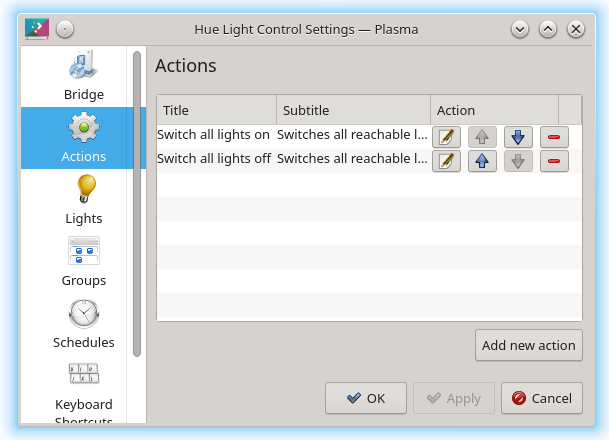
Hoppla is a Phillips Hue light control plasmoid. It doesn’t need any backend.
It offers the following functionality:
- Control your lights:
- Turn lights on / off.
- Set the brightness.
- Set the colour or white temperature.
- Control your groups:
- Turn whole groups on / off.
- Set the brightness.
- Set the colour or white temperature.
- Control single lights belonging to the group.
- Use quick actions for your favourite or most used commands:
- Create, modify and use actions, such as turning all lights off or dimming all lights of a room.
- Manage your stuff:
- Search new lights, modify and delete existing ones.
- Create new Groups and Rooms, modify and delete existing ones.
- Create new schedules, modify and delete existing ones.
- Set an alternative connection, including HTTP basic authentication:
- Control your lights from outside your home network.
22. Win7 Volume Mixer
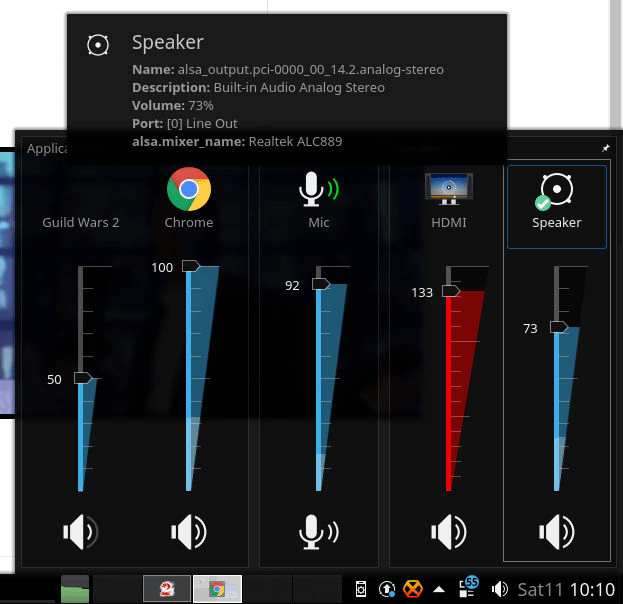
Win7 Volume Mixer is a fork of the default volume plasmoid with a Windows 7 theme (vertical sliders).
If you have any problems installing the widget, check out the project’s GitHub page.
23. Colour Picker
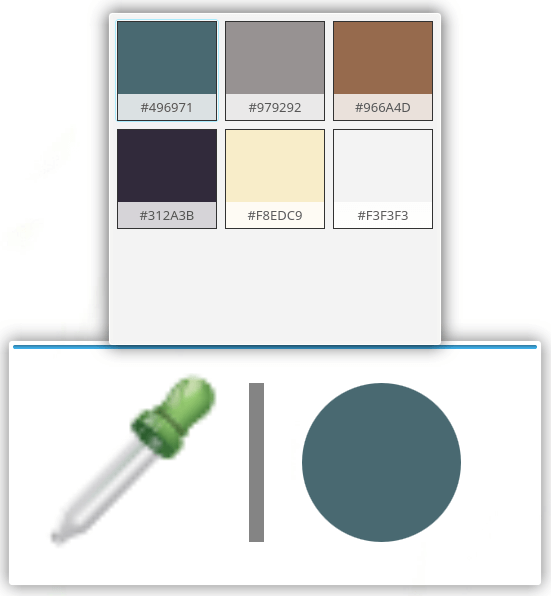
Color pickers are tools that help you identify and pick colors from your desktop. This can be helpful if you’re keen on image editing, web development work or other imaginative efforts.
This color picker is a widget that lets you pick a color and see a hexadecimal representation. By default, the widget copies the color to your clipboard but there’s the option to turn this off. You can configure the keyboard shortcut to show a history.
A very simple widget, but one I’ve used more than any standalone color picker.
24. Application Title

This widget is very simple. It shows the application title of the focused window. There’s the option to show the application icon, use fixed width. You can choose from activity name, desktop name, or custom text. There are other cosmetic options too.
Next page: Page 7 – Thermal Monitor, Kargos, Netspeed Widget, Show Desktop
Pages in this article:
Page 1 – Event Calendar, Advanced Radio Player, Simple Menu, Simple System Monitor
Page 2 – Redshift Control, Places, Qalculate, Dictionary
Page 3 – KDE Connect, Notes, Fokus, TodoList
Page 4 – Active Window Control, Condensed Weather, Translator, Webslice
Page 5 – GitLab Issues, RSS Indicator, Comic Strip, Plasma Customization Saver
Page 6 – Hoppla, Win7 Volume Mixer, Colour Picker, Application Title
Page 7 – Thermal Monitor, Kargos, Netspeed Widget, Icons-only Task Manager
Page 8 – Panon, Bouncy Ball, Better inline clock, Show Desktop, Compact Shutdown
 Explore our comprehensive directory of recommended free and open source software. Our carefully curated collection spans every major software category. Explore our comprehensive directory of recommended free and open source software. Our carefully curated collection spans every major software category.This directory is part of our ongoing series of informative articles for Linux enthusiasts. It features hundreds of detailed reviews, along with open source alternatives to proprietary solutions from major corporations such as Google, Microsoft, Apple, Adobe, IBM, Cisco, Oracle, and Autodesk. You’ll also find interesting projects to try, hardware coverage, free programming books and tutorials, and much more. Know a useful open source Linux program that we haven’t covered yet? Let us know by completing this form. |
Please read our Comment Policy before commenting.
Thermal Monitor doesn’t work in KDE Plasma 5.24.7
I think it is time for any update
I’m interested in reading what widgets you use.