

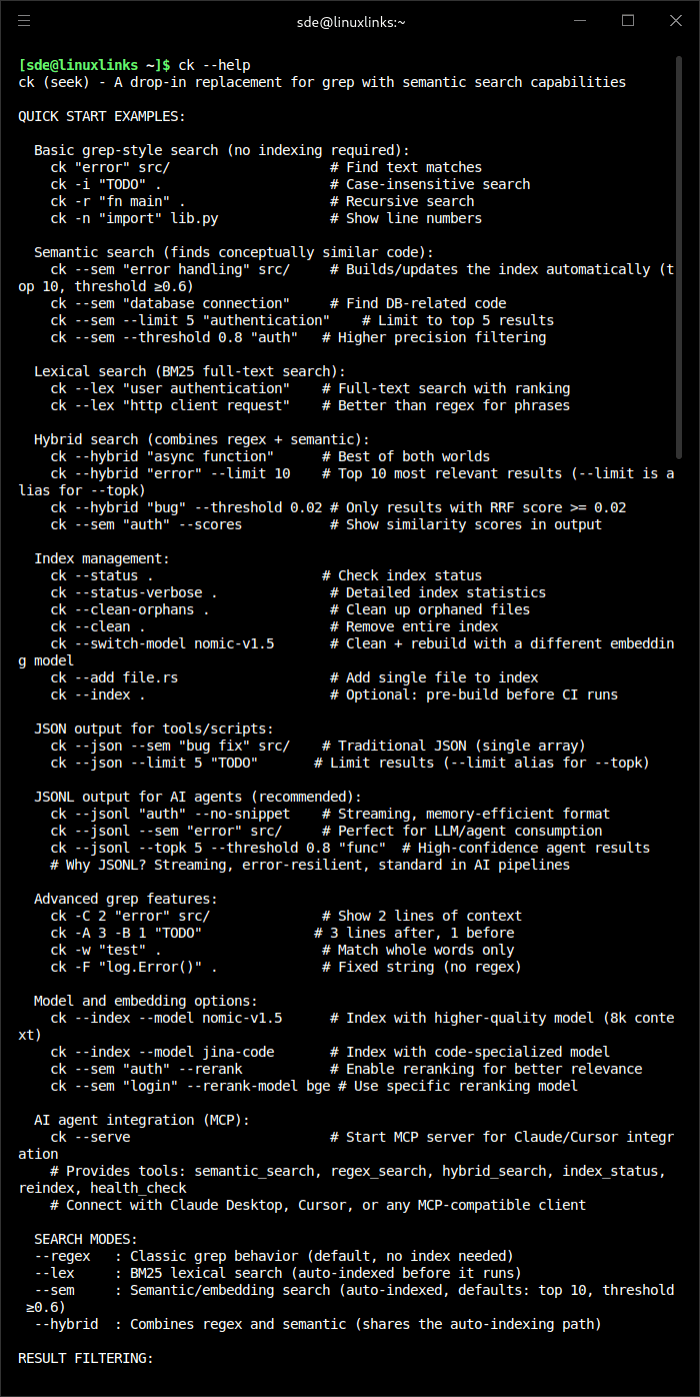
ck (seek) finds code by meaning, not just keywords. It’s grep that understands what you’re looking for — search for “error handling” and find try/catch blocks, error returns, and exception handling code even when those exact words aren’t present.
This is free and open source software.
Features include:
- AI Agent Integration (MCP Server).
- Interactive TUI (Terminal User Interface):
- Multiple Search Modes: Toggle between Semantic, Regex, and Hybrid search with Tab
- Preview Modes: Switch between Heatmap, Syntax highlighting, and Chunk view with Ctrl+V
- View Options: Toggle between snippet and full-file view with Ctrl+F
- Multi-select: Select multiple files with Ctrl+Space, open all in editor with Enter
- Search History: Navigate with Ctrl+Up/Down
- Editor Integration: Opens files in $EDITOR with line numbers (Vim, VS Code, Cursor, etc.)
- Progress Tracking: Live indexing progress with file and chunk counts
- Config Persistence: Preferences saved to ~/.config/ck/tui.json
- Semantic Search – find code by concept, not keywords. Understands synonyms, related terms, and conceptual similarity.
- Drop-in grep compatibility.
- Hybrid search.
- Automatic Delta Indexing with Chunk-Level Caching:
- Semantic and hybrid searches transparently create and refresh their indexes before running. The first search builds what it needs; subsequent searches intelligently reuse cached embeddings:
- Chunk-level incremental indexing: Only changed chunks are re-embedded (80-90% cache hit rate for typical code changes)
- Content-aware invalidation: Doc comments and whitespace changes properly invalidate cache
- Model consistency: Prevents silent embedding corruption when switching models
- Semantic and hybrid searches transparently create and refresh their indexes before running. The first search builds what it needs; subsequent searches intelligently reuse cached embeddings:
- Smart caching: Hash-based invalidation using blake3(text + trivia) for reliable change detection
- Smart File Filtering – automatically excludes cache directories, build artifacts, and respects .gitignore and .ckignore files.
Website: github.com/BeaconBay/ck
Support:
Developer: Mike Renwick
License: MIT License or Apache License 2.0
ck is written in Rust. Learn Rust with our recommended free books and free tutorials.
| Explore Linux | |
|---|---|
 | Best Free and Open Source Software - A huge collection of recommended free and open source software covering every major category. |
 | In-depth Linux Software Reviews - Detailed assessments of Linux software covering features, usability and overall quality. |
 | The Big List of Active Linux Distros - An extensive collection of actively developed Linux distributions. |
 | Open Source Alternatives - Alternatives to software and services from Google, Microsoft, Apple, Adobe, IBM, Autodesk, Oracle and others. |
 | Essential Linux System Tools - Indispensable utilities for monitoring, maintaining and managing Linux systems. |
 | Linux Productivity Tools - Useful utilities for improving productivity and streamlining everyday tasks. |
 | Alternatives to Popular CLI Tools - Modern alternatives to familiar command-line utilities supplied with Linux systems. |
 | Awesome Free Linux Game Tools - Tools, utilities and companion software that improve gaming on Linux. |
 | Machine Learning on Linux - Machine learning and deep learning software, self-hosted applications and practical tools. |
 | Saving Money with Linux - Practical ways to reduce electricity consumption and lower computing costs with Linux. |
 | Linux Candy - Fun, entertaining and sometimes delightfully quirky software from the lighter side of Linux. |
Please read our Comment Policy before commenting.