

AppImage is a universal software format for distributing portable software on Linux without needing superuser permissions to install the application. AppImage doesn’t really install software. It’s a compressed image with all the dependencies and libraries needed to run the desired software.
AppImages are widely-used, convenient and useful one click solution in running and installing software.
This article looks at software which helps you manage AppImages on your system.
Here’s our verdict captured in a legendary LinuxLinks-style ratings chart. Only free and open source software is eligible for inclusion.
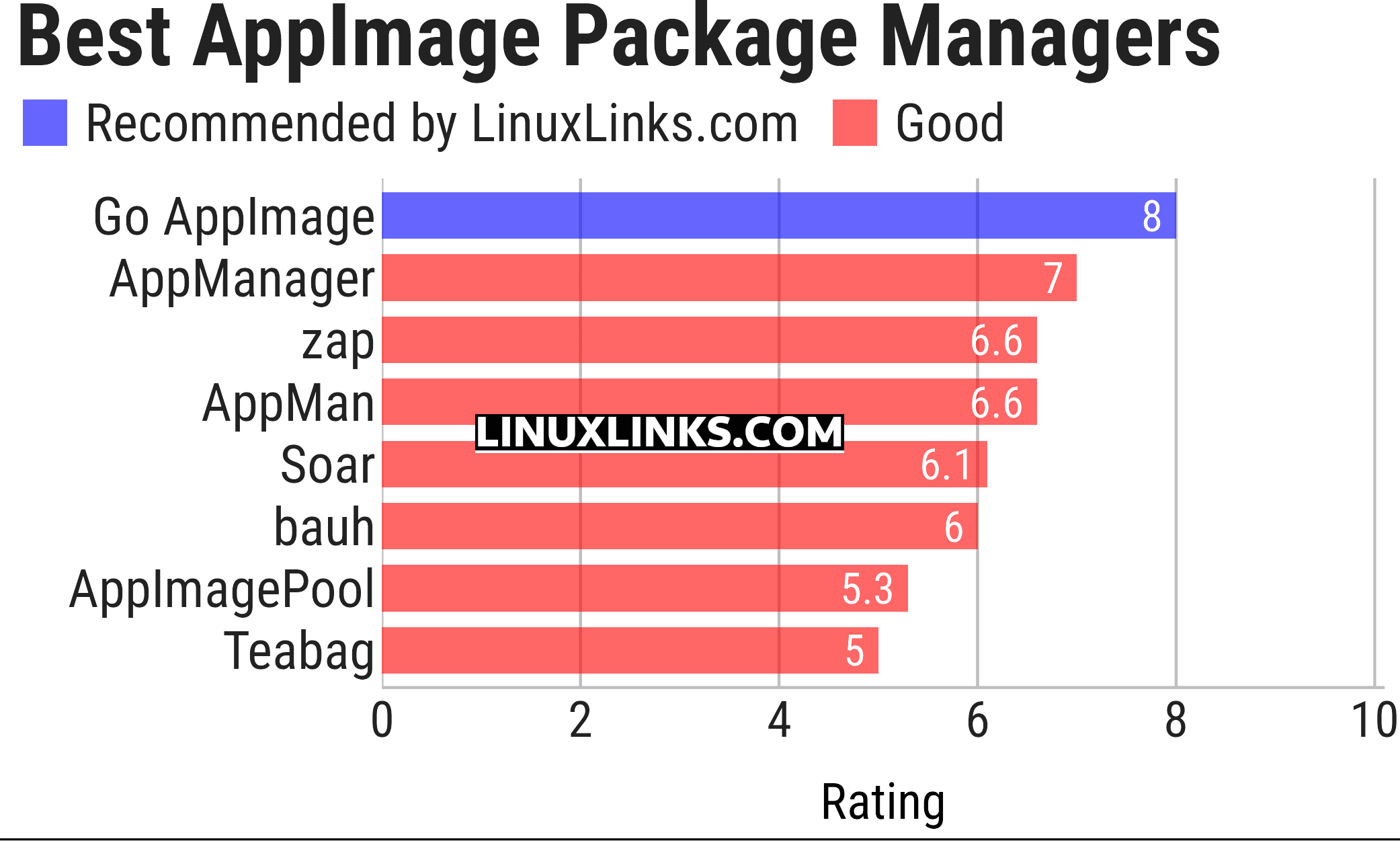
Click the links to learn more about each package manager.
| AppImage Package Managers Tools | |
|---|---|
| Go AppImage | Go implementation of AppImage tools |
| AppManager | GTK/Libadwaita developed desktop utility in Vala |
| zap | Supports desktop integration, delta updates and command line syntax |
| AppMan | Manage 1900+ AppImage packages and official standalone apps |
| Soar | Modern, distro-independent package manager |
| bauh | Supports Snaps, Flatpaks, AppImages, deb packages, web applications |
| AppImagePool | Simple, modern AppImageHub client |
| Teabag | TUI app built with Bubble Tea |
This article has been updated to reflect the changes outlined in our recent announcement.
 Explore our carefully curated directory of recommended free and open source software, covering every major software category. Explore our carefully curated directory of recommended free and open source software, covering every major software category.The directory forms part of our extensive collection of articles for Linux enthusiasts. It includes hundreds of detailed reviews, together with free and open source alternatives to proprietary software from companies such as Google, Microsoft, Apple, Adobe, IBM, Cisco, Oracle, and Autodesk. LinuxLinks also covers interesting projects worth exploring, Linux-compatible hardware, free programming books and tutorials, and much more. Know a useful free and open source Linux application that we haven’t covered? Tell us about it using our submission form. |
Please read our Comment Policy before commenting.