
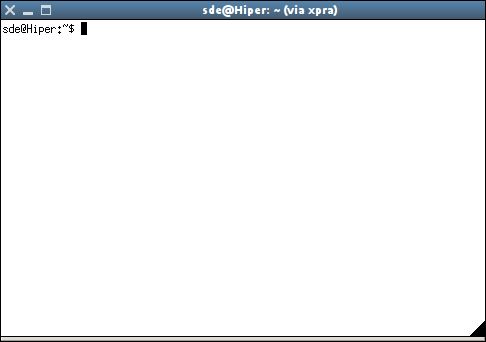
xpra (X Persistent Remote Applications) is ‘screen for X’. This application allows users to run X programs, usually on a remote host, direct their display to your local machine, and then to disconnect from these programs and reconnect from the same or another machine, without losing any state.
It therefore differs from standard X forwarding in that it allows disconnection and reconnection without disrupting the forwarded application. Another difference is that xpra is “rootless” i.e., programs run under it show up on the desktop as regular programs, managed by the standard window manager, instead of being confined inside a box.
Xpra uses a custom protocol that is self-tuning and relatively latency-insensitive, and is therefore usable over network connections that are too slow or unreliable for standard X forwarding.
Key Features
- System tray menu for easy disconnection.
- Memory Mapped data transfers for local connections.
- JPEG and PNG image compression (optional), including adaptive JPEG mode (bandwidth constrained).
- Non-US keyboard layout support.
- Handles screen update storms and fast screen refresh rates.
- Much lower CPU overhead in network code.
- Support for password protection option for securing plain TCP connections.
- Forwarding of system bell and custom application cursors.
- Forwarding of application notifications (requires its own dbus daemon).
- Support for Xdummy and the RandR extension which fixes a number of otherwise unfixable display bugs (ie: #1, #2).
- Ability to disable pulseaudio and clipboard synchronization.
- Clean client disconnection.
Website: github.com/Xpra-org/xpra
Support:
Developer: Nathaniel Smith, Antoine Martin
License: GNU General Public License v2.0
xpra is written in Python. Learn Python with our recommended free books and free tutorials.
Related Software
| Remote Display Clients | |
|---|---|
| TigerVNC | Platform-neutral implementation of VNC |
| Remmina | GTK+/Gnome Remote Desktop Client |
| KRDC | Connect with RDP or VNC to another computer |
| X2Go | Fast terminal server suite based on NoMachine's NX libraries |
| RustDesk | Works out of the box with no configuration required |
| Veyon | Computer monitoring and classroom management |
| TurboVNC | TightVNC-compatible remote desktop software |
| FreeRDP | Remote Desktop Protocol Implementation |
| TightVNC | Client/server allowing remote network access to graphical desktops |
| noVNC | VNC client web application |
| Connections | Aims at replacing Vinagre as the remote desktop client for GNOME |
| Xpra | Multi-platform persistent remote display server with built-in HTML5 client |
| Guacamole | Clientless remote desktop gateway |
| Dayon! | Easy to use, cross-platform remote desktop assistance solution |
| RustConn | Connection orchestrator for Linux with a GTK4/Wayland-native interface |
| HopToDesk | Remote desktop tool with end-to-end encryption |
| Field Monitor | Remote desktop client designed for GNOME |
| Vinagre | VNC client for the Gnome Desktop |
| rdesktop | Client for Windows Terminal Services |
Read our verdict in the software roundup.
| Remote Desktop Servers | |
|---|---|
| TigerVNC | Platform-neutral implementation of VNC |
| GNOME Remote Desktop | Designed for GNOME using pipewire. |
| X2Go | Fast terminal server suite based on NoMachine's NX libraries |
| RustDesk | Works out of the box with no configuration required |
| TurboVNC | TightVNC-compatible remote desktop software |
| FreeRDP | Remote Desktop Protocol Implementation |
| TightVNC | Remote network access to graphical desktops |
| xrdp | Accepts connections from variety of RDP clients |
| Xpra | Multi-platform persistent remote display server |
| Guacamole | Clientless remote desktop gateway |
| OpenSSH | Encrypted communication sessions using the ssh protocol |
| Veyon | Computer monitoring and classroom management |
| KasmVNC | Browser-based VNC server for secure remote desktop access |
| IronRDP | Rust implementation of RDP |
| Dayon! | Easy to use, cross-platform remote desktop assistance solution |
| wayvnc | VNC server for wlroots-based Wayland compositors |
| Lamco RDP Server | Wayland-native RDP server for Linux |
| hypr-rdp | Native RDP server for Hyprland |
Read our verdict in the software roundup.
 Explore our carefully curated directory of recommended free and open source software, covering every major software category. Explore our carefully curated directory of recommended free and open source software, covering every major software category.The directory forms part of our extensive collection of articles for Linux enthusiasts. It includes hundreds of detailed reviews, together with free and open source alternatives to proprietary software from companies such as Google, Microsoft, Apple, Adobe, IBM, Cisco, Oracle, and Autodesk. LinuxLinks also covers interesting projects worth exploring, Linux-compatible hardware, free programming books and tutorials, and much more. Know a useful free and open source Linux application that we haven’t covered? Tell us about it using our submission form. |
Please read our Comment Policy before commenting.