

A code formatter is an automated tool designed to adjust source code according to a predetermined set of formatting guidelines, like how indentation and spacing should look and where line breaks should go. By doing this, it enhances the code’s readability and maintains consistency, all while ensuring that the code’s functionality remains unchanged. This not only saves developers valuable time but also helps minimize disagreements over style preferences.
This type of software means coders cede control over minutiae of hand-formatting. In return, the software offers speed, determinism, and freedom from nagging about formatting. Save time and mental energy for more important matters.
This roundup selects some useful code formatters for Clojure developers.
Here’s our verdict captured in a legendary LinuxLinks-style ratings chart. Only free and open source software is eligible for inclusion.
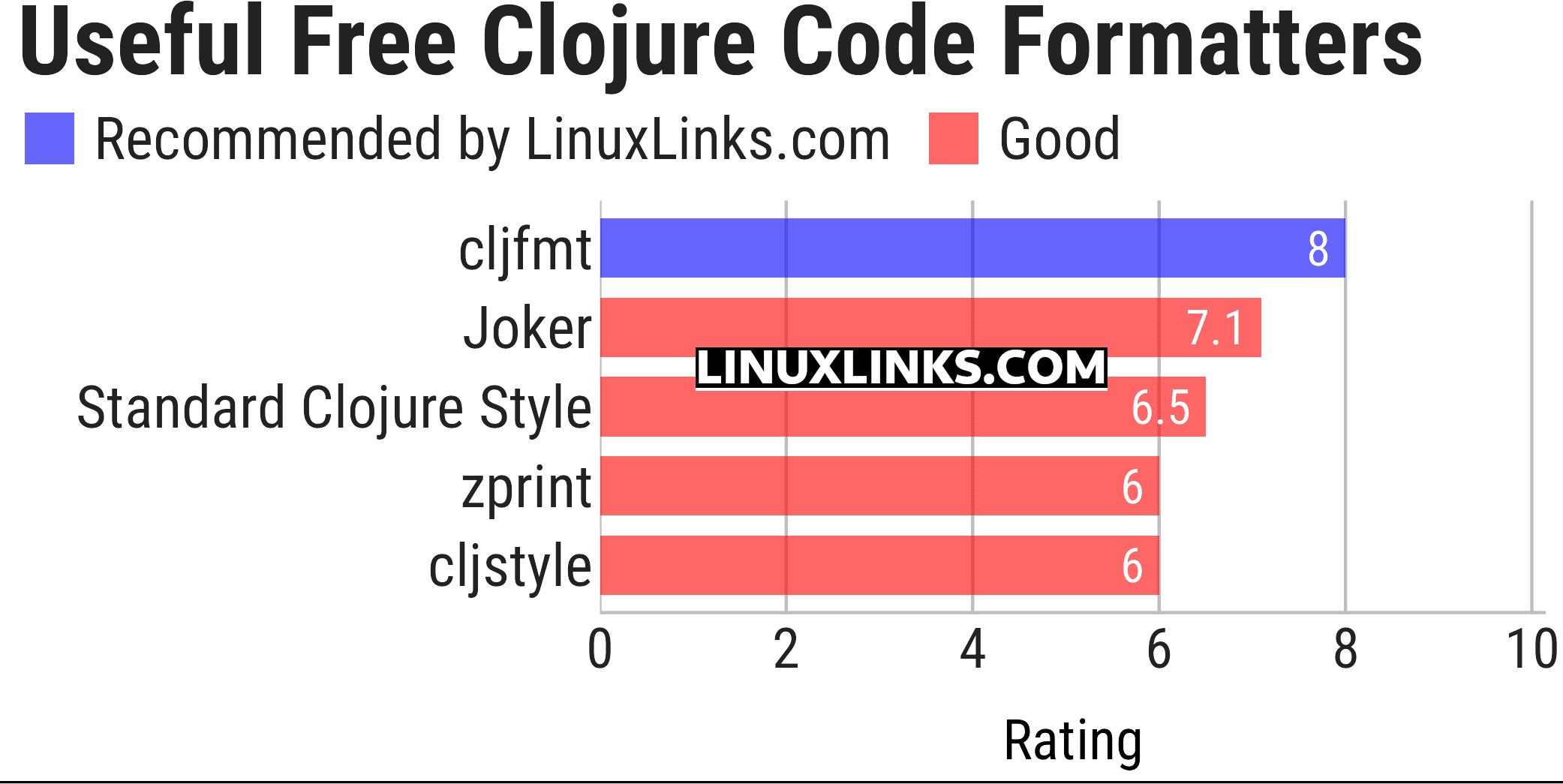
Click the links to learn more about each tool.
| Clojure Code Formatters | |
|---|---|
| cljfmt | Tool for detecting and fixing formatting errors in Clojure code |
| Joker | Small Clojure interpreter, linter and formatter |
| zprint | Reformat Clojure and Clojurescript source code |
| cljstyle | Supports several different commands for checking source files. |
| Standard Clojure Style | JavaScript implementation of a formatter for Clojure source code |
This article has been updated to reflect the changes outlined in our recent announcement.
 LinuxLinks helps you discover the best free and open source software for Linux. Explore our extensive collection of recommended applications, including alternatives to popular proprietary software. We also publish software reviews, Linux tutorials, hardware reviews, free programming books and articles covering the wider open source community. Browse our Linux resources to discover more. Know a useful free and open source Linux application we haven't covered? Suggest a program for inclusion. Has your software been featured on LinuxLinks? Display one of our Featured on LinuxLinks badges on your website or GitHub README. |
Please read our Comment Policy before commenting.