

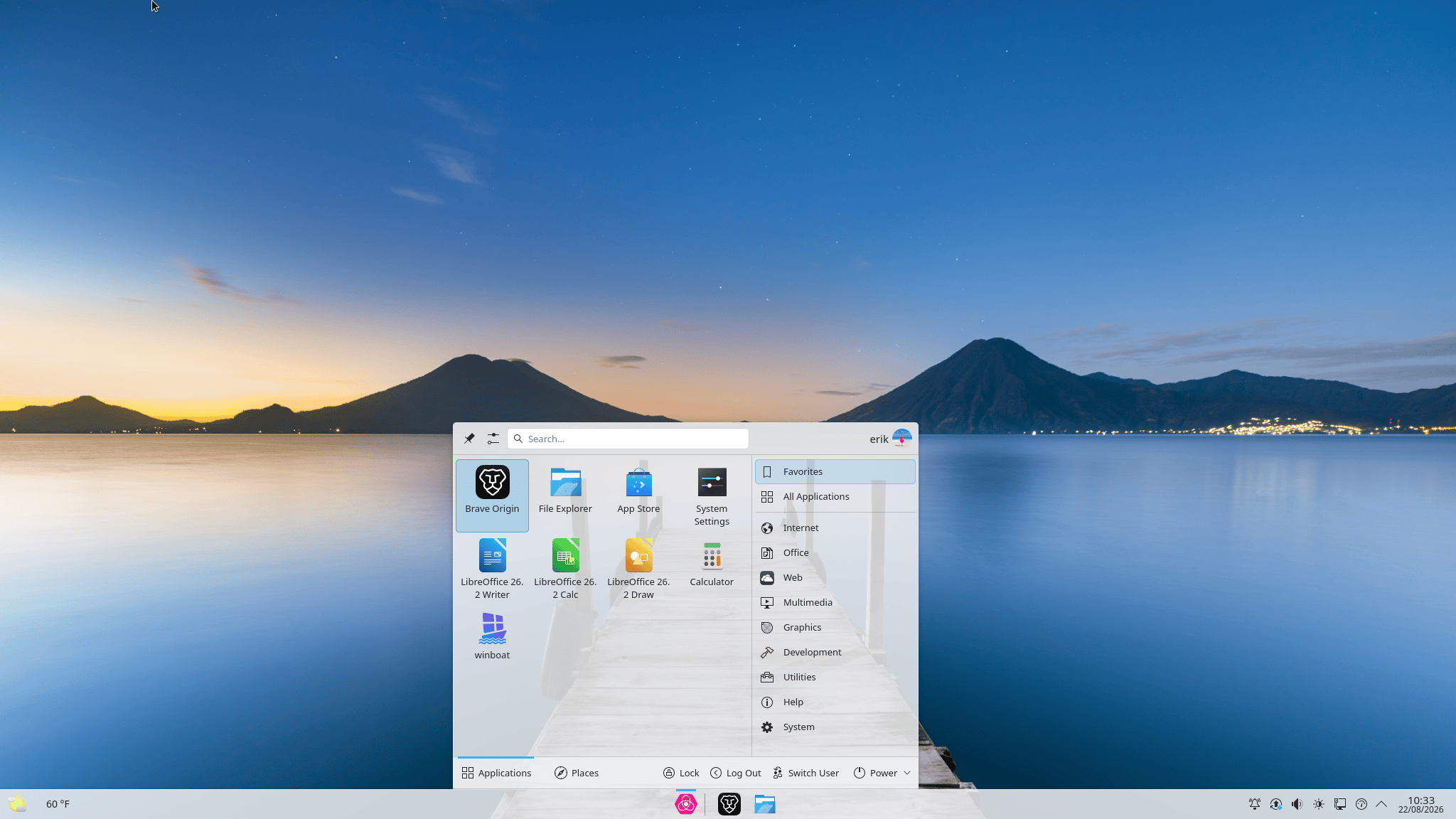
Proton OS is a Debian-based Linux distribution designed for small businesses and everyday users seeking a familiar desktop without telemetry, advertising or mandatory online accounts.
Its Core edition focuses on stability, straightforward administration and an environment intended to make migration from Windows less disruptive. Proton OS also bundles common productivity applications so that a freshly installed system can be used for routine office work without extensive setup.
Security defaults receive particular attention. The firewall is enabled out of the box, AppArmor enforcement is used, automatic security updates are configured, and SSH is disabled by default. Proton OS also includes WinBoat integration for users who still need to run Windows applications.
This is free and open source software.
Key Features
- No mandatory cloud account; the system can be used with a local account.
- Firewall enabled by default.
- AppArmor enforcement for restricting application access.
- Automatic installation of security updates.
- SSH disabled by default to reduce exposed remote services.
- Preloaded office software, PDF utilities and web browsers.
- WinBoat integration for running Windows applications.
- Built-in access to web-based business applications.
- Designed for office workstations, shared computers and reception systems.
- Core edition targets stable everyday use and long-term reliability.
- Frontier edition is planned with a newer Linux kernel and KDE Plasma for newer hardware.
- 64-bit release for AMD and Intel systems.
| Working state: | Active |
| Desktop: | KDE Plasma |
| Init Software: | systemd |
| Package Management: | APT |
| Release Model: | Fixed |
| Platforms: | x86_64 |
| Home Page: | protonos.org |
| Developer: | Christian Nieves |
| This article is part of our Big List of Active Linux Distributions and Open Source Operating Systems. |
What's a Linux distribution ("distro")? |
| A distro provides the user with a desktop environment, preloaded applications, and ways to update and maintain the system. Each distro makes different choices, deciding which open source projects to install and provides custom written programs. They can have different philosophies. Some distros are intended for desktop computers, some for servers without a graphical interface, and others for special uses. Because Linux is an open source operating system, combinations of software vary between Linux distros. |
Please read our Comment Policy before commenting.