

This is a series where I’ll pick one proprietary Linux application each week. Although LinuxLinks primarily focuses on open source software, we’ll explore proprietary software along the way.
PangoTerm is a modern SSH client for developers and system administrators that runs on Linux, macOS, and Windows. This is proprietary software.
PangoTerm combines remote shell access with integrated tools for file transfer, SSH tunneling, and server monitoring, helping users manage remote machines and development infrastructure from a single application.
Installation
I evaluated the free to download version of PangoTerm with CachyOS, an up and coming Arch-based distro. There is a package in the Arch User Repository, but I just chose to use the install.sh script.
$ curl -fsSL https://pangoterm.com/install.sh | bash
Launching the software only produced a blank white window. Suspecting a dependency issue on my test system, I installed some additional packages, including a few that were already present, in case any required dependencies were missing.
$ sudo pacman -S webkit2gtk-4.1 gtk3 openssl libayatana-appindicator librsvg
However, launching the software still only displayed a blank window.
I didn’t investigate why the quick install script only produced this white window, as there’s a package in the AUR which solved the issue, and the program launched successfully.
Key Features of the Free to Download version
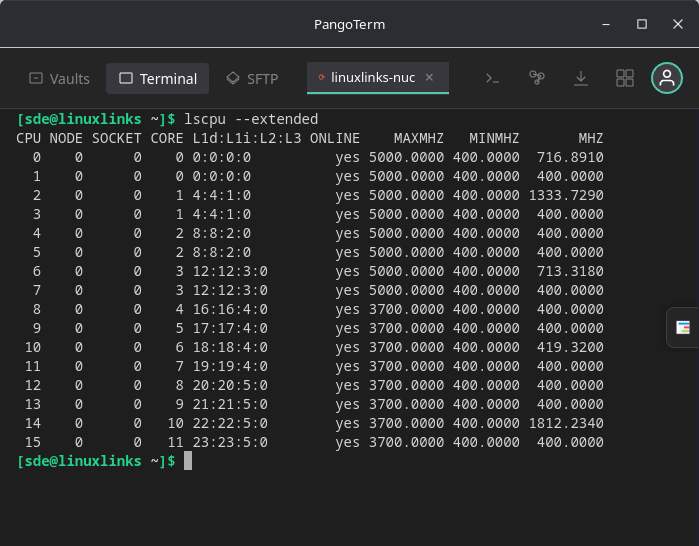
- Tabbed SSH terminal that lets users manage multiple remote sessions from a single workspace. This makes it easier to switch between servers, development environments, and administrative tasks without opening separate terminal windows, helping users stay organized and productive during complex remote operations.
- Good terminal emulation.
- An integrated SFTP file manager is included allowing users to browse remote directories and handle file operations directly within the application. This is useful for uploading scripts, reviewing log files, updating configuration data, and moving project assets without relying on a separate file transfer tool.
- Port forwarding support is available, enabling secure access to internal services such as databases, dashboards, and development tools through SSH tunnels. This expands PangoTerm beyond basic terminal access and makes it more practical for technical users who regularly work with protected network resources.
- Real-time monitoring capabilities, giving users visibility into system activity while connected to remote machines. This can support troubleshooting, performance observation, and routine server oversight by combining monitoring and command execution within the same interface.
- Several workflow improvements including unlimited tabs, 24 built-in themes, auto-reconnect, drag-and-drop uploads, and command snippets. Together, these features improve session resilience, reduce repetitive manual input, enhance visual comfort, and streamline routine administration and development tasks.
Summary
When it comes to reaching a verdict on PangoTerm it’s impossible not to make comparisons with XPipe. While PangoTerm is proprietary software, the community edition of XPipe is open source.
PangoTerm is a solid SSH client with a good feature set.. In my opinion, PangtoTerm is strong if you want a traditional polished SSH client with a built-in tabbed terminal, built-in SFTP, snippets, and live monitoring. It offers its own SSH implementation whereas XPipe delegates shell handling to your existing command-line SSH client and terminal.
However, many users will prefer XPipe given that it has an open source edition. Moreover, that edition includes vault git sync for free. It also has a much wider scope than SSH with integrations for Docker, Podman, LXD/incus, Kubernetes, Proxmon, RDP, VNC, and WimRM. XPipe is stronger if you want a remote-infrastructure hub that spans SSH plus containers, VMs, desktops, secrets, sync, scripting, and APIs.
PangoTerm is available at no cost for Linux, macOS, Windows making it suitable for individuals and teams working across multiple operating systems. This cross-platform availability helps maintain a consistent remote access experience regardless of the user’s preferred desktop environment.
There is a pro version that costs $9.99 per month (or $99 per year). While it has additional features including cloud sync across devices and some other sync functionality, the price seems on the high side.
Website: pangoterm.com
Support:
Developer: PangoTerm
License: Proprietary
Tell us what you think of PangoTerm in the Comments section.
Please read our Comment Policy before commenting.