

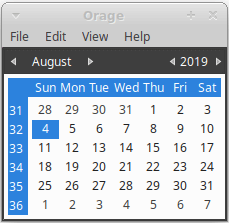
Orage is a fast and easy to use graphical calendar for the Xfce Desktop Environment.
It uses the portable ical format and includes common calendar features like repeating appointments and multiple alarming possibilities.
Orage does not have group calendar features, but can only be used for single user. All orage datafiles are by default in ~/.local/share/orage and all configuration files are in ~/.config/orage.
The software is free and open source software.
Key Features
- Runs from the notification area.
- Import/Export iCal files.
- Alarms.
- View selected date/week.
- Archiving.
- Popup notification for alerts.
- Daily event listing.
- Wakeup timer
- Configuration – define the number of extra days to display in the event list, option to use the dynamic tray icon, define the visual alarm, and more.
- Internationalization support.
Website: ocs.xfce.org/panel-plugins/orage
Support:
Developer: Juha Kautto, Mickael Graf, Benedikt Meurer
License: GNU General Public License v2.0
Orage is written in C. Learn C with our recommended free books and free tutorials.
Related Software
| GUI-Based Calendars | |
|---|---|
| Nextcloud | Personal cloud storage, text editor, photo gallery, file share, calendaring |
| Kontact | PIM with good calendar support |
| Evolution | Provides integrated mail, address book and calendaring functionality |
| Calindori | Touch friendly calendar application |
| Merkuro Calendar | Kirigami-based calendar and task management application |
| GNOME Calendar | Simple and attractive calendar |
| StarCalendar | Full-featured international calendar |
| Orage | Graphical calendar for the Xfce Desktop Environment |
| Karlender | Adaptive calendar app for GNOME and Phosh |
| renCal | Modern, local-first desktop calendar application |
| AgenDAV | CalDAV web client which features an AJAX interface |
| gsimplecal | Simple and lightweight GTK calendar |
| Osmo | Personal organizer with calendar, task manager and address book |
| Pagume | Ethiopian calendar |
Read our verdict in the software roundup.
 Explore our carefully curated directory of recommended free and open source software, covering every major software category. Explore our carefully curated directory of recommended free and open source software, covering every major software category.The directory forms part of our extensive collection of articles for Linux enthusiasts. It includes hundreds of detailed reviews, together with free and open source alternatives to proprietary software from companies such as Google, Microsoft, Apple, Adobe, IBM, Cisco, Oracle, and Autodesk. LinuxLinks also covers interesting projects worth exploring, Linux-compatible hardware, free programming books and tutorials, and much more. Know a useful free and open source Linux application that we haven’t covered? Tell us about it using our submission form. |
Please read our Comment Policy before commenting.
Bar none, Orage is absolutely the best calendar app around. It’s on-screen real estate is small so it can stay open and convenient throughout the whole session. Plus, it has most of the capabilities of the “big boys”. I have it auto-start at startup. Couldn’t be without it.
The best for you maybe. It’s important to remember that ‘best’ is personal to the individual. Orage doesn’t have everything I need, so it isn’t the ‘best’ for me.
I use Orage too. It’s a great calendar app albeit a bit basic.
Agreed
Can I install this on the desktop instead. I hate the Orage Calander. Or is there something I can install on desktop MxLinux XFCE
Hi Jon, not sure what you mean. You hate Orage but you want to install it?