

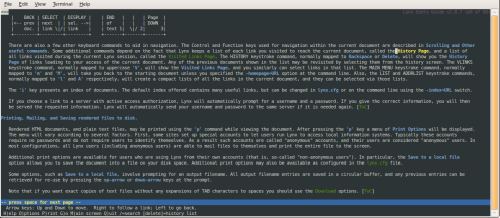
Lynx is a text-based web browser designed for navigating websites through a terminal. It presents web pages as formatted text with selectable hyperlinks, allowing users to browse without a graphical desktop environment.
The browser works in terminal emulators, virtual consoles and remote terminal sessions. Its keyboard-driven interface is useful for accessing documentation, reading articles and navigating websites where textual content is the main requirement. It can also be used over remote connections without forwarding a graphical application.
Lynx supports HTML forms, allowing users to enter information and submit requests to websites. It also provides cookie handling, authentication and configurable character encodings. These facilities make it more capable than a simple utility that downloads HTML and strips away its markup.
The browser has command-line options for retrieving pages and writing formatted text or HTML source to standard output. This allows Lynx to be used in shell scripts, documentation processing and automated retrieval tasks.
Although Lynx does not execute JavaScript or render modern CSS layouts, it remains useful for inspecting a website’s text-based accessibility and navigating pages that do not depend on client-side scripting.
This is free and open source software.
Key Features
- Displays HTML documents as formatted terminal text with selectable hyperlinks.
- Supports HTTP, HTTPS, FTP, Gopher and additional network protocols.
- Provides keyboard navigation through links and page controls.
- Supports HTML forms, including text fields, selections and form submission.
- Stores bookmarks in one or multiple bookmark files.
- Maintains document history and a configurable cache.
- Provides configurable HTTP cookie acceptance and rejection policies.
- Supports HTTP and proxy authentication.
- Displays information about linked documents and their HTTP headers.
- Downloads files and invokes external applications for supported content types.
- Outputs formatted page text using the dump command.
- Retrieves original HTML source for external processing.
- Supports configurable terminal character sets and colour styles.
- Provides an interactive options menu and customisable keyboard bindings.
- Cross-platform support – runs on Linux, macOS, and Windows.
Website: invisible-island.net/lynx
Support:
Developer: Thomas Dickey and contributors
License: GNU General Public License v2.0
Lynx is written in C. Learn C with our recommended free books and free tutorials.
Related Software
| Console Web Browsers | |
|---|---|
| eww | Emacs Web Wowser. It's integrated into Emacs, the famous text editor |
| Lynx | Legendary web browser that's still maintained |
| ELinks | Advanced and well-established feature-rich browser. Extend with Lua or Guile |
| w3m | Browser and terminal pager |
| Links | Text and graphic web browser with pull-down menu system |
| Offpunk | Offline-first command-line browser |
| Chawan | TUI web (and (S)FTP, Gopher, Gemini, ...) browser with CSS |
| Carboxyl | Chromium-based browser rendering modern websites directly in a console |
| edbrowse | Text editor, web browser and email client inspired by ed |
| Brow6el | Terminal web browser with graphics support |
Read our verdict in the software roundup.
 LinuxLinks helps you discover the best free and open source software for Linux. Explore our extensive collection of recommended applications, including alternatives to popular proprietary software. We also publish software reviews, Linux tutorials, hardware reviews, free programming books and articles covering the wider open source community. Browse our Linux resources to discover more. Know a useful free and open source Linux application we haven't covered? Suggest a program for inclusion. Has your software been featured on LinuxLinks? Display one of our Featured on LinuxLinks badges on your website or GitHub README. |
Please read our Comment Policy before commenting.