

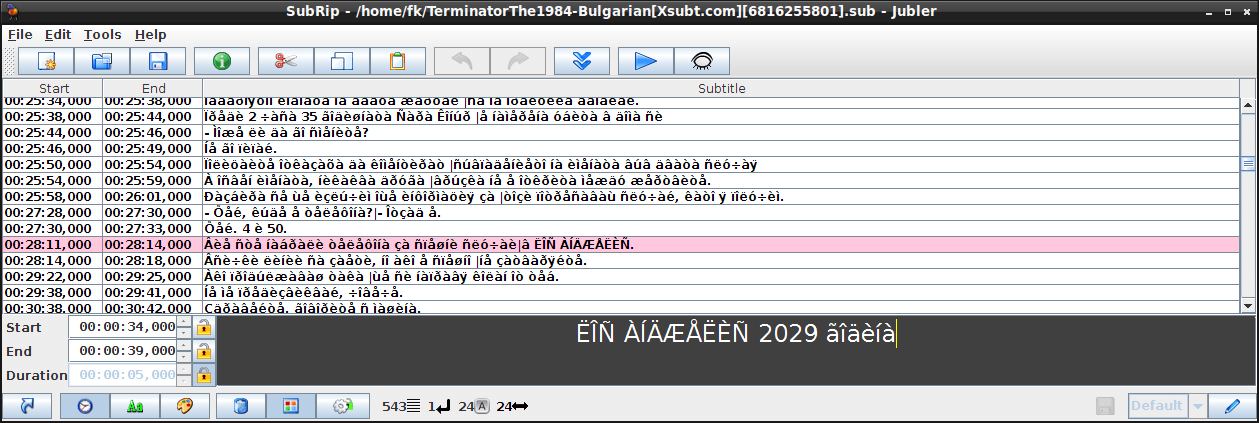
Jubler is an open source tool to edit text-based subtitles.
It can be used as an authoring software for new subtitles or as a tool to convert, transform, correct and refine existing subtitles. The most popular subtitle formats can be used.
Preview of the subtitles in realtime or in design time, spell checking, translation mode and styles editing are some of the main features.
Key Features
- Supports Advanced SubStation, SubStation Alpha, SubRip. SubViewer (1 and 2), MicroDVD, MPL2 and Spruce DVD Maestro file formats, although it is easy to extend it to support other file types.
- All encodings supported by Java platform are also supported here (like UTF-8). The user is able to select a list of preferred encodings in order to load the localized subtitle files.
- GUI internationalization support through gettext utilities.
- Styles are supported (when saving in SubStation formats). These styles are specific per subtitle or per character.
- Translating mode (parent & child editors) is supported.
- Graphical preview of the subtitles using the FFMPEG library. Current frame, waveform preview and waveform listening is supported.
- Graphically display of subtitles, which can be moved and resized.
- Test and play the subtitles file using a video player (mplayer). While in playing mode the user is able to freely edit the subtitles (and inform the player for this change), add a new subtitle in real time or synchronize subtitles with the movie.
- Mark subtitles with different colors, either when editing or real time when playing the video.
- Spell checking, with support for dictionary selection.
- Auto update application.
Website: www.jubler.org
Support: GitHub Code Repository
Developer: Panayotis Katsaloulis
License: GNU General Public License v2.0
Jubler is written in Java. Learn Java with our recommended free books and free tutorials.
Related Software
| Subtitle Editors | |
|---|---|
| Subtitle Edit | Versatile and feature-laden editor for video subtitles |
| Gaupol | Editor for text-based subtitle files |
| Aegisub | Highly customizable tool for creating and modifying subtitles |
| AutoSubs | Subtitles made simple |
| Subtitle Composer | Editor that supports basic and advanced operations |
| Jubler | Author new subtitles - convert, transform, correct and refine |
| Gnome Subtitles | Video subtitling for the GNOME desktop |
| Tero Subtitler | Feature-rich subtitle creation, translation and validation tool |
| YTSubConverter | Create styled YouTube subtitles |
| Subtitle Forge | Desktop application for working with subtitles across the full workflow |
| Sub Editor | Visual, keyboard-driven subtitle editor with waveform timing |
| Subtitle Editor | GTK+3 tool to edit subtitles |
| Subtitld | Edit, transcribe and create subtitles |
| subedit | Command-line editor written in Bash |
Read our verdict in the software roundup.
 Explore our carefully curated directory of recommended free and open source software, covering every major software category. Explore our carefully curated directory of recommended free and open source software, covering every major software category.The directory forms part of our extensive collection of articles for Linux enthusiasts. It includes hundreds of detailed reviews, together with free and open source alternatives to proprietary software from companies such as Google, Microsoft, Apple, Adobe, IBM, Cisco, Oracle, and Autodesk. LinuxLinks also covers interesting projects worth exploring, Linux-compatible hardware, free programming books and tutorials, and much more. Know a useful free and open source Linux application that we haven’t covered? Tell us about it using our submission form. |
Please read our Comment Policy before commenting.