

In Operation
Wave Terminal offers a good set of functionality. By default, the terminal uses the Hack font family. We prefer using a light theme, but by default the software uses a dark theme.
Here’s an image of Wave Terminal in action with the light theme.
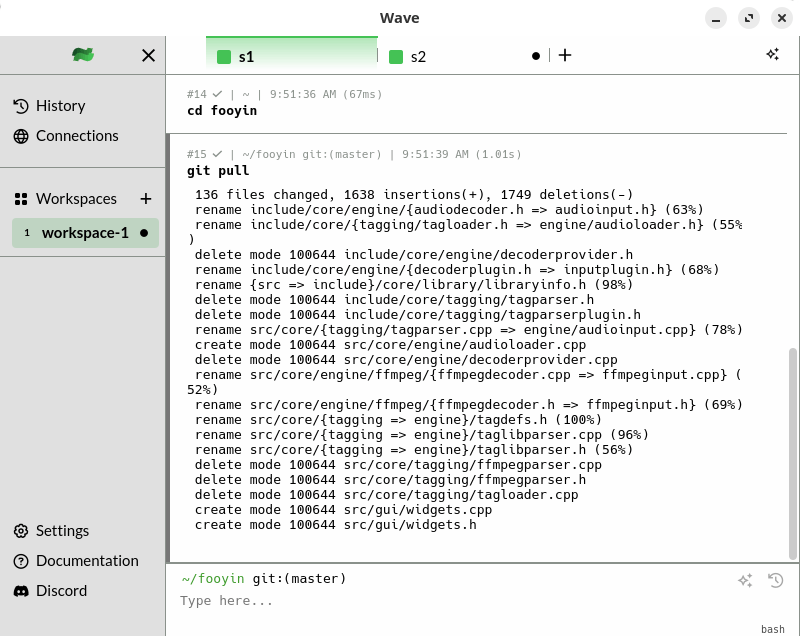
Wave supports both the bash and zsh shells.
The terminal emulator offers ChatGPT integration (gpt-3.5-turbo). This lets you ask questions and receive answers directly from your terminal. You don’t need a key providing you allow the software access to basic telemetry. Alternatively you can use an AI token. There’s also support for third party LLM providers including llama.cpp, LocalAI, and Ollama. Accessing the AI functionality can either by done interactively or, as shown below, with the /chat command.
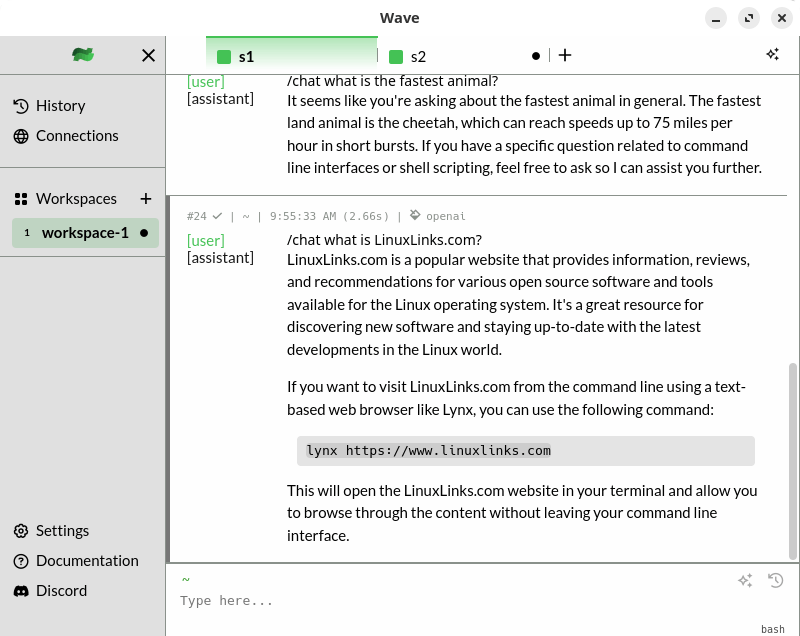
What other features does Wave Terminal offer?
- Workspaces, tabs, and command blocks.
- Codeedit – view and edit files inline using a rich, native UI which is VSCode-like. Its good at syntax highlighting, code folding, code completion, find and replace, and more.
- File viewers:
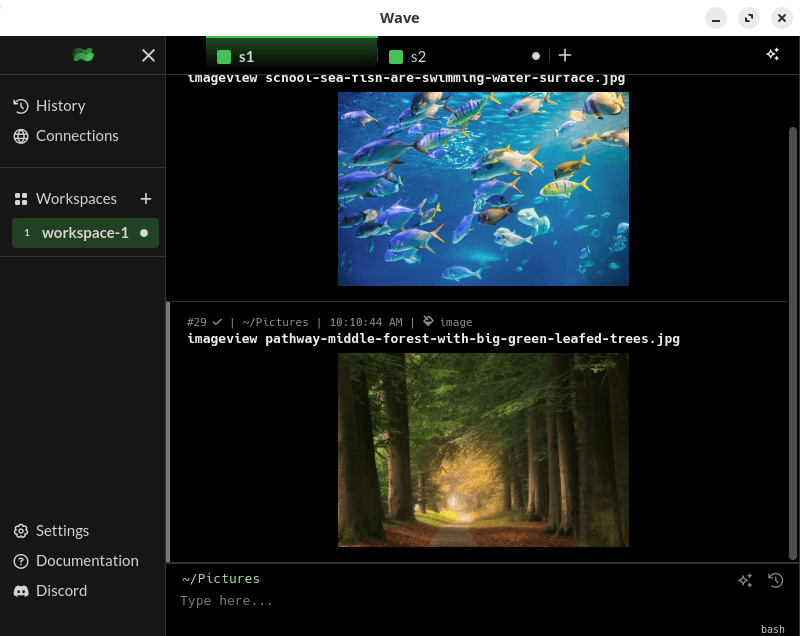
- Imageview – view and inspect image files directly within the terminal. There’s support for a wide range of formats, including PNG, JPG, SVG, BMP, and GIF.
- Csvview – view and manipulate CSV files effortlessly within the terminal.
- Mediaview – view and play audio and video files within the terminal. With support for a wide range of popular media formats, including MP4, WebM, Ogg, MP3, WAV, Ogg Vorbis, AAC, and the very important FLAC.
- Mdview – view and render Markdown files directly within the terminal.
- Pdfview – view and navigate PDF files.
- Advanced history across all workspaces and devices. It locally saves a searchable contextual command history across all remote sessions
- Connections manager – offering resilient virtual SSH connection, preserving your session details and command logs.
- Cross-platform support – runs under Linux and macOS.
Summary
Wave Terminal gets our strong recommendation. It has bags of features including AI integration, inline renderers, and effective tools to keep you organized.
In the field of terminal emulators, Wave Terminal faces very stiff competition from the sublime Tabby and Hyper. With more refinement, Wave Terminal may become our terminal emulator of choice.
Website: www.waveterm.dev
Support: GitHub Code Repository
Developer: Mike Sawka and contributors
License: Apache License 2.0
Wave Terminal is written in Go and TypeScript. Learn Go with our recommended free books and free tutorials. Learn TypeScript with our recommended free books and free tutorials.
Pages in this article:
Page 1 – Introduction and Installation
Page 2 – In Operation and Summary
Related Software
| Terminal Emulators | |
|---|---|
| Tabby | (Terminus) Highly configurable terminal emulator, SSH and serial client |
| Alacritty | Hardware-accelerated terminal emulator |
| Wave Terminal | AI-native terminal built for seamless workflows |
| urxvt | RXVT-like terminal emulator with Unicode support |
| Kitty | Like Alacritty, Kitty offers hardware acceleration |
| Ghostty | Feature-rich and cross-platform terminal emulator |
| Termora | Cross-platform terminal emulator and SSH client written using Kotlin/JVM |
| Guake | Drop-down terminal for GNOME |
| Terminator | Multiple GNOME terminals in one window |
| WezTerm | GPU-accelerated cross-platform terminal emulator and multiplexer |
| rio | Hardware-accelerated GPU terminal emulator |
| electerm | Terminal emulator and much more |
| st | Simple terminal implementation for X which sucks less |
| contour | Aimed at power users with a modern feature mindset |
| Zutty | High-end terminal emulator for low-end systems |
| xterm | Provides DEC VT102 and Tektronix 4014 compatible terminals |
| Extraterm | Swiss army chainsaw of terminal emulators |
| Terax | Terminal-first AI-native development workspace |
| Tilda | Gtk based drop down terminal |
| Ptyxis | Terminal for a container-oriented desktop |
| MATE Terminal | Terminal emulator the MATE desktop environment |
| GNOME Terminal | Terminal emulator for the GNOME desktop environment |
| foot | Fast, lightweight and minimalistic Wayland terminal emulator |
| Xfce Terminal | Lightweight and easy to use terminal emulator application |
| Tilix | Advanced GTK3 tiling emulator |
| Terminology | Fast, lean and visually enhanced open source terminal emulator |
| Konsole | The KDE 5 terminal emulator |
| Black Box | GTK 4 terminal |
| Yakuake | Drop-down terminal emulator based on KDE Konsole technology |
| Station | Convergent terminal emulator |
| Sakura | Vte-based terminal emulator |
| QTerminal | Lightweight Qt-based terminal emulator |
| Zashterminal | Modern, intuitive, and innovative terminal built with GTK4 and Adwaita |
| LazyCat Terminal | Built with Vala and GTK4. |
| Kerminal | Modern terminal emulator and SSH manager |
| Hyper | Terminal emulator built with web technologies |
| Termy | Minimal terminal emulator |
| DomTerm | Terminal emulator, REPL console, and screen multiplexer |
| CRT | Visually expressive terminal emulator written in Rust |
| kermit | VTE-based, simple and froggy terminal emulator |
| ROXTerm | VTE terminal emulator with tabs |
| LXTerminal | Lightweight terminal emulator based on GTK+ for the LXDE desktop |
| Bobcat | Built using the U++ framework and TerminalCtrl widget |
| fortty | GPU-accelerated terminal emulator written in Fortran |
| Tess | Hackable, simple, rapid and beautiful terminal |
| mlterm | Multilingual terminal emulator on X11 |
| Termite | Keyboard-centric VTE-based terminal |
| Packet | Terminal multiplexer and broadcast system |
| fingerterm | Terminal emulator with a custom virtual keyboard |
Read our verdict in the software roundup.
 Explore our carefully curated directory of recommended free and open source software, covering every major software category. Explore our carefully curated directory of recommended free and open source software, covering every major software category.The directory forms part of our extensive collection of articles for Linux enthusiasts. It includes hundreds of detailed reviews, together with free and open source alternatives to proprietary software from companies such as Google, Microsoft, Apple, Adobe, IBM, Cisco, Oracle, and Autodesk. LinuxLinks also covers interesting projects worth exploring, Linux-compatible hardware, free programming books and tutorials, and much more. Know a useful free and open source Linux application that we haven’t covered? Tell us about it using our submission form. |
Please read our Comment Policy before commenting.