
Last Updated on May 28, 2026
Benchmarks
I tested the drive with KDiskMark, a popular free and open source graphical frontend to Flexible I/O. The software provides an easy-to-view, easy-to-interpret benchmark result similar to the Windows CrystalDiskMark application.
I benchmarked the SSD using a desktop machine with an ASUS motherboard and Intel 13th generation CPU, 64GB of RAM, and an NVIDIA GeForce discrete graphics card. with Linux running on a separate drive. The G50 was used purely as storage for the benchmark runs, which avoids operating system activity muddying the results. I also tested the NVMe in a mini workstation and a mini PC to see how well the graphene heatsink copes thermally in a confined case.
The G50 is a DRAM-less NVMe drive, so I’m particularly interested in two areas: headline sequential performance and sustained behaviour once the SLC cache is under pressure. Synthetic benchmark numbers are useful, but they don’t always reflect the experience of copying large files, installing games, unpacking archives, or moving big media projects around a Linux system.
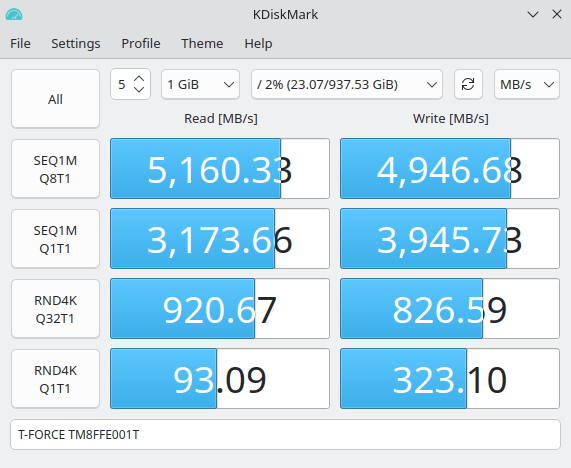
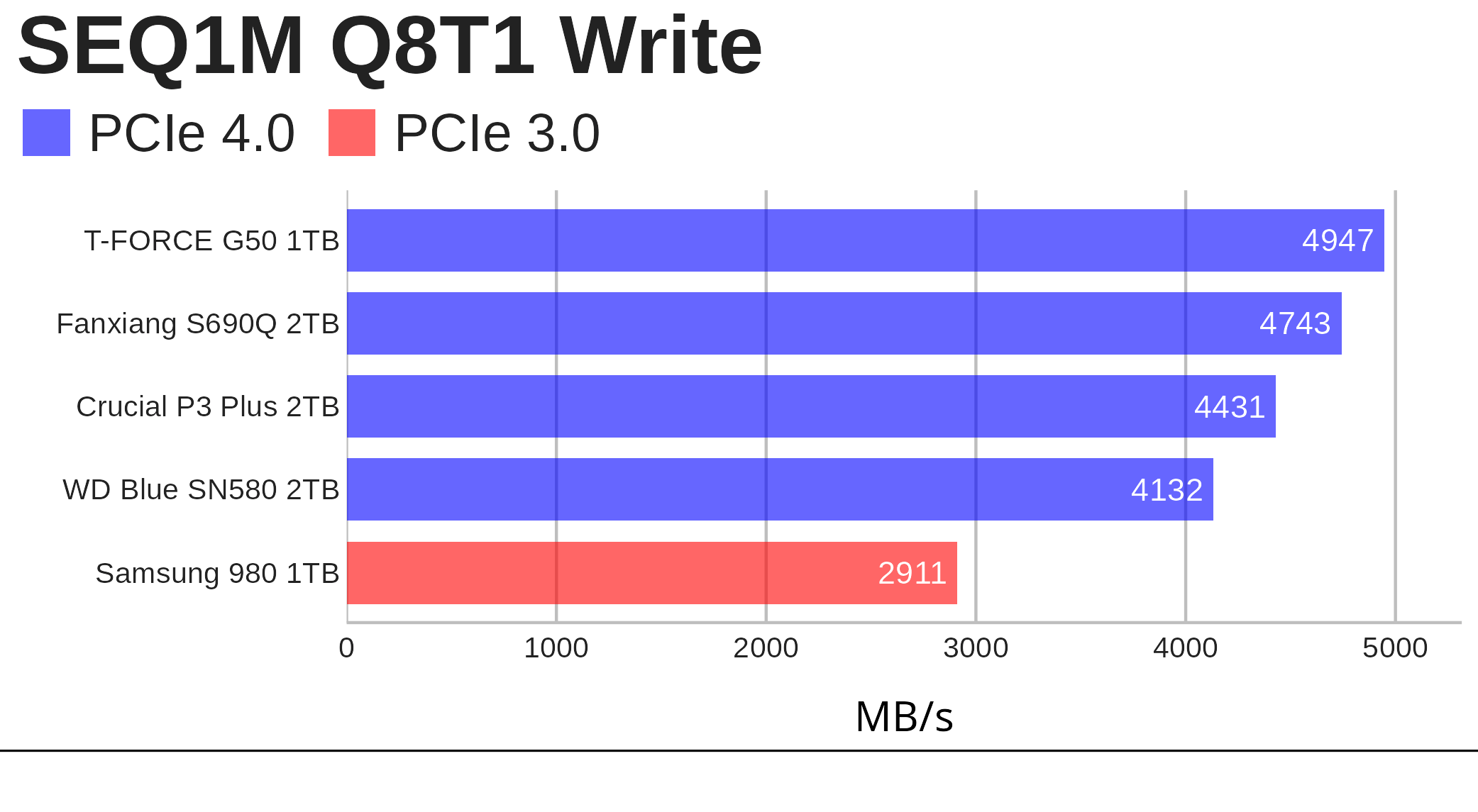
KDiskMark shows the T-FORCE G50 comfortably living up to its rated performance. In my test, it reached 5,160 MB/s sequential read and 4,947 MB/s sequential write, slightly ahead of TEAMGROUP’s 5,000 / 4,800 MB/s specification for the 1TB model. Random 4K performance is also healthy, with the Q1T1 read result of 93 MB/s pointing to good everyday responsiveness under Linux. The usual caveat applies: this is a short 1 GiB test on an almost empty drive, so it demonstrates burst performance rather than long sustained writes once the SLC cache is exhausted.
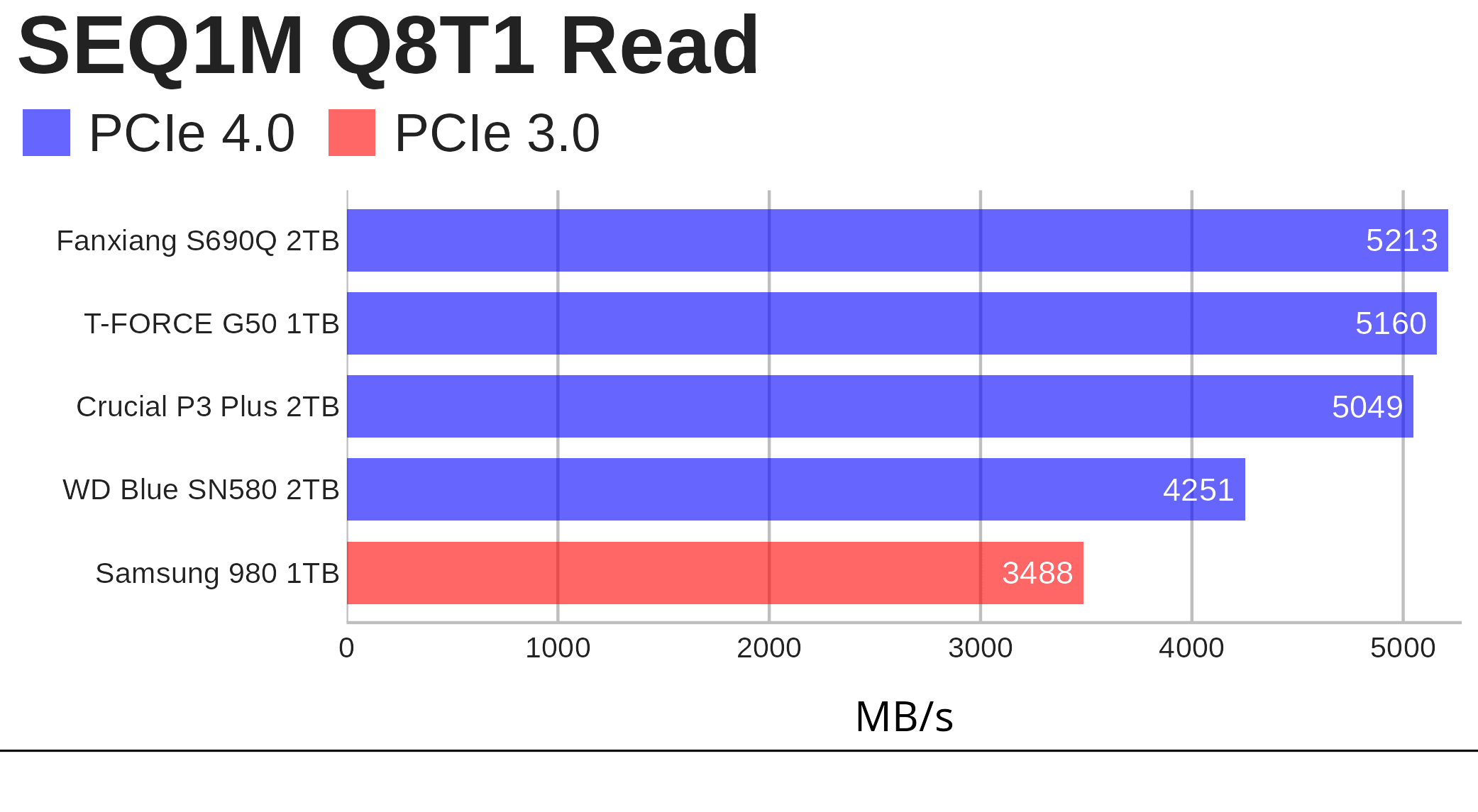 For the T-FORCE G50, the KDiskMark result shows 5,160 MB/s read and 4,947 MB/s write, so the headline sequential result is about 3% above the official rating in both directions.
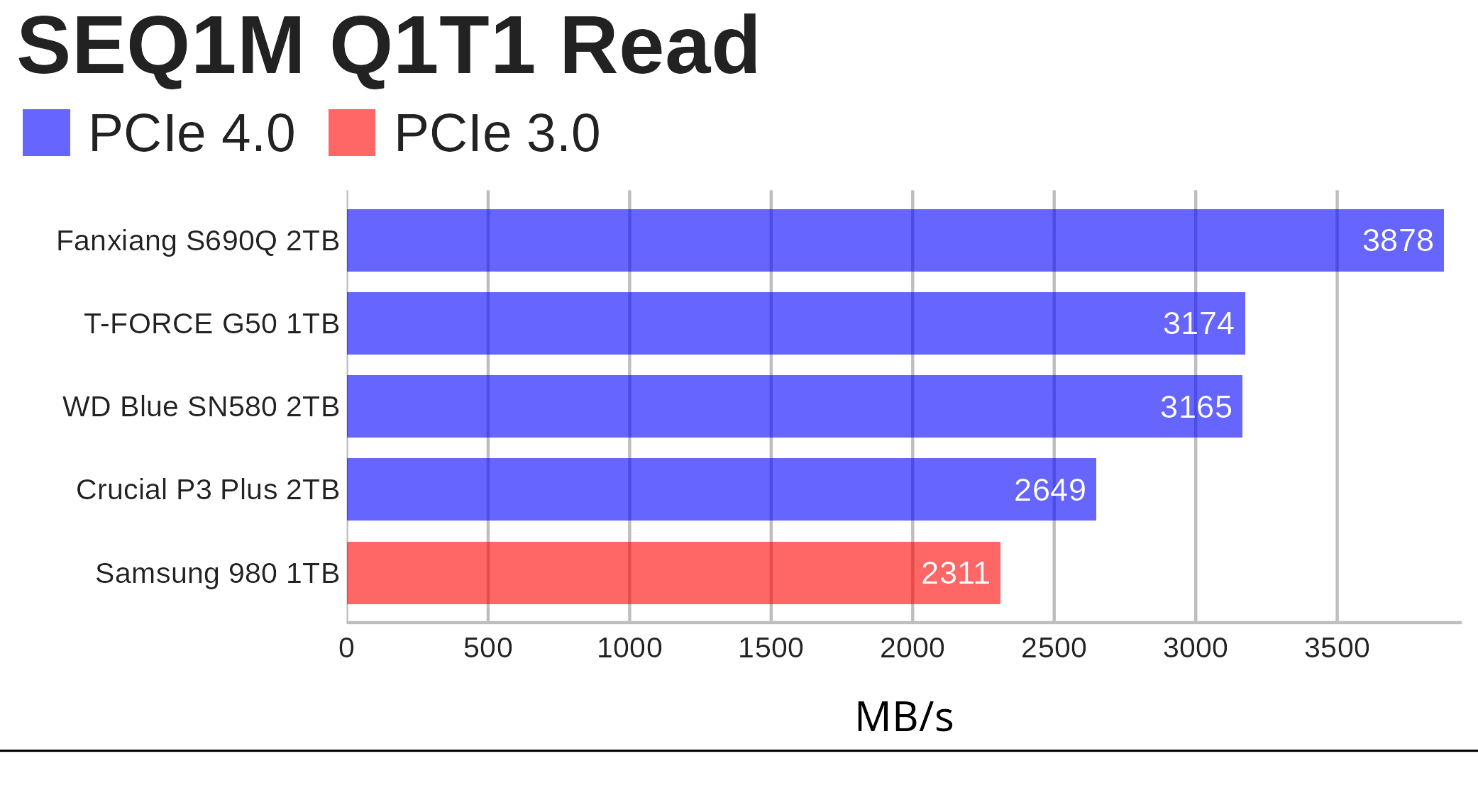
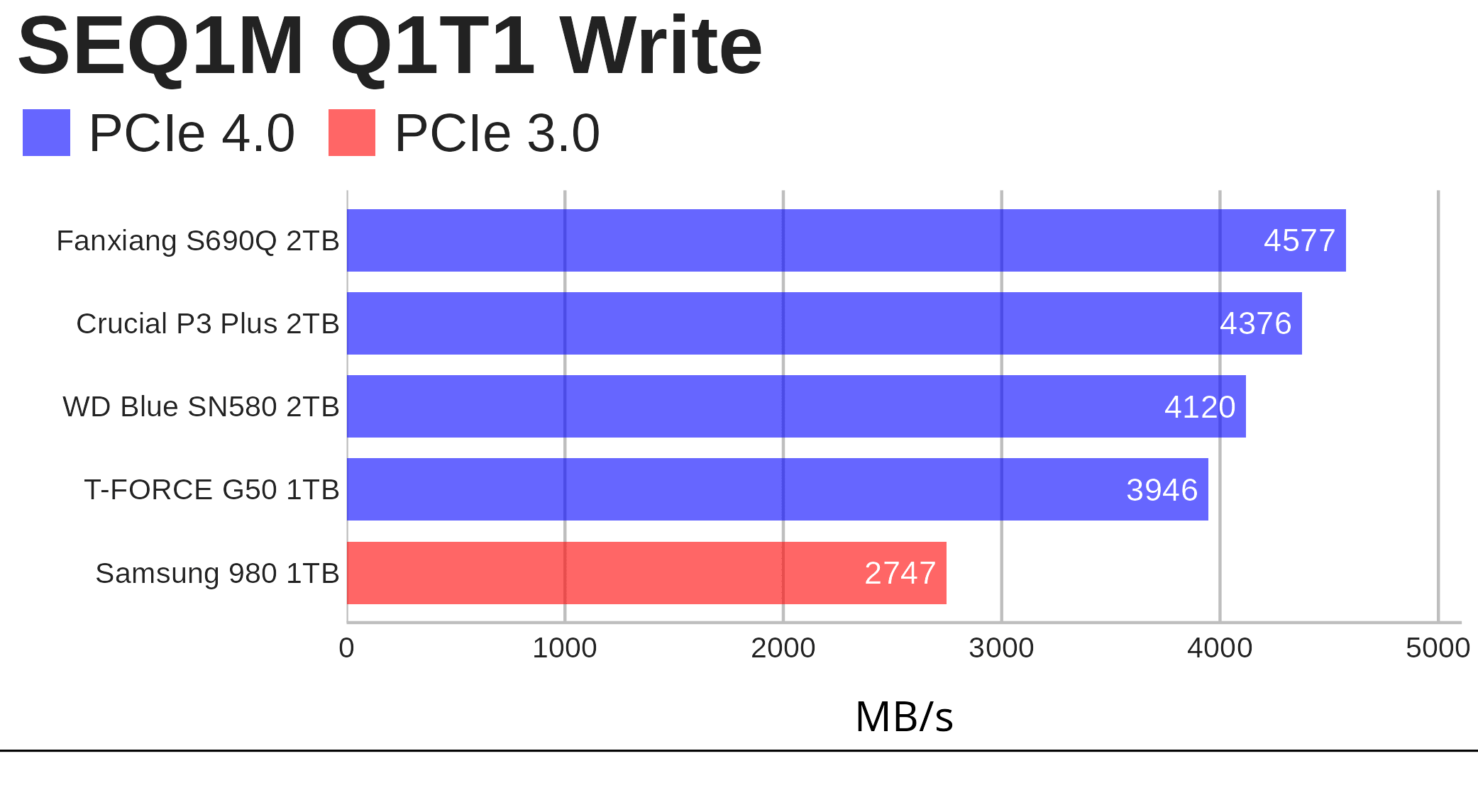
Again, strong single-queue sequential performance from the T-FORCE G50.
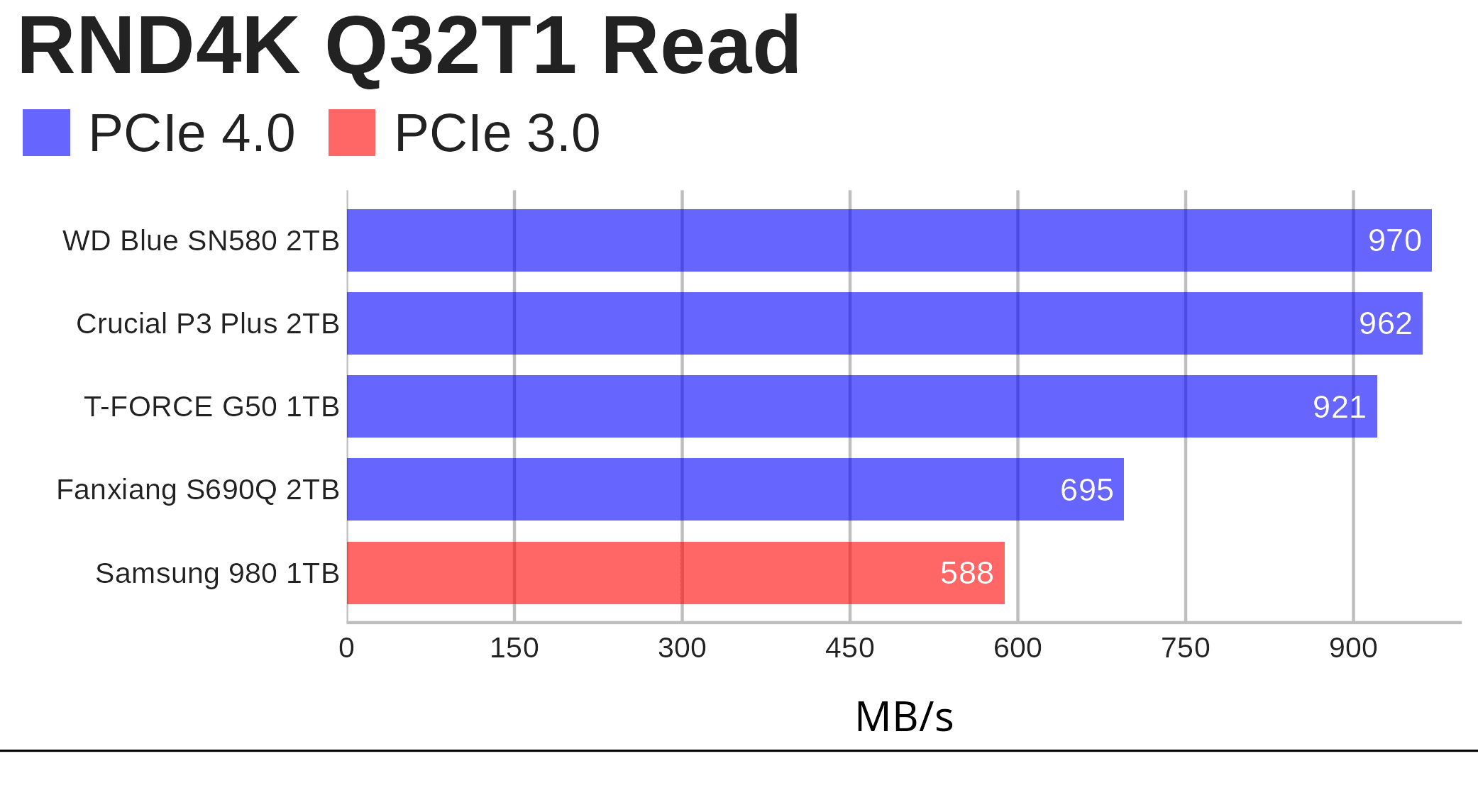
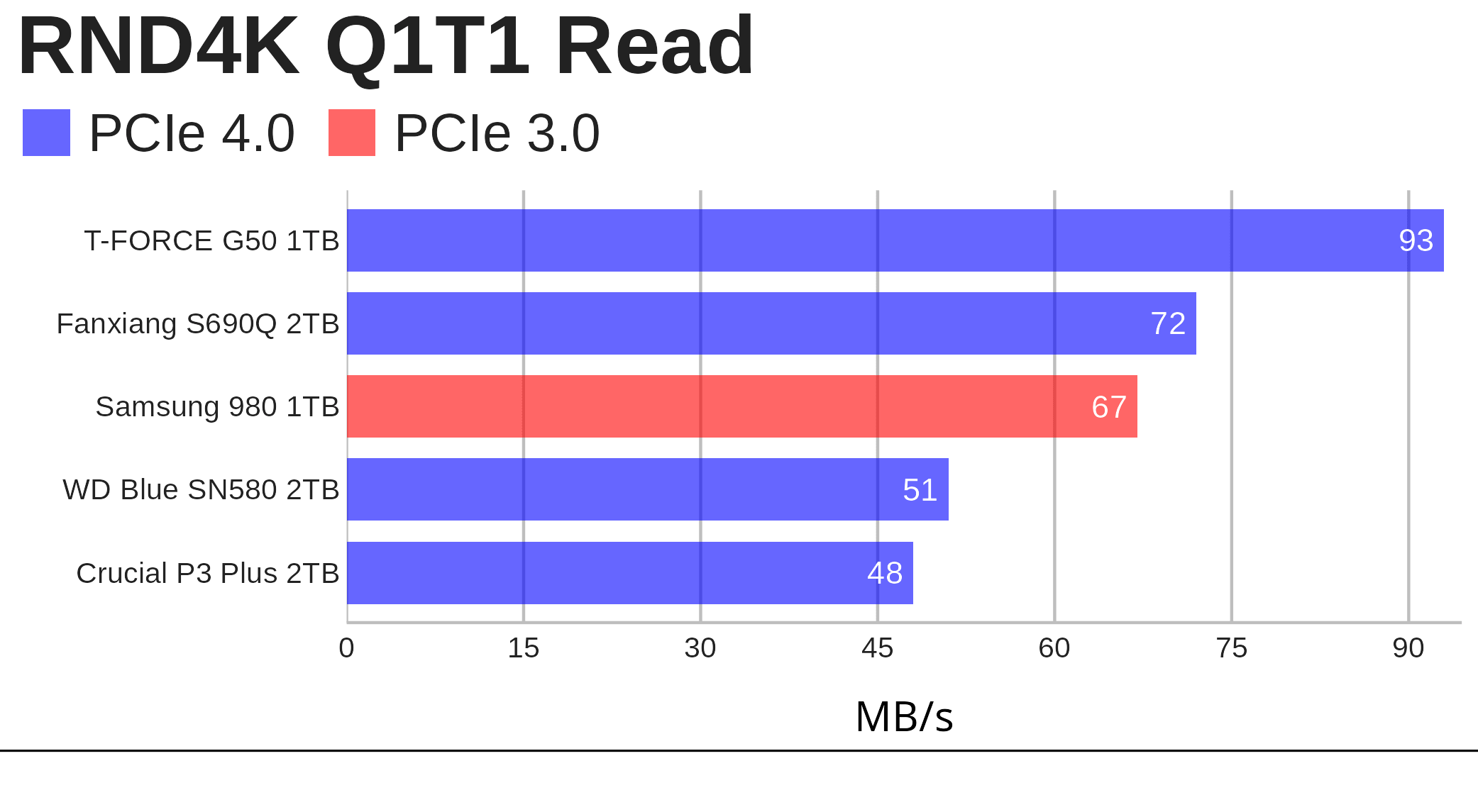 The 4K random results are also good. The RND4K Q1T1 read figure of 93 MB/s is important because that sort of workload better reflects booting, launching applications, opening lots of small files, and general desktop snappiness.
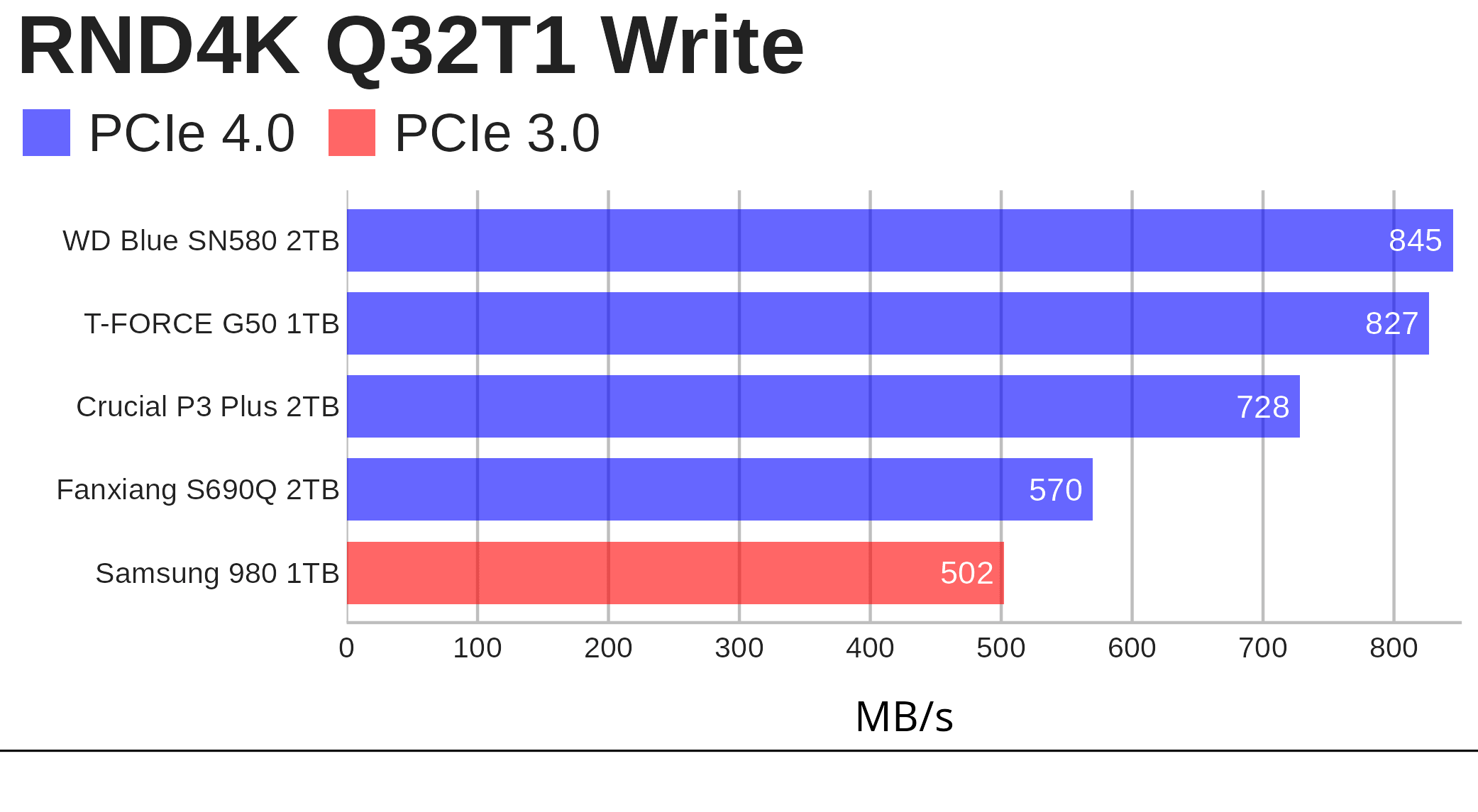
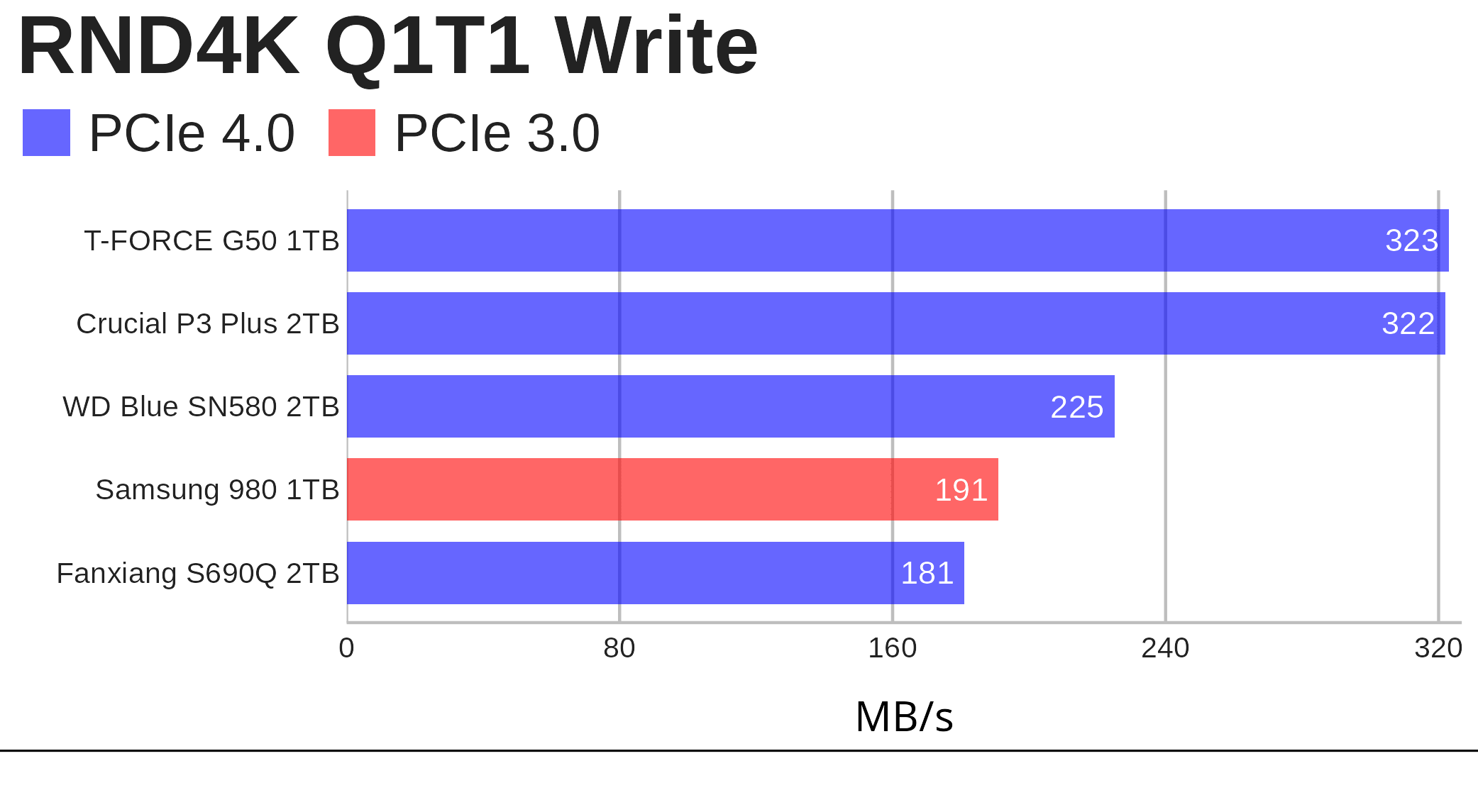 The write result of 323 MB/s is particularly strong.
I also ran a 16 GiB KDiskMark test, which gives a better indication of longer burst behaviour than the default 1 GiB run. While the figures weren’t quite as high, they were still healthy, and the drive remained cool even in the tightly packed mini PC.
Official write specifications only tell part of the story. Like most modern SSDs, the drive uses a write cache, typically a fast pseudo-SLC area of flash memory that absorbs incoming data before it’s folded into slower TLC storage. This makes short bursts of writing much quicker than the drive’s native sustained write speed.
The G50 performs better than expected for its price class. Its write saturation results are impressive, and across most of the benchmarks it outpaces comparable DRAM-less rivals. Faster NVMe drives are available, including higher-end PCIe 4.0 models and newer PCIe 5.0 SSDs, but they’re usually far more expensive.
I also ran real-world Linux desktop tests. The results were close enough to be within the margin of error, which isn’t surprising. Typical desktop applications don’t generate enough random write activity to make DRAM essential. Some synthetic benchmarks do favour drives with a dedicated DRAM cache, but that advantage doesn’t always translate into everyday use.
For a 1TB DRAM-less PCIe 4.0 drive, the key question is how well the G50 behaves once we move beyond short benchmark bursts. I also measured how long it took to read 50GB of installed files from the G50 to another drive. The G50 delivered a respectable time in this real-world transfer test, finishing ahead of the Crucial and WD drives. That’s useful if you routinely read large project folders, move installed applications, or copy data from the G50 to another drive.
Pages in this article:
Page 1 – Introduction and Specifications
Page 2 – Benchmarks
Page 3 – Summary
Please read our Comment Policy before commenting.