

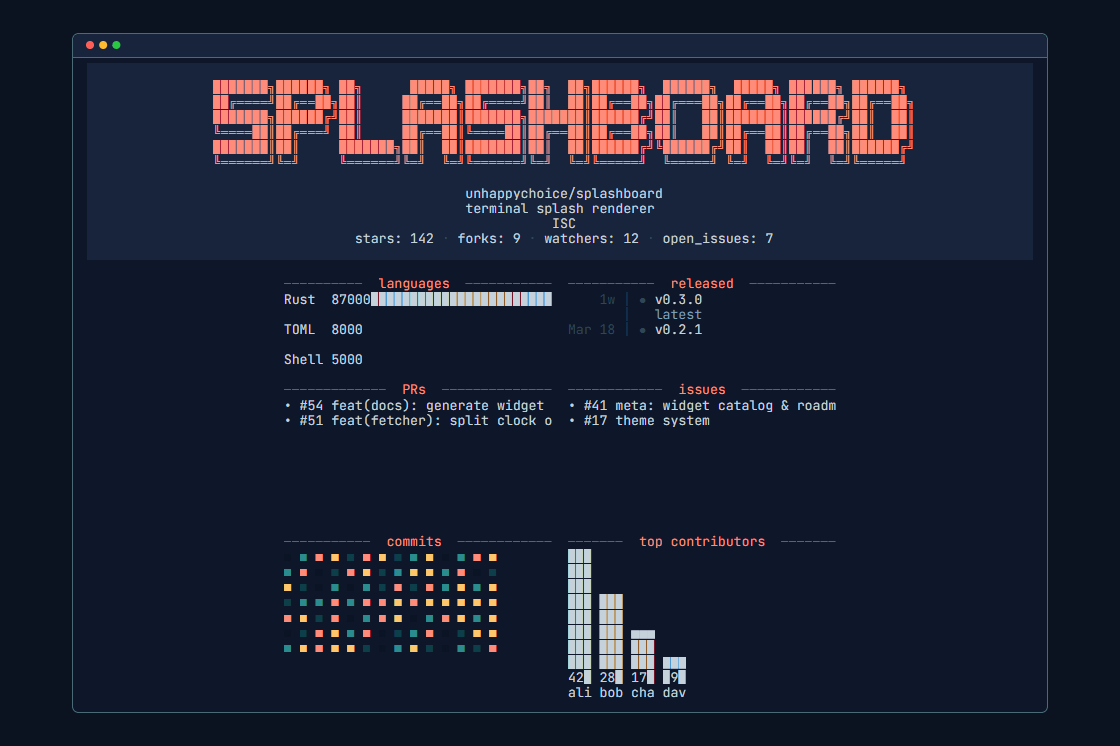
Splashboard is a Rust-based command-line utility that replaces an empty shell prompt with a configurable terminal dashboard.
It renders a splash screen when a shell starts and when changing directories, letting users show contextual information such as repository status, CI health, pull requests, contribution activity, greetings, calendars, clocks, weather-style information, and other data-driven widgets. Projects can include their own .splashboard/dashboard.toml file so the display changes automatically for different working directories.
This is free and open source software.
Key Features
- Uses a widget model that combines fetchers, renderers, and layout slots.
- Supports per-directory dashboard configuration with TOML files.
- Includes presets and themes for quickly building terminal dashboards.
- Offers shell integration for zsh, bash, fish, and PowerShell.
- Provides install options via cargo, Homebrew, cargo-binstall, Nix, and prebuilt binaries.
- Uses trust controls for per-directory configuration files.
- Cross-platform support – runs under Linux, macOS, and Windows.
Website: github.com/unhappychoice/splashboard
Support:
Developer: Yuji Ueki
License: ISC License
Splashboard is written in Rust. Learn Rust with our recommended free books and free tutorials.
 Explore our carefully curated directory of recommended free and open source software, covering every major software category. Explore our carefully curated directory of recommended free and open source software, covering every major software category.The directory forms part of our extensive collection of articles for Linux enthusiasts. It includes hundreds of detailed reviews, together with free and open source alternatives to proprietary software from companies such as Google, Microsoft, Apple, Adobe, IBM, Cisco, Oracle, and Autodesk. LinuxLinks also covers interesting projects worth exploring, Linux-compatible hardware, free programming books and tutorials, and much more. Know a useful free and open source Linux application that we haven’t covered? Tell us about it using our submission form. |
Please read our Comment Policy before commenting.