
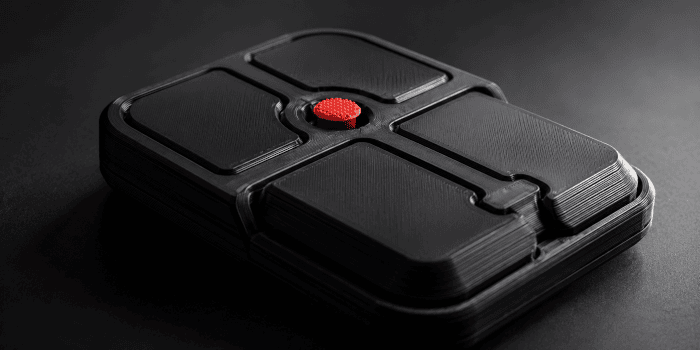
The Ploopy Bean Pointing Stick Mouse offers an unusual alternative to conventional desktop pointing devices. Built around a compact pointing stick, it promises precise cursor control without requiring broad hand movements. Its open-source design also makes it particularly appealing to Linux users, makers and hardware enthusiasts.
 The mouse arrived in a compact cardboard box sealed with colourful, playfully patterned tape that gave the packaging a distinctive handmade feel.
I put the Bean through its paces to see whether this unconventional input device is practical for everyday use.
The Ploopy Bean is a wired USB device with no Bluetooth or 2.4GHz wireless support. It connects using the supplied USB-A-to-USB-C cable.
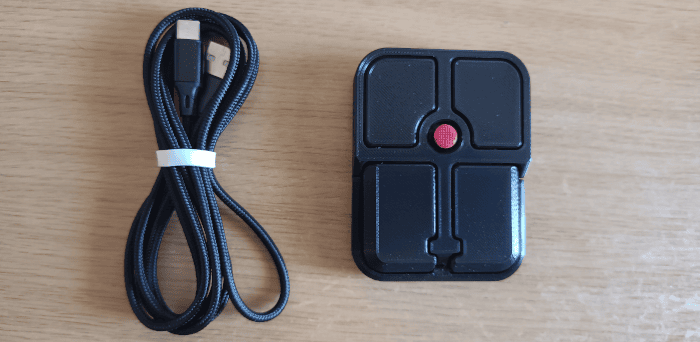
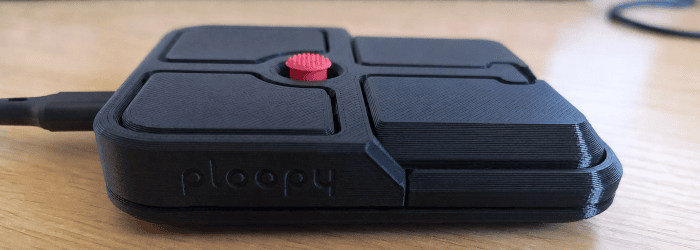
The Ploopy Bean is a compact, low-profile pointing device with a distinctly utilitarian, 3D-printed appearance. Its black enclosure has rounded corners, visible layer lines and a slightly textured finish, while the Ploopy name is embossed discreetly into the side. Four large rectangular buttons surround the centrally mounted red pointing stick, making each control easy to locate without looking down. Each of the four buttons actuates an Omron D2LS-21 low-profile mechanical switch, providing a crisp and consistent click.
The supplied braided USB-A-to-USB-C cable is detachable, and the Bean’s small footprint takes up far less desk space than a conventional mouse.
Remap the Buttons
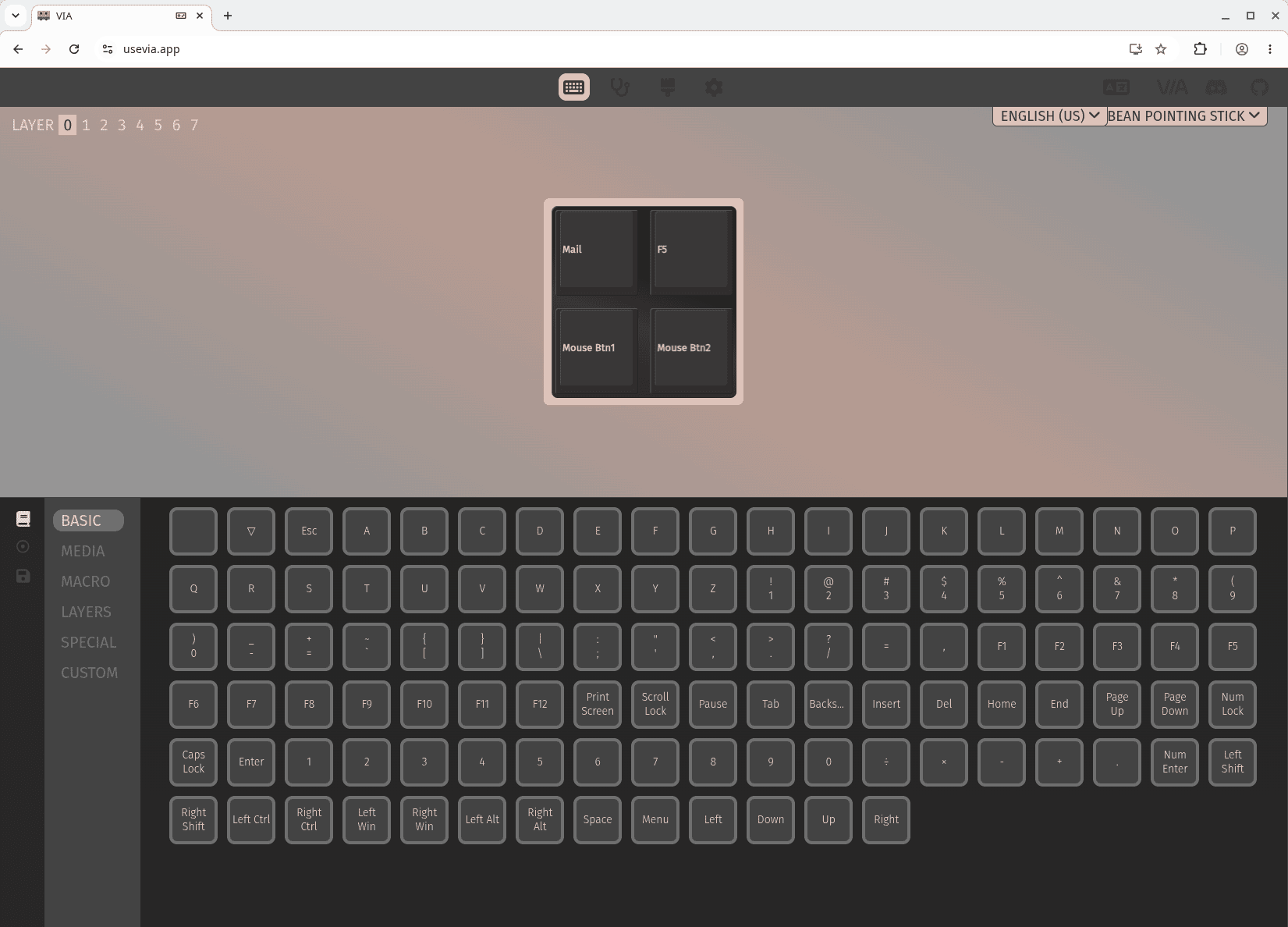
The Bean’s four buttons are remapped through VIA, which is accessed using a web browser. VIA is a graphical configuration tool for devices running QMK firmware. It lets you change button assignments, create macros and configure key combinations without editing code or reflashing the firmware.
For the Ploopy Bean, VIA lets you remap its four physical buttons to mouse actions, keyboard keys, media controls, shortcuts or macros. The settings are stored on the Bean, so they remain active when you connect it to another computer.
VIA requires a desktop browser with WebHID support, such as Chrome, Chromium or Edge. Firefox cannot currently connect to the Bean through VIA. I used Chromium for my evaluation.
On my CachyOS test system, I needed to create a udev rule to resolve a permissions issue.
sudo tee /etc/udev/rules.d/72-ploopy-bean.rules >/dev/null <<'EOF'
SUBSYSTEM=="hidraw", KERNEL=="hidraw*", ATTRS{idVendor}=="5043", ATTRS{idProduct}=="81dc", TAG+="uaccess"
EOF
sudo udevadm control --reload-rules
sudo udevadm trigger
I then disconnected and reconnected the Bean.
VIA also needs Ploopy’s local bean.json definition to be loaded before the device is authorised. Ploopy’s website provides the file.
The whole process took only a couple of minutes. VIA can assign the four buttons to actions including:
- Left, right or middle click.
- Drag scrolling.
- Keyboard shortcuts.
- Media controls.
- Macros.
By default, the buttons provide left click, right click, middle click and drag scrolling. Holding the drag-scroll button converts movement of the pointing stick into precise horizontal or vertical scrolling. Two rapid button sequences add browser navigation: pressing middle click followed by drag scroll moves forward, while the reverse sequence moves back.
Open Source Hardware
Much of the Ploopy Bean’s appeal comes from the fact that it is not a sealed, proprietary peripheral. Ploopy publishes the design and production files needed to make the device, including its mechanical and electronic hardware, together with assembly and programming documentation. The hardware is released under the CERN Open Hardware Licence Version 2 – Strongly Reciprocal, while the QMK-based firmware is available under the GPLv3.
That openness gives the Bean considerably more longevity and flexibility than a conventional mouse. Owners can inspect how it works, modify the enclosure or electronics, experiment with the firmware and reproduce parts rather than depending entirely on the manufacturer. Its 3D-printed construction reinforces that workshop-built character: the visible layer lines are not disguised but form part of a product designed to be understood and altered.
None of this means the Bean arrives as an unfinished project. It is supplied fully assembled and ready to use, combining the accessibility of a conventional USB peripheral with the freedom normally associated with a do-it-yourself hardware project.
Verdict
The Ploopy Bean Pointing Stick Mouse will feel instantly familiar to anyone who has used the red “nipple” on a Lenovo laptop. It applies the same compact method of cursor control but packages it as a standalone desktop pointing device.
In use, the Bean’s stick feels noticeably more responsive and accurate than Lenovo’s familiar TrackPoint implementation. The Bean will not convert everyone to pointing-stick control, however. It takes time to develop the fine finger movements needed for accurate navigation, and users accustomed to sweeping a conventional mouse across the desk may initially find it slower. Once familiar, its accuracy, excellent drag scrolling and flexible button mapping make it much more than a novelty.
I like the Bean’s default arrangement, particularly the momentary drag-scroll function. As with Linux generally, it is worth experimenting with the remapping functionality to find a configuration that suits your workflow.
For my setup, I find it best to place the Bean beside the left side of the keyboard, allowing me to keep my right hand on the keyboard or a conventional mouse. The Bean does not reproduce the principal ergonomic advantage of a keyboard-mounted TrackPoint, as you must still move one hand away from the keys to reach it. Its standalone design offers a different advantage, however: it can be positioned on either side of the keyboard or wherever it best complements other input devices.
I found it particularly useful for image editing, CAD, audio production and navigating video timelines. Placement makes a significant difference to how useful the Bean feels.
The Bean is a specialised device rather than a universal replacement for a mouse, but its precise stick, excellent scrolling and programmable buttons make it a compelling companion for users willing to adapt their workflow. Its repairable, open design considerably strengthens its appeal.
The Ploopy Bean costs $69.99 CAD and is sold fully assembled. At the time of writing, it remains available on a preorder basis, with orders shipped according to production availability. The USB-A-to-USB-C cable can be included or omitted when ordering. Buy the Ploopy Bean from Ploopy’s website. This is not an affiliate link.
Please read our Comment Policy before commenting.
I love open source hardware.