

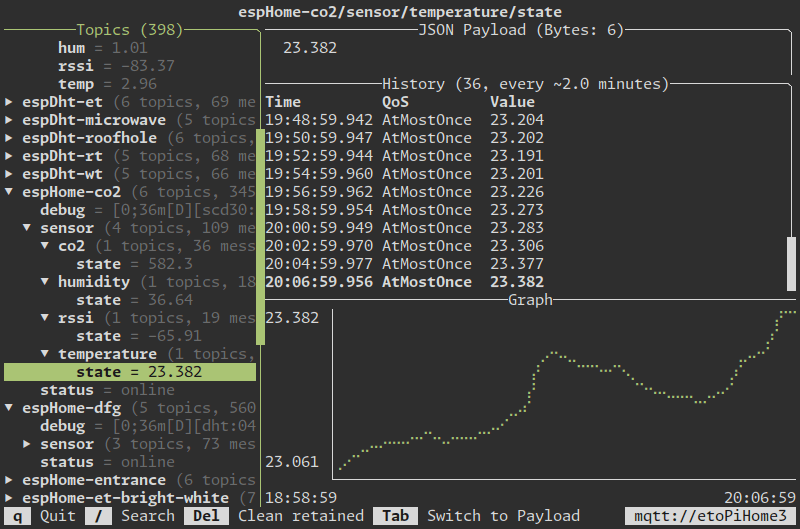
MQTT TUI is a terminal user interface for MQTT that lets users subscribe to topics, watch incoming messages, and publish payloads quickly from the command line. It’s designed as a fast, lightweight alternative to heavier graphical MQTT clients, with an interactive interface for monitoring topic trees and subcommands for script-friendly tasks such as reading a single payload or cleaning retained messages.
MQTT is a lightweight messaging protocol used for sending small amounts of data between devices, servers, and applications.
It’s especially common in IoT, home automation, sensors, embedded devices, and monitoring systems because it’s efficient and works well over unreliable or low-bandwidth networks.
This is free and open source software.
Key Features
- Subscribes to MQTT topics from an interactive terminal interface.
- Publishes MQTT messages quickly from the command line.
- Reads a single payload to standard output for use in scripts.
- Cleans retained topics interactively or with a dedicated subcommand.
- Supports broker configuration through command-line options and environment variables.
Website: github.com/EdJoPaTo/mqttui
Support:
Developer: EdJoPaTo
License: GNU General Public License v3.0
MQTT TUI is written in Rust. Learn Rust with our recommended free books and free tutorials.
 LinuxLinks helps you discover the best free and open source software for Linux. Explore our extensive collection of recommended applications, including alternatives to popular proprietary software. We also publish software reviews, Linux tutorials, hardware reviews, free programming books and articles covering the wider open source community. Browse our Linux resources to discover more. Know a useful free and open source Linux application we haven't covered? Suggest a program for inclusion. Has your software been featured on LinuxLinks? Display one of our Featured on LinuxLinks badges on your website or GitHub README. |
Please read our Comment Policy before commenting.