

git-when-merged is a command-line tool that helps you find the merge commit that first brought a specific commit into a branch.
It’s useful when you’re trying to track when a fix, feature, or regression landed in mainline history, especially in projects that use feature branches and merge commits.
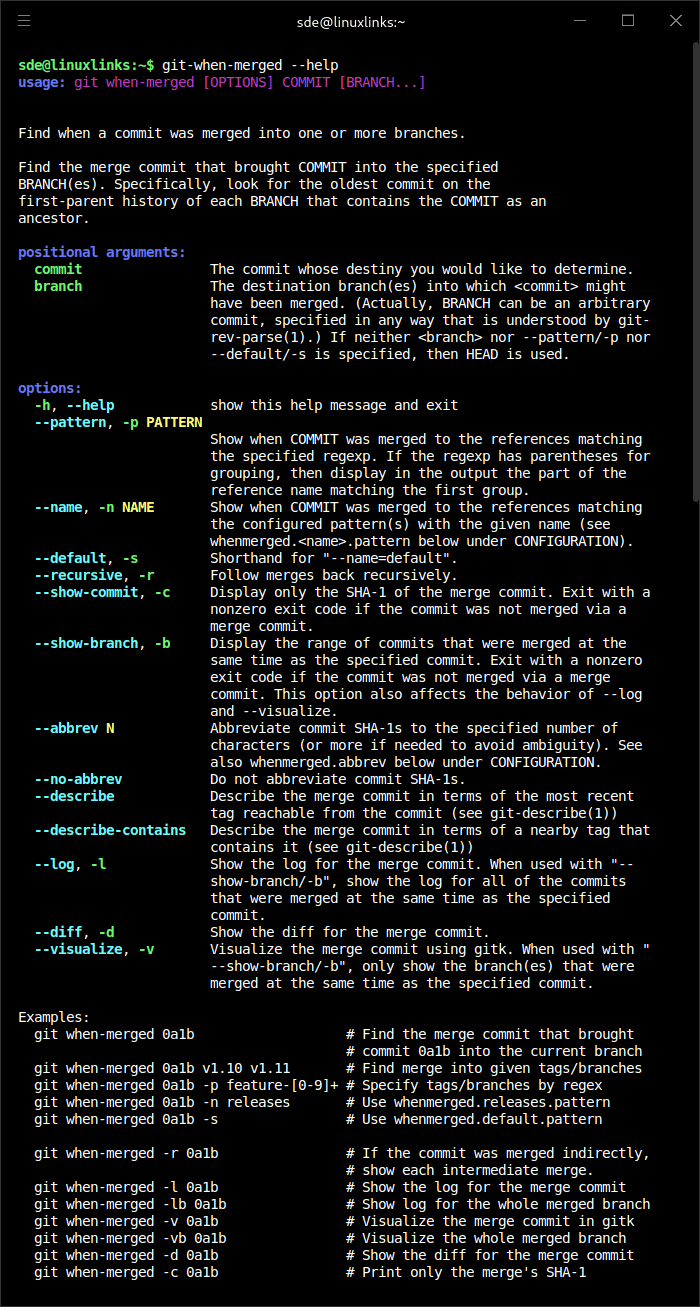
The tool follows the first-parent history of the target branch and reports the merge responsible for introducing the commit. It can also show the merge log, display diffs, inspect the branch that was merged, or follow intermediate merges recursively.
This is free and open source software.
Key Features
- Finds the merge commit that brought a specified commit into a branch.
- Works with the current branch or explicitly named branches, tags, and revisions.
- Searches references using regular expressions or configured named patterns.
- Can follow nested merges recursively to show intermediate merge paths.
- Displays merge logs, diffs, branch ranges, or just the merge commit hash.
- Supports abbreviated and full commit hashes.
- Offers git-describe based output for merge commits.
- Packaged as a Python command-line utility.
Website: github.com/mhagger/git-when-merged
Support:
Developer: Michael Haggerty
License: GNU General Public License v2.0
git-when-merged is written in Python. Learn Python with our recommended free books and free tutorials.
Related Software
| Git Workflow Tools | |
|---|---|
| git-extras | Superb collection of tools for Git |
| forgit | Utility for using git interactively |
| wrkflw | Validate and run GitHub Actions workflows locally |
| git-branchless | Branchless workflow for git |
| git-absorb | Super-charging git rebase |
| git-toolbelt | Suite of useful Git commands |
| git-open | Adds a handy git open command to Git. |
| git-town | Automate the creation, synchronization, shipping, and cleanup |
| git-fuzzy | Interactive git with the help of fzf |
| git-recent | Jump between recently used local Git branches |
| git-machete | Robust tool that simplifies your git workflows |
| git-flow-next | Modern implementation of the Git-flow branching model |
| Git Interactive Rebase Tool | Terminal-based sequence editor for interactive rebase |
| git-crecord | Interactively select changes to commit or stage |
| git-xargs | Update across multiple GitHub repositories |
| git-prompt.zsh | Lightweight git prompt for zsh |
| git-imerge | Incremental merge and rebase for Git |
| git revise | Git subcommand and Python library |
| wtp | Enhanced Git worktree management |
| LazyWorktree | Git worktree management for the terminal |
| Hug SCM | The Humane Source Control Management Interface |
| git-smart | Small collection of Git helper commands |
| stax | CLI and TUI for stacked Git branches and PRs |
| git-fixup | Command-line helper for Git users |
| git-autofixup | Git helper that creates fixup commits for topic branches |
| Branchlet | Create and manage Git worktrees |
| git-when-merged | Merge commit finder |
| git-flow | High-level repository operations |
Read our verdict in the software roundup.
 Explore our carefully curated directory of recommended free and open source software, covering every major software category. Explore our carefully curated directory of recommended free and open source software, covering every major software category.The directory forms part of our extensive collection of articles for Linux enthusiasts. It includes hundreds of detailed reviews, together with free and open source alternatives to proprietary software from companies such as Google, Microsoft, Apple, Adobe, IBM, Cisco, Oracle, and Autodesk. LinuxLinks also covers interesting projects worth exploring, Linux-compatible hardware, free programming books and tutorials, and much more. Know a useful free and open source Linux application that we haven’t covered? Tell us about it using our submission form. |
Please read our Comment Policy before commenting.