
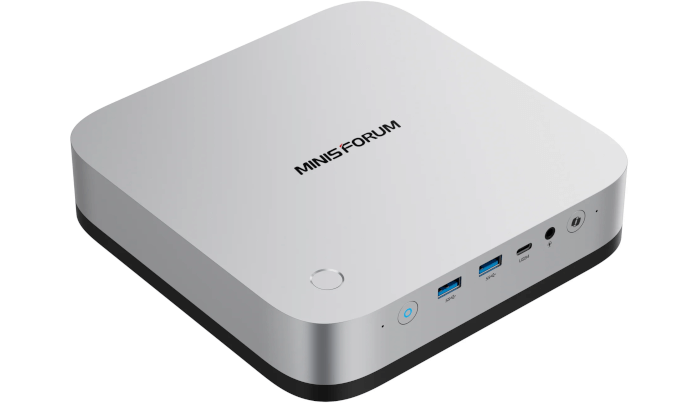
This is a series of articles looking at the Minisforum AI X1 Pro running Linux. In this series, I examine every aspect of this mini PC in detail from a Linux perspective.
Easy Diffusion is a local Stable Diffusion package with a browser-based GUI. The idea is simple: install it, open the local web interface, type a prompt, and generate images on your own machine rather than through an online service. It offers an easy-to-install Stable Diffusion distribution that installs the required components and provides its own user-friendly web interface.
For beginners and casual local image generation, Easy Diffusion is one of the friendlier ways to get Stable Diffusion running without wrestling with Python environments, command-line setup, CUDA/ROCm issues, or lots of manual dependency work.
If you’ve used Easy Diffusion before, you’ll know that generating images on a CPU is extremely slow. Here’s a chart showing how long it takes to generate a 512×512 image on the CPU. I’m using the default parameters with v3.5.14 of Easy Diffusion.
Dimensions: 512×512
Sampler: euler_a
Scheduler: simple
Inference Steps: 25
Guidance Scale (CFG Scale): 7.5
Model: sd-v1-5

The Ryzen AI 9 HX 370 CPU has a strong 12-core/24-thread CPU. The Ultra 9 285H has 16 cores. And the Ultra 9 285HX has 24 cores with an extremely high CPU Mark. Yet image generation times are woeful. The upshot is that CPU-only image generation, even on modern processors is very slow, even though the CPUs themselves are very fast.
The interesting development is Easy Diffusion’s newer engine work. Its experimental v4 engine uses stable-diffusion.cpp/ggml, giving it a lightweight install footprint. And with the Ryzen AI 9 HX 370’s Radeon 890M iGPU, Easy Diffusion’s newer v4 engine can use the iGPU for image generation.
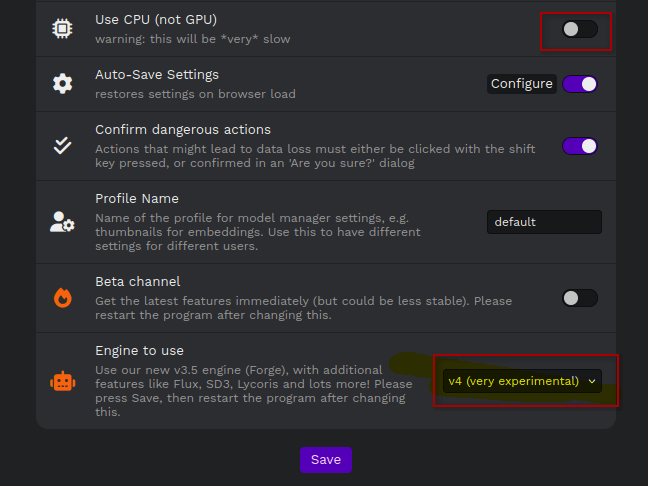
In the Settings section, I just need to switch over to the v4 engine.
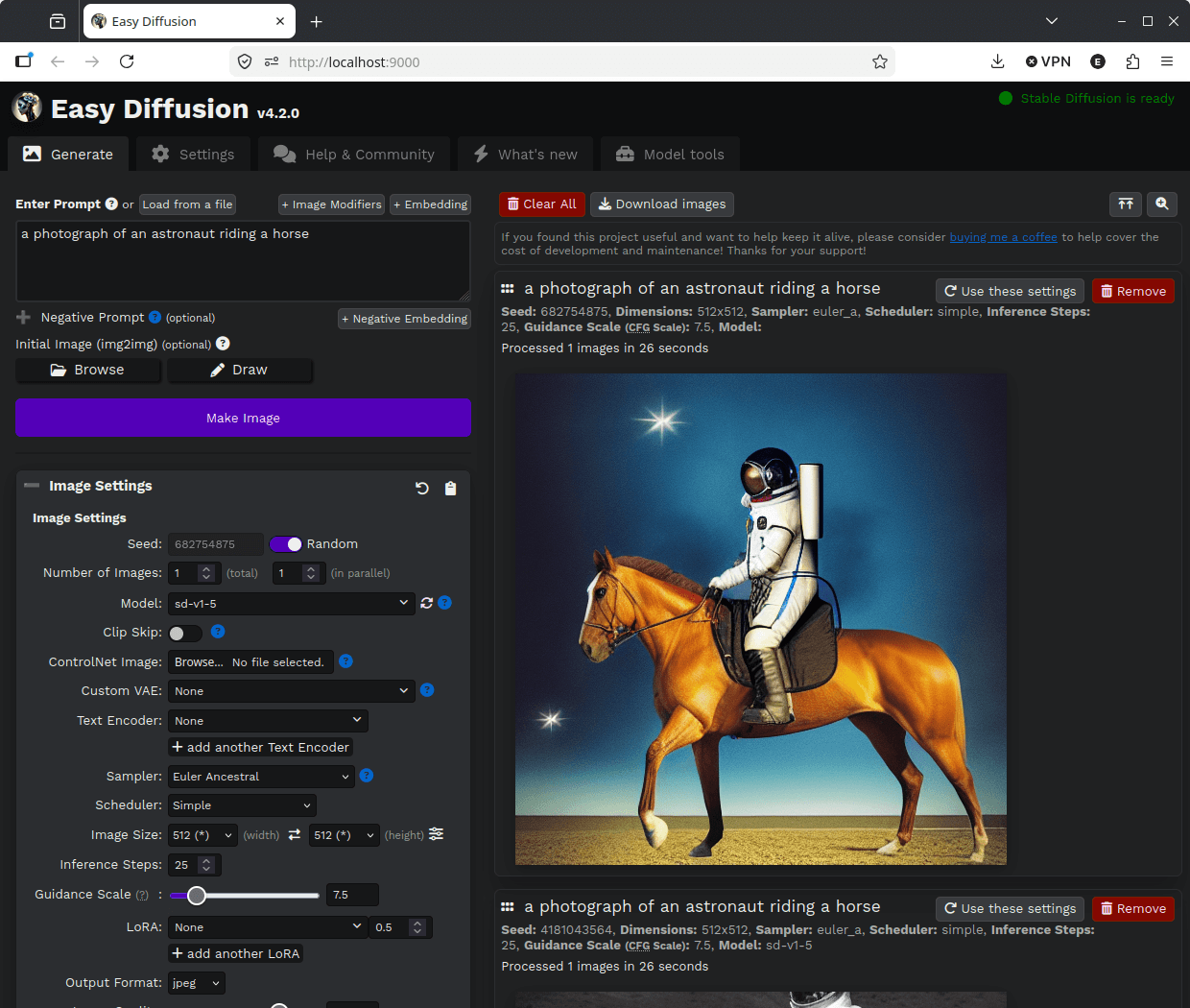
Here’s the time to generate an image with the Radeon 890M integrated GPU.
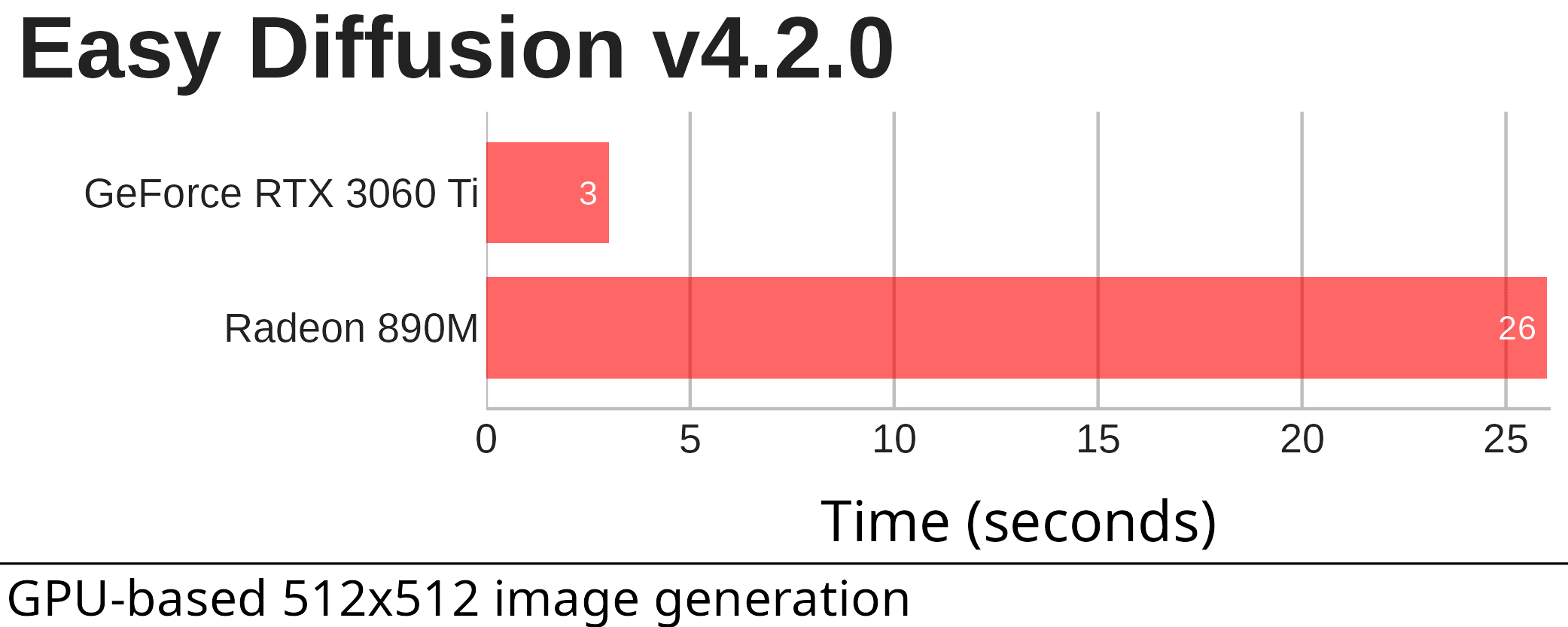
As the chart shows, generating images with the Radeon 890M iGPU is far quicker than using any of the CPUs. It’s a huge step up, even outpacing the fastest Intel desktop processor available. That said, it doesn’t match even a modest dedicated NVIDIA graphics card.
Complete list of articles in this series:
| Minisforum AI X1 Pro | |
|---|---|
| Introduction | Introduction to the series and interrogation of the machine |
| Benchmarks | Benchmarking the Minisforum AI X1 Pro |
| Power | Testing and comparing the power consumption |
| Jan | ChatGPT without privacy concerns |
| ComfyUI | Generate video, images, 3D, audio with AI |
| AMD Ryzen AI 9 HX 370 Cores | Primary (Zen 5) and Secondary Cores (Zen 5c) |
| Gerbil | Run large language models locally |
| Neural Processing Unit (NPU) | Introduction |
| Gaia | Run LLM Agents |
| Noise | Comparing the machine's noise with other mini PCs |
| Bluetooth | Fixing Bluetooth when dual-booting |
| BIOS | A tour of the Basic Input/Output System |
| Easy Diffusion | Using the integrated Radeon 890M GPU with Easy Diffusion |
Please read our Comment Policy before commenting.