

Clockwork Orange is a Python application for managing wallpapers and lock screen backgrounds, supporting Linux (KDE Plasma 6), Windows 10/11, and macOS 13+.
It supports setting wallpapers from URLs, local files, or random selection from directories, with per-monitor wallpaper support on all platforms.
This is free and open source software.
Key Features
- Multi-Monitor Support: Automatically detects connected monitors and sets a unique random wallpaper for each one (all platforms).
- Dynamic Multi-Plugin Mode: Concurrently pull wallpapers from multiple enabled plugins (e.g., Google Images + Local Folder).
- Fair Source Selection: Intelligent randomization ensures equal representation from all enabled sources, preventing large local libraries from dominating.
- Shared Blacklist: Centralized, hash-based blacklist system shared across all plugins.
- Dual Wallpaper Support: Set different wallpapers for desktop and lock screen simultaneously (Linux only; dynamically pulled from different plugins).
- Continuous Cycling: Automatically cycle through wallpapers at specified intervals.
- Lock Screen Support: Configure KDE Plasma 6 lock screen backgrounds (Linux only).
- Configuration File: YAML-based configuration for persistent settings.
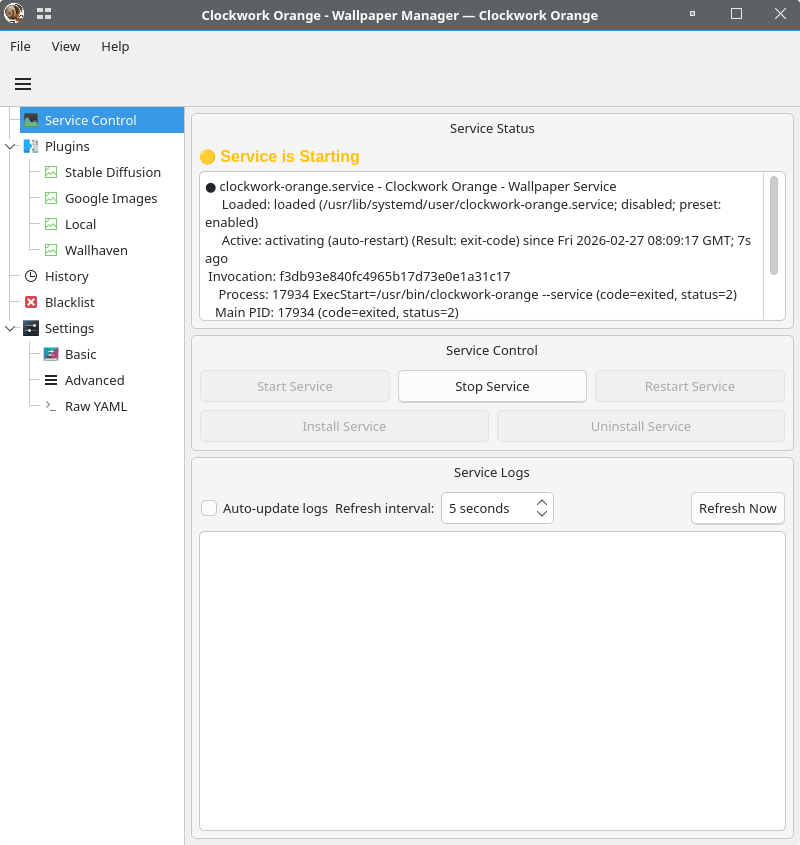
- Service Mode: Run as a background service with systemd (Linux) or GUI tray app (Windows/macOS).
- Plugin System: Extensible plugin architecture (includes Google Images downloader).
- AI Wallpaper Generation: Generate unique wallpapers locally using Stable Diffusion (optional).
- Image Review: Built-in GUI tool to review, mark, and ban unwanted wallpapers.
- Detailed Debugging: Detailed logging for troubleshooting.
Website: github.com/ushineko/clockwork-orange
Support:
Developer: clockwork-orange
License: MIT License
Clockwork Orange is written in Python. Learn Python with our recommended free books and free tutorials.
Related Software
| Terminal-Based Diff Tools | |
|---|---|
| difftastic | Structural diff tool that compares files based on their syntax |
| diff-so-fancy | Attractive diffs with diff-highlight and more |
| delta | Viewer for git and diff output |
| icdiff | An improved colored diff |
| diffoscope | In-depth comparison of files, archives, and directories |
| colordiff | Wrapper for diff with pretty syntax highlighting |
| objdiff | Local diffing tool for decompilation project |
| ydiff | Tool to view colored, incremental diff in a version controlled workspace |
| diffr | Word-by-word diff highlighting utility |
| dyff | diff tool for YAML files |
| Wdiff | Wordwise implementation of diff |
| dwdiff | diff program that operates at the word level |
| diff2html-cli | Generate HTML diffs |
| dirdiff | Compute the differences between two directories |
| csv-diff | Diffing CSV and JSON files |
| csvdiff | Fast diff tool for comparing CSV files |
| sesdiff | Generates a shortest edit script |
Read our verdict in the software roundup.
 Explore our comprehensive directory of recommended free and open source software. Our carefully curated collection spans every major software category. Explore our comprehensive directory of recommended free and open source software. Our carefully curated collection spans every major software category.This directory is part of our ongoing series of informative articles for Linux enthusiasts. It features hundreds of detailed reviews, along with open source alternatives to proprietary solutions from major corporations such as Google, Microsoft, Apple, Adobe, IBM, Cisco, Oracle, and Autodesk. You’ll also find interesting projects to try, hardware coverage, free programming books and tutorials, and much more. Know a useful open source Linux program that we haven’t covered yet? Let us know by completing this form. |