

WareWoolf is a minimalist novel-writing system and rich text editor built specifically for fiction writing.
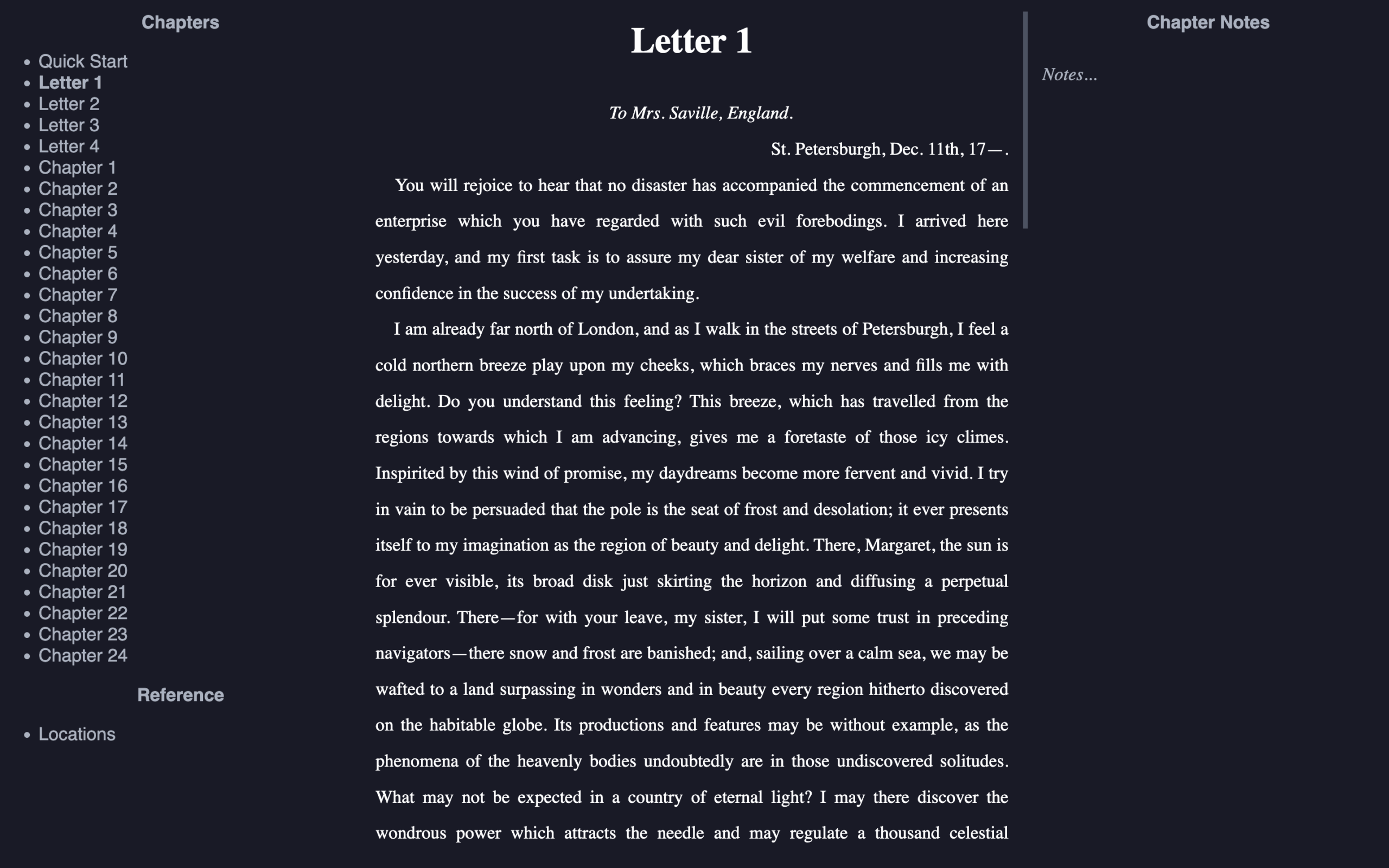
It uses a simple three-panel layout for chapters, editing, and notes, and it’s designed to work well with keyboard-driven workflows instead of mouse-heavy toolbars and menus. The software also targets standalone writing devices and writerDeck-style setups, with support for manuscript organization, revision, and exporting work into multiple formats while keeping chapter files in accessible text-based form.
This is free and open source software.
Key Features
- Imports plain text and DOCX files and can convert them into manuscript-friendly formats.
- Reorders chapters and can automatically renumber chapter headings after rearranging them.
- Compiles a project into a single manuscript or exports chapters as separate files.
- Includes project notes, chapter notes, and a Reference section for material excluded from compile and word counts.
- Can email drafts of individual chapters or an entire manuscript to yourself from within the application.
- Includes a built-in file manager for renaming, deleting, copying, moving, and organizing files.
- Provides a built-in Wi-Fi manager and battery monitor on Linux for writerDeck-oriented use.
- Shows total, chapter, and session word counts, and supports writing goals with progress tracking.
- Offers an outliner and a corkboard that saves as a Markdown file.
- Exports work as plain text, MarkdownFic, standard Markdown, DOCX, HTML, or EPUB.
- Supports manual spellcheck along with autosave and autobackup options.
- Cross-platform support – runs under Linux, macOS, and Windows.
Website: github.com/brsloan/warewoolf
Support:
Developer: Benjamin Sloan
License: MIT License
WareWoolf is written in JavaScript. Learn JavaScript with our recommended free books and free tutorials.
Related Software
| Tools for Novelists | |
|---|---|
| FocusWriter | Distraction-free writing environment with goals and statistics |
| Ren'Py | Engine for creating visual novels and interactive stories |
| novelWriter | Structured plain-text editor for novels and long-form fiction |
| CherryTree | Hierarchical notes for research, characters and story planning |
| Zettlr | Markdown writing environment for long-form projects |
| oStorybook | Novel planning and writing suite with scenes and timelines |
| Twine | Visual tool for creating branching and interactive stories |
| Manuskript | Novel-writing environment built around structured planning |
| Quoll Writer | Novel-writing workspace with chapters, assets and goals |
| Joplin | Note-taking application useful for research and story planning |
| Hammer | Offline-first story editor with scenes, notes and references |
| Bibisco | Novel-writing environment focused on characters and structure |
| Story Architect | Bring characters, scenes and screenplays together in one workspace |
| WareWoolf | Minimalist fiction-writing environment with planning tools |
| Scriptorium | Plan, write and publish novels and other manuscripts |
| Cheese Paper | A comfortable writing environment for lengthy prose |
| Skribisto | Writing studio with corkboard, sessions and rich export support |
| novelibre | Novel organiser integrated with LibreOffice and OpenOffice |
| Scrivus | Plan and write your novel while keeping everything on your own computer |
| NovProg | Tracks and graphs writing progress against project goals |
Read our verdict in the software roundup.
 LinuxLinks helps you discover the best free and open source software for Linux. Explore our extensive collection of recommended applications, including alternatives to popular proprietary software. We also publish software reviews, Linux tutorials, hardware reviews, free programming books and articles covering the wider open source community. Browse our Linux resources to discover more. Know a useful free and open source Linux application we haven't covered? Suggest a program for inclusion. Has your software been featured on LinuxLinks? Display one of our Featured on LinuxLinks badges on your website or GitHub README. |
Please read our Comment Policy before commenting.