
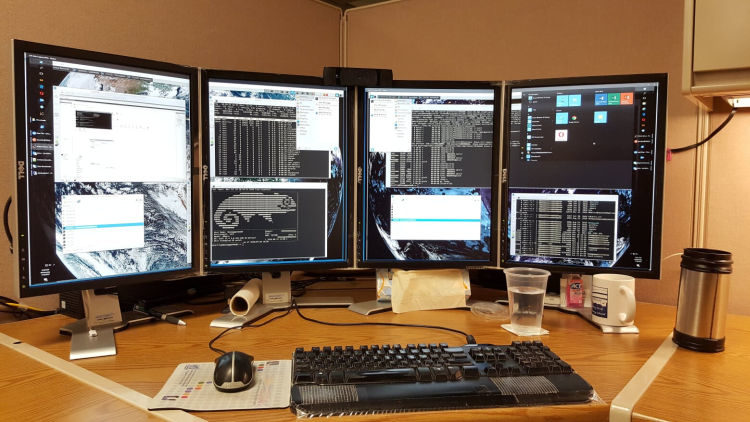
Remote Desktop Control displays the screen of another computer (via Internet or local area network) on a local screen. This type of software enables users to use the mouse and keyboard to control the other computer remotely. It means that a user can work on a remote computer as if he or she was sitting directly in front of it, regardless of the distance between the computers.
Remote desktop applications typically use either the Remote Desktop Protocol (RDP) or Virtual Network Computing (VNC) protocol. Other remote desktop protocols include Remote Frame Buffer Protocol, Apple Remote Desktop Protocol, NX technology, the X Window System, and the Independent Computing Architecture. In order to establish a remote connection, both the host/server and client have to support the same protocol.
Remote desktop control offers significant benefits to both employees and employers. For example, with remote desktop control network administrators can directly access a user’s desktop, and provide technical support without having to be physically next to the user. Another common use of remote display software is to control multiple computers running different operating systems from a single monitor.
This article also examines the best free Linux terminal servers available. Applications run on the server with a terminal known as a thin client (also known as an X terminal) handling input and output. With a Linux Terminal Server and thin-clients, a business can remove many of the costs associated with maintenance, support, and licensing of countless desktop PCs.
To provide an insight into the quality of software that is available, we have compiled a list of 14 impressive remote desktop software. We cover remote desktop applications which use the RDP and VNC protocols. We have also included software which employs the SSH protocol which together with X11 forwarding allows encryption of remote X windows traffic.
ManageEngine Remote Access Plus lets administrators and technicians access remotely and troubleshoot problems.
Let’s explore the 14 remote desktop software at hand. For each application we have compiled its own portal page, a full description with an in-depth analysis of its features, screenshots, together with links to relevant resources.
| Remote Display Software | |
|---|---|
| Remmina | GTK+/Gnome Remote Desktop Client |
| TigerVNC | Platform-neutral implementation of VNC |
| X2Go | Fast terminal server suite based on NoMachine's NX libraries |
| Veyon | Computer monitoring and classroom management |
| RustDesk | Works out of the box with no configuration required |
| TurboVNC | TightVNC-compatible remote desktop software |
| TightVNC | Client/server allowing remote network access to graphical desktops |
| Connections | Aims at replacing Vinagre as the remote desktop client for GNOME |
| xrdp | Accepts connections from variety of RDP clients |
| OpenSSH | Encrypted communication sessions using the ssh protocol |
| Xpra | Multi-platform persistent remote display server |
| Dayon! | Easy to use, cross-platform remote desktop assistance solution |
| Vinagre | VNC client for the Gnome Desktop |
| rdesktop | Client for Windows Terminal Services |
 Explore our comprehensive directory of recommended free and open source software. Our carefully curated collection spans every major software category. Explore our comprehensive directory of recommended free and open source software. Our carefully curated collection spans every major software category.This directory is part of our ongoing series of informative articles for Linux enthusiasts. It features hundreds of detailed reviews, along with open source alternatives to proprietary solutions from major corporations such as Google, Microsoft, Apple, Adobe, IBM, Cisco, Oracle, and Autodesk. You’ll also find interesting projects to try, hardware coverage, free programming books and tutorials, and much more. Know a useful open source Linux program that we haven’t covered yet? Let us know by completing this form. |
Please read our Comment Policy before commenting.