

In Operation
Here’s an image of Pin It! in action.
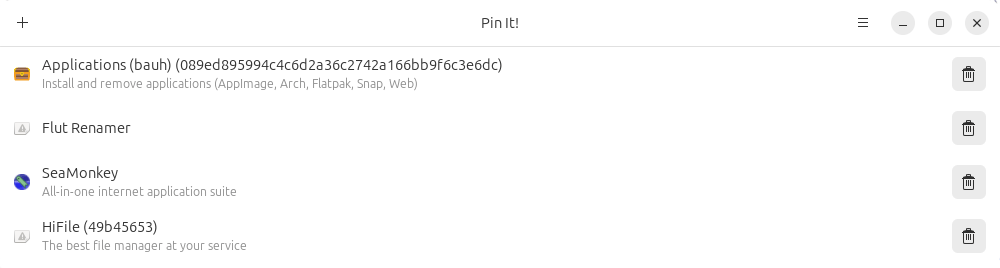
All but the first entry were automatically found by Pin It! although it isn’t showing the icon for two of them.
The interface doesn’t need much explanation to be honest. Click the + icon and then complete the fields.
We manually added an entry for SeaMonkey as our test system has a binary for this program. In the image below, we’re populating fields so that we can run the app from our app launcher.
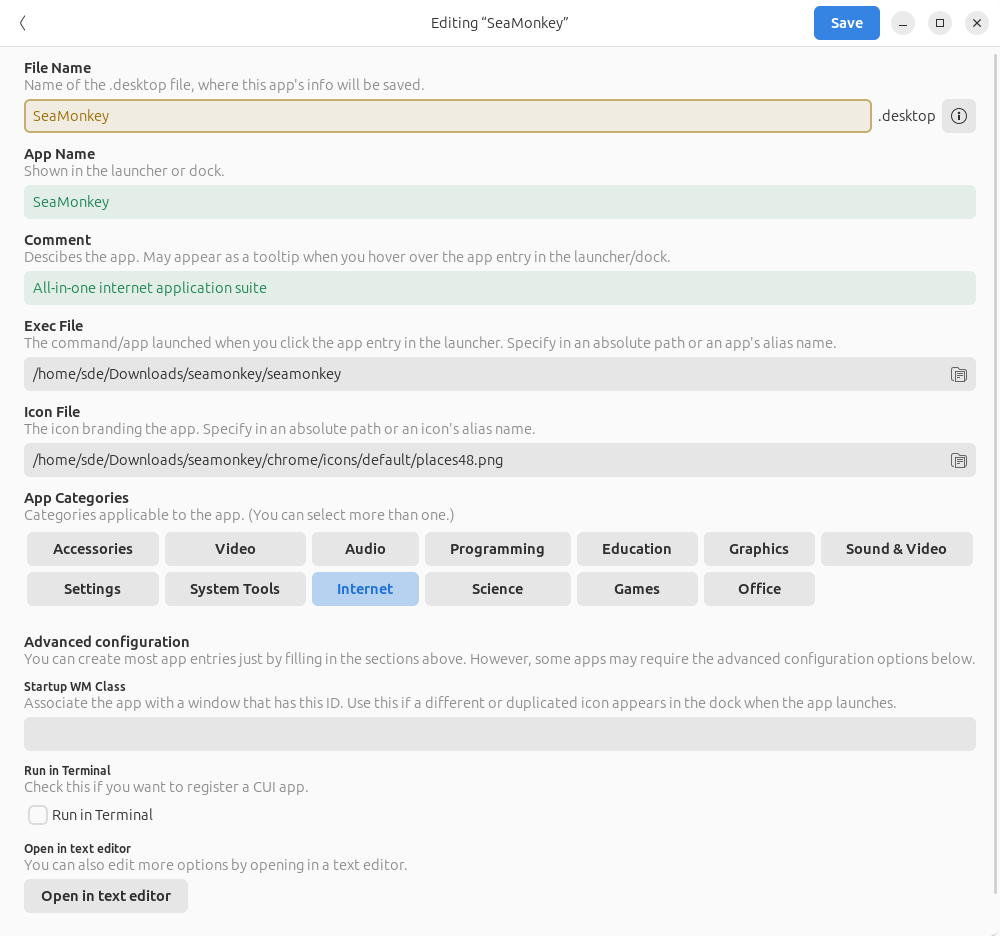
Once completed, the desktop file is saved with other .desktop files in ~/.local/share/applications. And it’ll appear in the app launcher used by your desktop environment.
Other features include:
- Support for responsive design.
- Keyboard shortcuts which can be viewed in the app.
- Light, dark, or system style.
- GPU acceleration.
- Internationalization support.
Summary
Pin It! is a very simple utility but it faces strong competition from other AppImage integration tools. Check out this roundup for our recommendations.
Website: github.com/ryonakano/pinit
Support:
Developer: Ryo Nakano, Jeyson Flores
License: GNU General Public License v3.0
Pin It! is written in Vala. Learn Vala with our recommended free books and free tutorials.
Pages in this article:
Page 1 – Introduction and Installation
Page 2 – In Operation and Summary
Related Software
| AppImage Integration Tools | |
|---|---|
| AppImageLauncher | Integrate AppImages to your application launcher with a single click |
| Gear Lever | Python-based tool to manage AppImages |
| appimaged | AppImage daemon |
| Pin It! | Pin shortcuts for your favorite portable apps to your app launcher |
| Appimage Integrator | Manage and integrate AppImage applications |
| appImageHelper | Create, delete, control and organize shortcuts to AppImage |
| AIDM | Create desktop shortcuts to AppImage applications |
Read our verdict in the software roundup.
 Explore our carefully curated directory of recommended free and open source software, covering every major software category. Explore our carefully curated directory of recommended free and open source software, covering every major software category.The directory forms part of our extensive collection of articles for Linux enthusiasts. It includes hundreds of detailed reviews, together with free and open source alternatives to proprietary software from companies such as Google, Microsoft, Apple, Adobe, IBM, Cisco, Oracle, and Autodesk. LinuxLinks also covers interesting projects worth exploring, Linux-compatible hardware, free programming books and tutorials, and much more. Know a useful free and open source Linux application that we haven’t covered? Tell us about it using our submission form. |
Please read our Comment Policy before commenting.