

Cryptomator protects files stored with cloud storage providers by encrypting them locally before they are synchronised. It works alongside existing storage services rather than requiring users to move their data to a dedicated encrypted cloud platform.
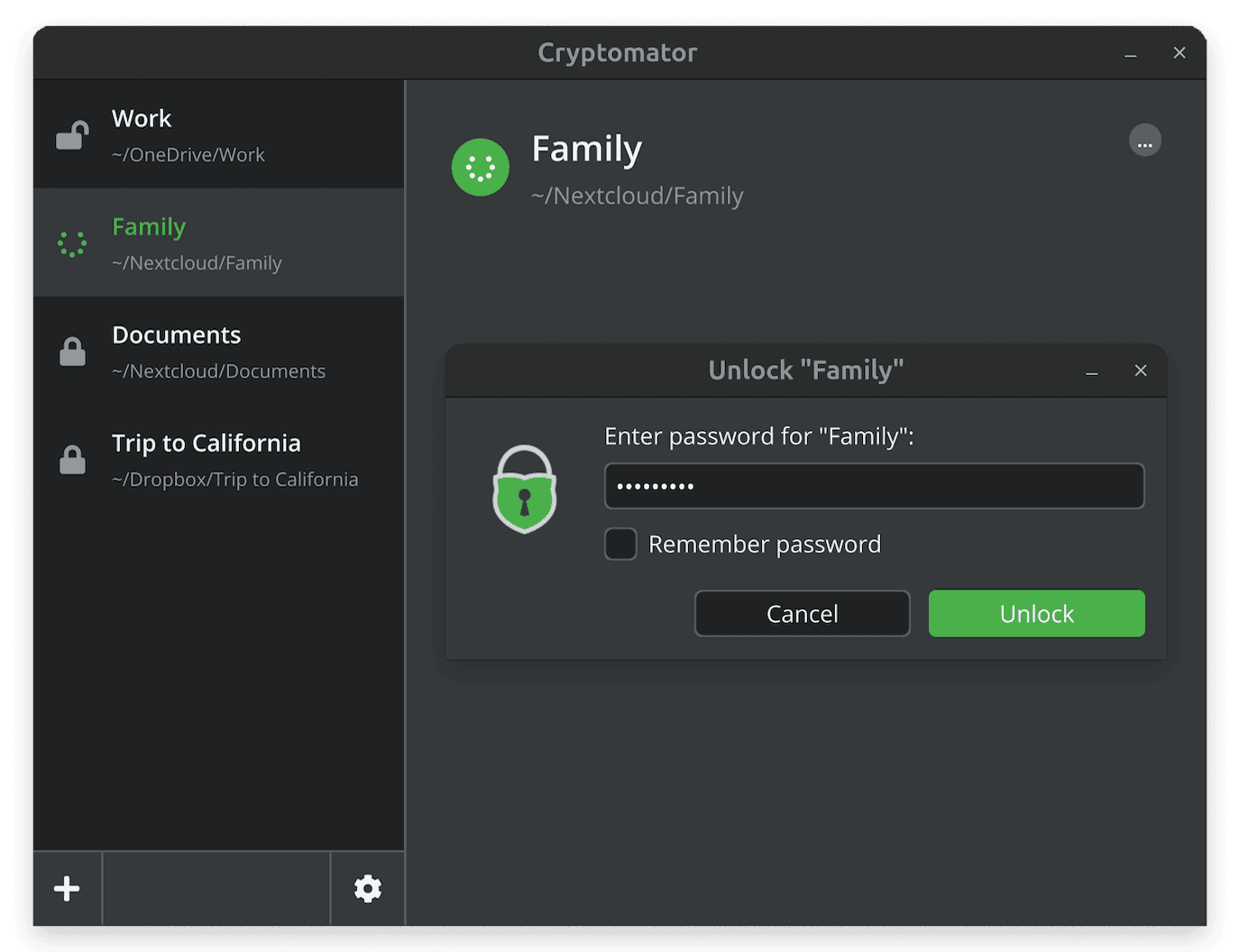
Users create password-protected vaults that appear as virtual drives when unlocked. Files can be opened and modified using ordinary desktop applications, with encryption and decryption handled transparently. Cryptomator encrypts file contents and filenames while obscuring the directory structure. Unlike applications that package everything into a single encrypted container, it stores files individually, making it particularly suitable for cloud synchronisation.
This is free and open source software.
Key Features
- Uses AES-256 encryption to protect file contents and filenames, with directory structures obscured.
- Creates password-protected vaults accessible through virtual drives.
- Works with Dropbox, Google Drive, OneDrive, Nextcloud and other services that synchronise local folders.
- Encrypts files individually to support efficient cloud synchronisation.
- Uses scrypt for password-based key derivation and authenticated encryption to detect unauthorised modifications.
- Provides recovery keys that can restore access when a vault password is forgotten.
- Supports multiple vaults protected by independent passwords.
Website: github.com/cryptomator/cryptomator
Support:
Developer: Cryptomator
License: GNU General Public License v3.0
Cryptomator is written in Java. Learn Java with our recommended free books and free tutorials.
Related Software
| Encrypted FUSE-based file systems | |
|---|---|
| Cryptomator | Multi-platform transparent client-side encryption of files in the cloud |
| gocryptfs | Encrypted overlay filesystem written in Go |
| CryFS | Cryptographic filesystem for the cloud |
| securefs | Authenticated and probabilistic encryption with efficient cloud synchronization |
| EncFS | Encrypted filesystem in user-space |
| rcryptfs | Read and write encrypted repositories using common gocryptfs settings. |
Read our verdict in the software roundup.
| File Synchronization Tools | |
|---|---|
| Syncthing | Continuous file synchronization program |
| Unison | File-synchronization tool for POSIX-compliant systems |
| Rclone | Command line program to sync files and directories |
| rsync | Fast incremental file transfer |
| Cryptomator | Multi-platform transparent client-side encryption of files in the cloud |
| FreeFileSync | Folder comparison and synchronization software |
| syncBackup | Backup and mirror your drives |
| Seafile | Coud storage system with privacy protection and teamwork features |
| Grsync | Graphical user interface for rsync |
| Lsyncd | Live Syncing Daemon |
| luckyBackup | Backup & sync tool |
| YARsync | Yet Another Rsync |
| Sync-in | File sync and server management |
| osync | Two way filesync script running on Bash |
| Celeste | GUI file synchronization client |
| ByteSync | File synchronization, backup, and deduplication |
| bita | Differential file synchronization over HTTP |
| Spacedrive | File manager powered by a virtual distributed filesystem |
Read our verdict in the software roundup.
| GUI File Encryption Tools | |
|---|---|
| GpgFrontend | Qt frontend for OpenPGP encryption, signing and key management |
| Cryptomator | Multi-platform transparent client-side encryption of files in the cloud |
| VeraCrypt | Strong disk encryption software (File and Disk) |
| Picocrypt NG | Community-developed continuation of the archived Picocrypt project |
| KGpg | KDE frontend for GnuPG with encryption and key management |
| Picocrypt | Very small (hence Pico), very simple, yet very secure encryption tool |
| Kleopatra | KDE tool for managing X.509 and OpenPGP certificates |
| Vaults | Create encrypted vaults in which you can safely store files |
| SiriKali | Qt/C++ GUI front end |
| Qccrypt | Qt cross-platform frontend for the ccrypt command-line tool |
| PGPTool | Java-based desktop GUI for PGP decryption/encryption |
| OpaqueFiles | Store or archive files in the cloud |
| Volaris for Desktop | Wrapper for Volaris |
| File Lock PEA | Password Encrypting Archive |
| Hideout | Simple drag-and-drop file encryption and decryption using GnuPG |
Read our verdict in the software roundup.
 LinuxLinks helps you discover the best free and open source software for Linux. Explore our extensive collection of recommended applications, including alternatives to popular proprietary software. LinuxLinks helps you discover the best free and open source software for Linux. Explore our extensive collection of recommended applications, including alternatives to popular proprietary software.We also publish software reviews, Linux tutorials, hardware reviews, free programming books and articles covering the wider open source community. Browse our Linux resources to discover more. Know a useful free and open source Linux application we haven't covered? Suggest a program for inclusion. Has your software been featured on LinuxLinks? Display one of our Featured on LinuxLinks badges on your website or GitHub README. |
Please read our Comment Policy before commenting.