
I find myself spending more and more of my time in the terminal. Using terminal-based software isn’t an exercise in nostalgia , it’s a deliberate choice grounded in efficiency, precision, and reliability. In many cases, it offers a genuine productivity advantage.
Linux already boasts a rich selection of terminal music players, yet there is always space for another addition.
CLIAMP is billed as a retro-inspired terminal music player influenced by the classic Winamp 2.x era. It supports a wide range of audio formats, including MP3, WAV, FLAC, OGG, AAC, ALAC, Opus, and WMA, and features a real-time spectrum visualizer, a fully adjustable 10-band parametric equalizer, and comprehensive playlist management. It’s free and open source software.
Installation
I evaluated CLIAMP with Manjaro. As an Arch-based distribution, it offers access to the Arch User Repository, a community-driven repository, providing user-submitted PKGBUILDs that simplify building and installing software not available in the official repositories.
I used yay to install CLIAMP. yay lets you search, install, and upgrade both official repository packages and AUR packages with a single command. yay is a practical, widely trusted choice.
$ yay -S cliamp
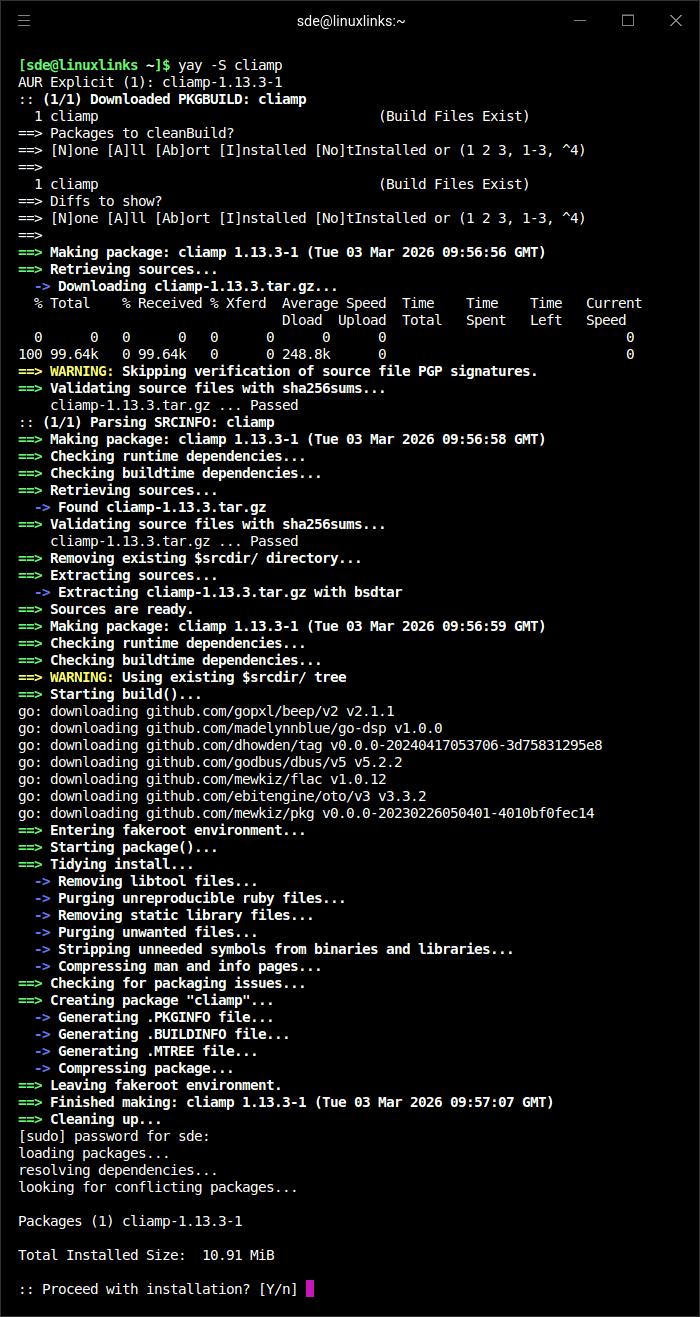
The project provides binaries for Linux (including ARM), macOS, and Windows. I only tested the program in Linux.
In Operation
Here’s an image of CLIAMP in action.
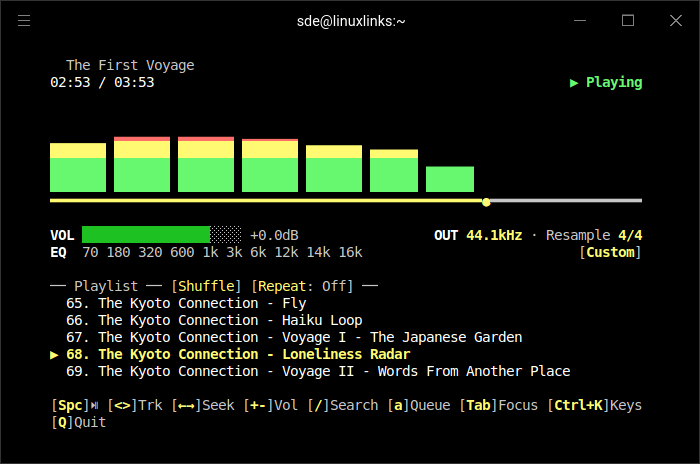
I don’t like the small number of tracks shown in the playlist but the playlist can be expanded with the x key.
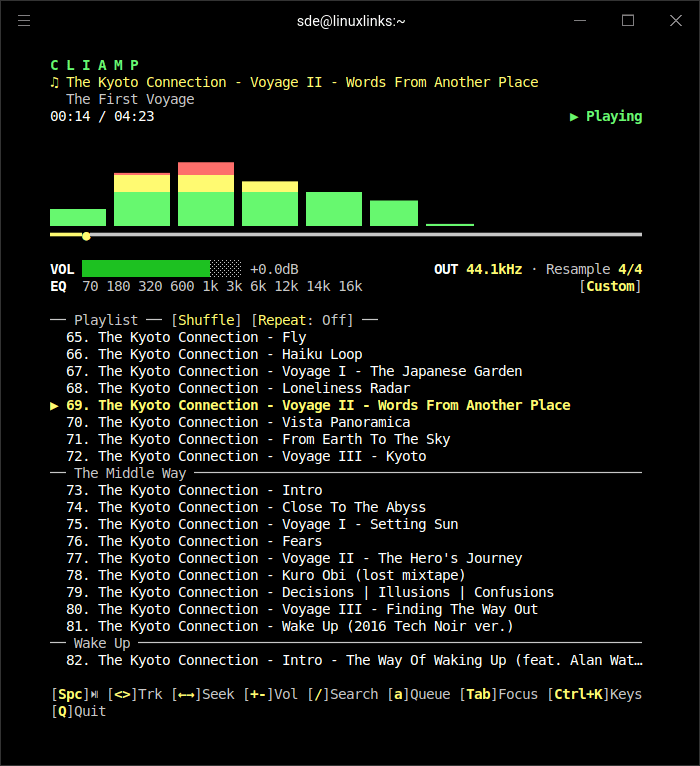
The first thing I check out is whether a music player supports gapless playback. That’s the ability to play consecutive audio tracks seamlessly, without any audible pause, click, or silence between them. Many albums particularly live recordings, DJ mixes, classical music, and concept albums are are designed to flow continuously from one track to the next. Without gapless playback, a small delay ruins the experience.
The good news is that CLIAMP supports gapless playback. That’s an essential requirement for me and it meets it fully.
The interface is well designed and almost elegant. You’ll need to learn the keybindings but they are always to hand with Ctrl+K.
Other Key Features
- Wide Format Support: Plays most common audio formats out of the box.
- 10-Band Parametric EQ: Fine-tune your sound with presets and custom settings.
- Spectrum Visualizer & Themes: Real-time visual feedback with multiple visualizer modes and color themes.
The program has a good variety of visualizers and themes. Here are a few examples.
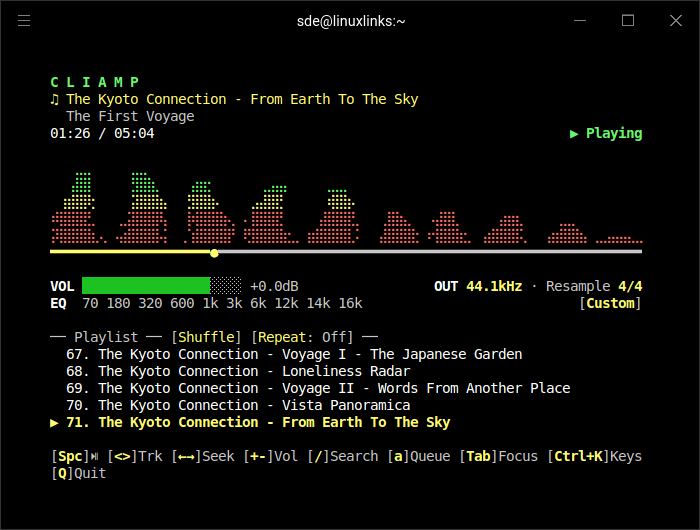
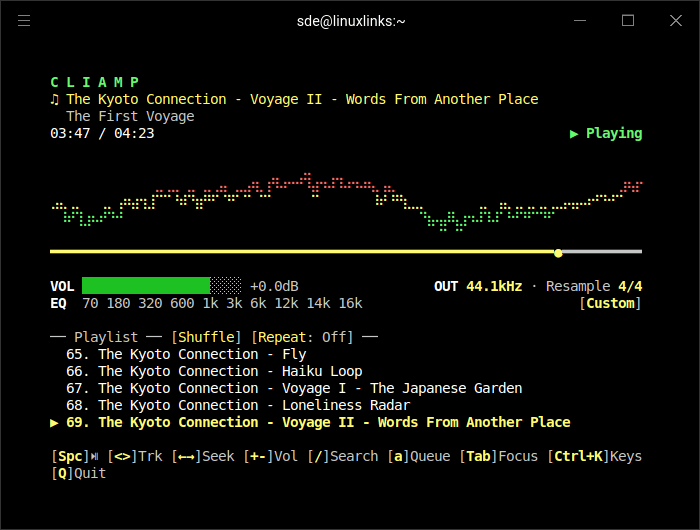
You can also turn off the visualizer.
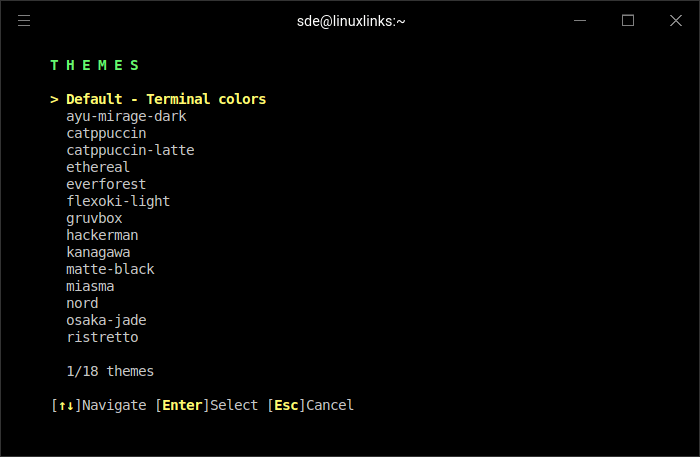
There are 18 themes available.
- Playlist Management: Full support for TOML playlists and standards like M3U/M3U8/PLS, with a built-in manager.
- Streaming & Remote Play: Play from URLs, Internet radio, or remote playlists.
- Podcast & yt-dlp Support: Stream podcasts and media from YouTube, SoundCloud, and Bandcamp via yt-dlp integration.
- Navidrome Integration: Browse and stream from your own Navidrome music server.
- MPRIS & Media Keys: Desktop integration for hardware media key control.
- Custom Audio Controls: Adjustable sample rate, buffer, resampling quality, and more.
Summary
CLIAMP gets my strong recommendation.
It stands out because it combines the charm of a classic media player with the efficiency of a modern terminal workflow. If you’re looking for a directory based music player with a good range of features (including the indispensable gapless playback) you’ll love CLIAMP. It avoids the need to have spotless metadata and all the issues associated with albums containing multiple artists.
Of course there’s always room for improvement. For example, the program is slow to start if you point the program to a large music collection particularly if it’s stored on a network share. I suggest some form of caching would be helpful.
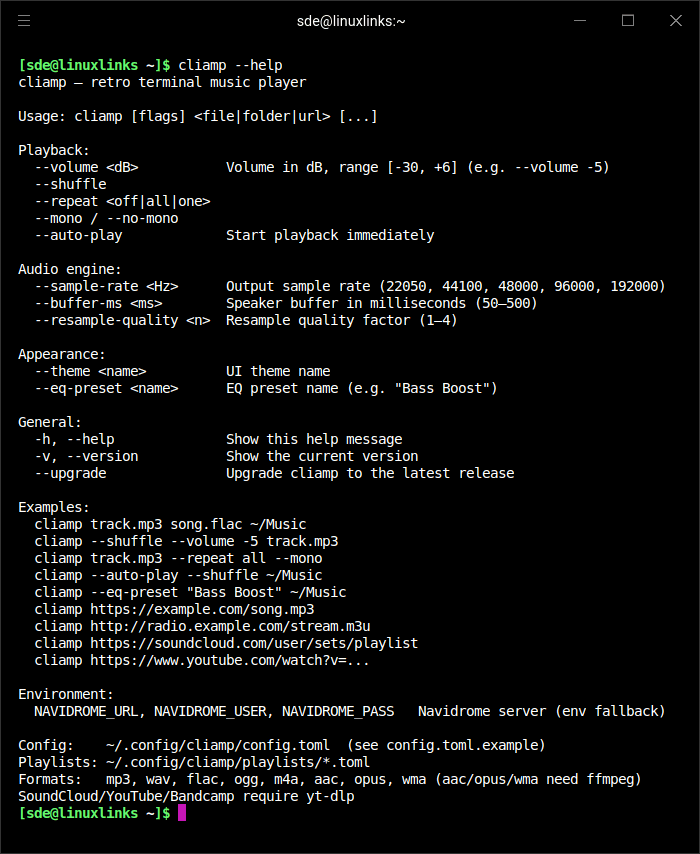
Here are the CLI options.
Website: github.com/bjarneo/cliamp
Support:
Developer: bjarneo
License: MIT License
CLIAMP is written in Go. Learn Go with our recommended free books and free tutorials.
Related Software
| Terminal-Based Music Players | |
|---|---|
| musikcube | Sublime audio engine, library, player and server written in C++ |
| tap | The lightest music player with gapless playback |
| Tizonia | Powerful cloud music player based on OpenMAX IL 1.2 written in C and C++ |
| cmus | Great set of features including the essential gapless playback |
| termusic | Music Player TUI written in Rust |
| kew | Music player written in C |
| spectrum | Simple and intuitive music player for tech enthusiasts |
| ncmpc | Frugal Music Player Daemon client |
| ncmpy | Music Player Daemon client |
| MOC | Designed to be powerful and easy to use |
| RMuP | Simple music player lacking gapless playback |
| Siren | Extremely frugal with system resources |
| grump | CLI audio player written in Go |
| Gomu | Another Go music player |
| mpvc | mpc-like control interface for mpv |
| RustPlayer | Audio and radio player written in Rust |
Read our verdict in the software roundup.
 Explore our comprehensive directory of recommended free and open source software. Our carefully curated collection spans every major software category. Explore our comprehensive directory of recommended free and open source software. Our carefully curated collection spans every major software category.This directory is part of our ongoing series of informative articles for Linux enthusiasts. It features hundreds of detailed reviews, along with open source alternatives to proprietary solutions from major corporations such as Google, Microsoft, Apple, Adobe, IBM, Cisco, Oracle, and Autodesk. You’ll also find interesting projects to try, hardware coverage, free programming books and tutorials, and much more. Know a useful open source Linux program that we haven’t covered yet? Let us know by completing this form. |