

In Operation
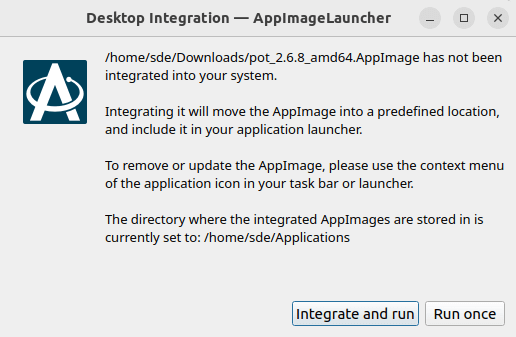
When you launch an AppImage for the first time, we’re offered the option to integrate and run the program. On our GNOME test system, this adds an entry for the software to “Show Apps” so we can start the program like any package installed with apt/dpkg. AppImageLauncher moves the AppImage file to the ~/Applications/ directory.
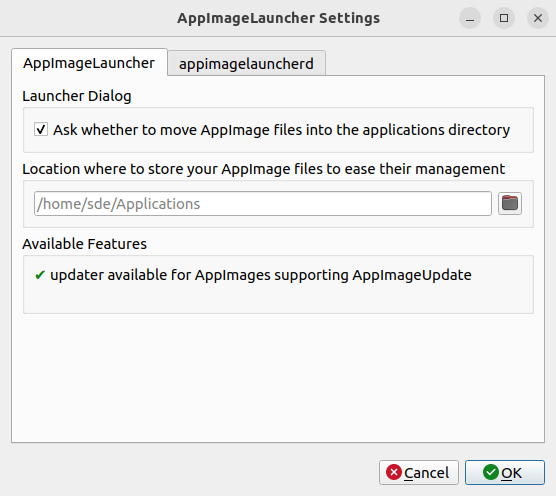
There’s a Settings box which lets you decide where to store your AppImage files. The appimagelauncherd tab gives you the option to auto start the auto-integration daemon and specify additional directories to watch.
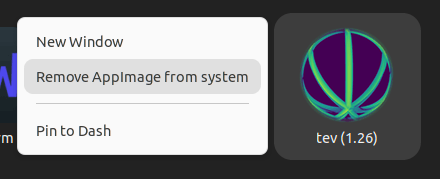
We can remove an AppImage with a right click in our application launcher. In the image below, we’re about to remove the tev appImage.
Summary
AppImageLauncher is a really useful way of integrating AppImages with your system.
Sadly, it looks like development has stalled. The last release was back in September 2020.
Website: github.com/TheAssassin/AppImageLauncher
Support:
Developer: TheAssassin
License: MIT License
AppImageLauncher is written in C++. Learn C++ with our recommended free books and free tutorials.
Pages in this article:
Page 1 – Introduction and Installation
Page 2 – In Operation and Summary
Related Software
| AppImage Integration Tools | |
|---|---|
| AppImageLauncher | Integrate AppImages to your application launcher with a single click |
| Gear Lever | Python-based tool to manage AppImages |
| appimaged | AppImage daemon |
| Pin It! | Pin shortcuts for your favorite portable apps to your app launcher |
| appImageHelper | Create, delete, control and organize shortcuts to AppImage |
| AIDM | Create desktop shortcuts to AppImage applications |
Read our verdict in the software roundup.
 Explore our comprehensive directory of recommended free and open source software. Our carefully curated collection spans every major software category. Explore our comprehensive directory of recommended free and open source software. Our carefully curated collection spans every major software category.This directory is part of our ongoing series of informative articles for Linux enthusiasts. It features hundreds of detailed reviews, along with open source alternatives to proprietary solutions from major corporations such as Google, Microsoft, Apple, Adobe, IBM, Cisco, Oracle, and Autodesk. You’ll also find interesting projects to try, hardware coverage, free programming books and tutorials, and much more. Know a useful open source Linux program that we haven’t covered yet? Let us know by completing this form. |