

massren is a command line tool that can be used to rename multiple files using your own text editor.
Multiple-rename tools are usually difficult to use from the command line since any regular expression needs to be escaped, and each tool uses its own syntax and flavor of regex. The advantage of massren is that you are using the text editor you use every day, and so can use all its features.
The tool works by creating a file that contains the filenames of the target directory, and opening this file in the text editor. You can then modify the filenames there directly. Once done, save the text file and the files will be renamed. Lines that are not changed will simply be ignored.
This is free and open source software.
Key Features
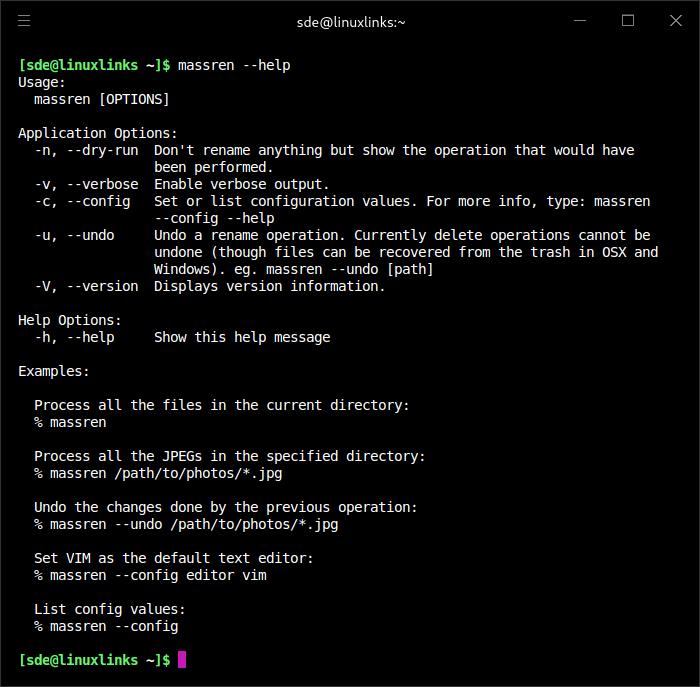
- Rename multiple files using your own text editor. It should work with any text editor, including vim, Emacs, Sublime Text or notepad.
- Undo – any rename operation can be undone.
- Move files to sub-directories. See these instructions for more information.
- Dry run mode – test the results of a rename operation without actually renaming any file.
- Safety checks – since this is a multiple rename tool, various checks are in place to ensure that nothing gets accidentally renamed. For example, the program will check that the files are not being changed by something else while the list of filenames is being edited. If the number of files before and after saving the file is different, the operation will also be cancelled.
- Cross-platform support – runs under Linux, macOS, and Windows.
Website: github.com/laurent22/massren
Support:
Developer: Laurent Cozic
License: MIT License
massren is written in Go. Learn Go with our recommended free books and free tutorials.
Related Software
| Console Batch Renamers | |
|---|---|
| RnR | Securely rename multiple files and directories |
| F2 | Command-line batch renaming tool. Fast and safe to use. It's written in Go |
| vimv | Mass rename files using Vim |
| massren | Rename multiple files using a text editor |
| mmv | Rename multiple files with editor |
| nomino | Batch rename utility for developers |
| rename | Rename multiple files using Perl expressions |
| brename | Batch renaming safely |
| tempren | Template-based file renaming utility |
| edir | Utility to rename, remove, and copy filenames and directories |
| vidir | Edit of the contents of a directory in a text editor |
| renameutils | Five programs – qmv, qcp, imv, icp and deurlname |
| rename-cli | Rename files quickly |
| ren | Takes find-formatted lines via standard input, and batch renames them |
| renux | Regex, placeholders, and text transformations |
| moove | Manipulate file names and locations |
| Bren | Bulk file renaming software |
| regname | Mass renamer utility with a text user-interface |
| pipe-rename | Edit filenames using your preferred text editor |
| Renamer | Flexible and extensible through plugins |
| brn2 | Fork of brn |
| edmv | Bulk rename files using your preferred text editor |
Read our verdict in the software roundup.
 Explore our carefully curated directory of recommended free and open source software, covering every major software category. Explore our carefully curated directory of recommended free and open source software, covering every major software category.The directory forms part of our extensive collection of articles for Linux enthusiasts. It includes hundreds of detailed reviews, together with free and open source alternatives to proprietary software from companies such as Google, Microsoft, Apple, Adobe, IBM, Cisco, Oracle, and Autodesk. LinuxLinks also covers interesting projects worth exploring, Linux-compatible hardware, free programming books and tutorials, and much more. Know a useful free and open source Linux application that we haven’t covered? Tell us about it using our submission form. |
Please read our Comment Policy before commenting.