

In Operation
The top left icon provides an overview. It offers quick access to common places, favourite files, as well as your most recent downloads, and access to music files, image files, and devices/remote locations.
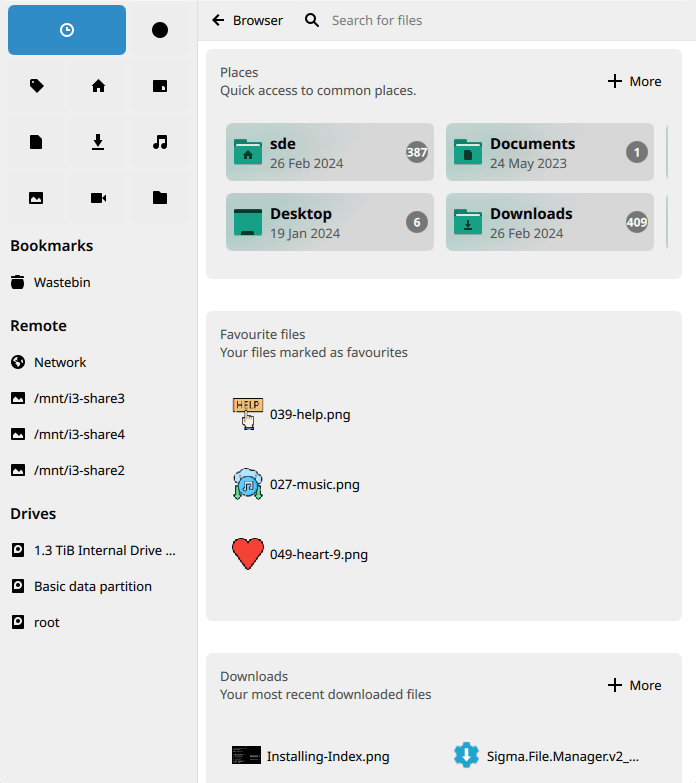
The icon adjacent to overview is favourites, which offers another way of accessing your favourite files. The nine icons below let you access tags, your home directory, desktop, documents, downloads, music, pictures, videos, and /.
There are a couple of views: Icon Grid and Icon List. Here’s an example of the Icon List view.
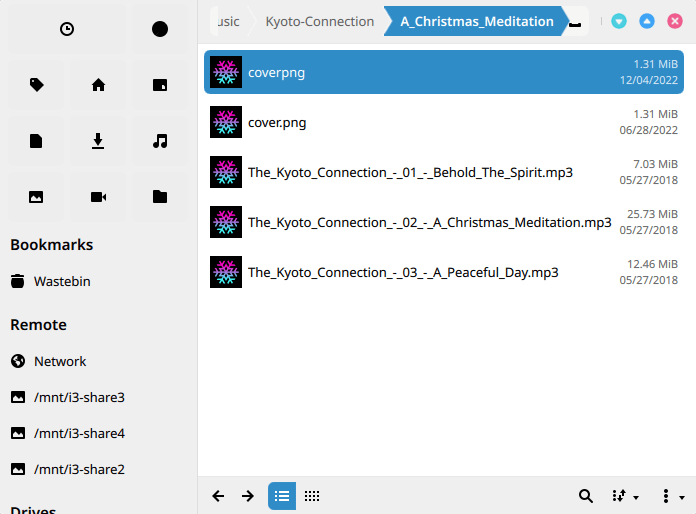
Right click a file presents us with a menu letting us copy, cut, rename, and remove files. We can also open the file with an external application, as well as preview the file with information. There’s also the ability to mark the file as a favourite, tag it, share, together with the option of compression and extraction of file archives.
There’s search functionality, access to the wastebin, as well as bookmarks for remote locations and drives.
Summary
Index is a simple file manager which is fairly unremarkable to be honest. It doesn’t offer many of the bells and whistles you get with the finest file managers, but there’s sufficient functionality for basic file management.
On our Ubuntu test systems, the icons in the top left hand corner wouldn’t display properly. We even tried installing Index on a fresh Ubuntu installation, but again this issue persisted. Maybe it’d fair better running KDE as the desktop environment.
Index faces stiff competition from other open source software. For Qt-based file managers, we recommend trying Krusader, Dolphin, or PCManFM-Qt. And for GTK, we recommend PCManFM. Double Commander is another first-class file manager and offers both GTK and Qt versions.
If you’re happy using freeware, we admire Hi-File.
Website: mauikit.org/apps/index
Support: Code Repository
Developer: Camilo Higuita
License: GNU General Public License v3.0
Index is written in QML and C++. Learn C++ with our recommended free books and free tutorials.
Pages in this article:
Page 1 – Introduction and Installation
Page 2 – In Operation and Summary
Related Software
| Qt File Managers | |
|---|---|
| Krusader | Advanced, twin-panel (commander-style) file manager |
| Dolphin | Simple to use and dedicated file manager |
| Double Commander | Inspired by Total Commander |
| PCManFM-Qt | Started as the Qt port of PCManFM |
| Konqueror | File manager, web browser, and universal viewer |
| CoreFM | Simple, lightweight, and easy to use file manager |
| File Commander | Total Commander-like orthodox (dual-panel) file manager |
| Deepin FM | File manager for deepin desktop environment |
| Index | Qt-based file manager that's part of the Maui ecosystem |
| SplitCommander | Dual-pane KDE tool for efficient copying moving and organisation |
| Rootlink | Native Wayland browser offering a clean focused desktop experience |
| HyprFM | Modern Qt 6 and QML browser designed for Wayland desktops |
| Dentry | Keyboard-driven TUI for fast browsing and filesystem navigation |
| Cutefish File Manager | Another simple file manager |
Read our verdict in the software roundup.
 Explore our comprehensive directory of recommended free and open source software. Our carefully curated collection spans every major software category. Explore our comprehensive directory of recommended free and open source software. Our carefully curated collection spans every major software category.This directory is part of our ongoing series of informative articles for Linux enthusiasts. It features hundreds of detailed reviews, along with open source alternatives to proprietary solutions from major corporations such as Google, Microsoft, Apple, Adobe, IBM, Cisco, Oracle, and Autodesk. You’ll also find interesting projects to try, hardware coverage, free programming books and tutorials, and much more. Discovered a useful open source Linux program that we haven’t covered yet? Let us know by completing this form. |
Please read our Comment Policy before commenting.