

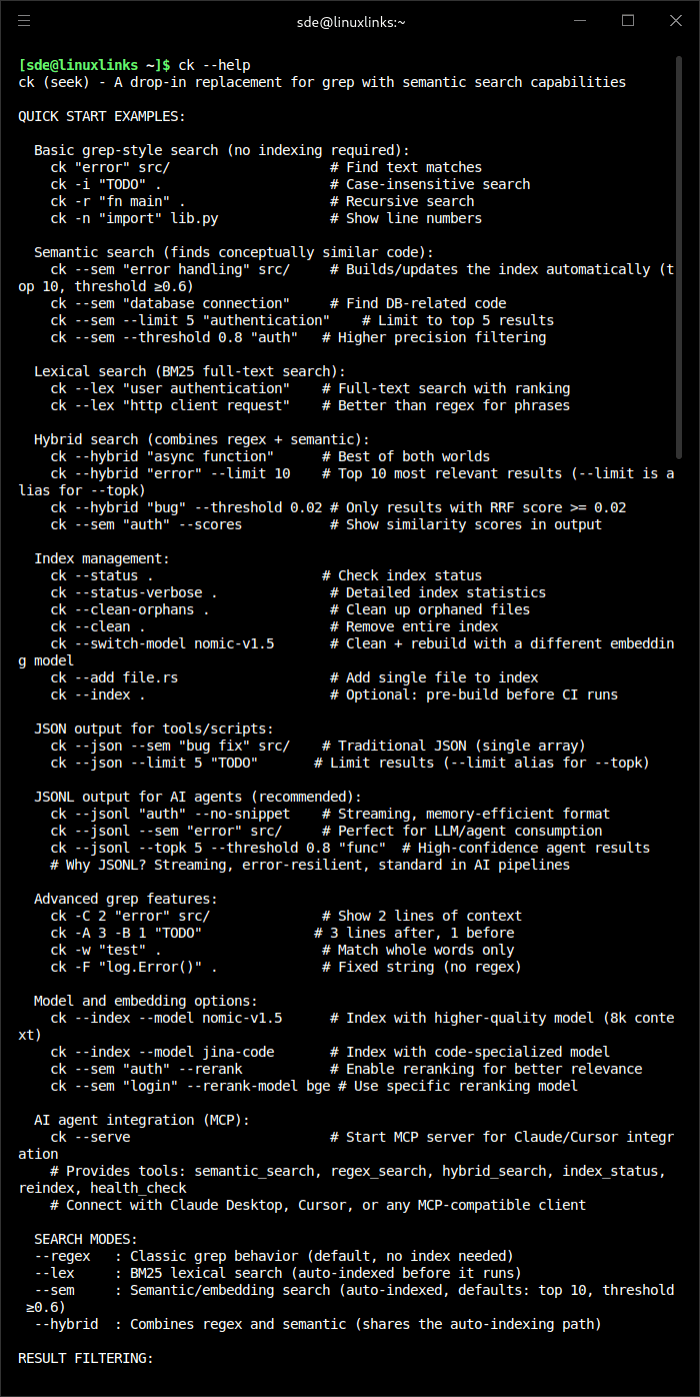
ck (seek) finds code by meaning, not just keywords. It’s grep that understands what you’re looking for — search for “error handling” and find try/catch blocks, error returns, and exception handling code even when those exact words aren’t present.
This is free and open source software.
Features include:
- AI Agent Integration (MCP Server).
- Interactive TUI (Terminal User Interface):
- Multiple Search Modes: Toggle between Semantic, Regex, and Hybrid search with Tab
- Preview Modes: Switch between Heatmap, Syntax highlighting, and Chunk view with Ctrl+V
- View Options: Toggle between snippet and full-file view with Ctrl+F
- Multi-select: Select multiple files with Ctrl+Space, open all in editor with Enter
- Search History: Navigate with Ctrl+Up/Down
- Editor Integration: Opens files in $EDITOR with line numbers (Vim, VS Code, Cursor, etc.)
- Progress Tracking: Live indexing progress with file and chunk counts
- Config Persistence: Preferences saved to ~/.config/ck/tui.json
- Semantic Search – find code by concept, not keywords. Understands synonyms, related terms, and conceptual similarity.
- Drop-in grep compatibility.
- Hybrid search.
- Automatic Delta Indexing with Chunk-Level Caching:
- Semantic and hybrid searches transparently create and refresh their indexes before running. The first search builds what it needs; subsequent searches intelligently reuse cached embeddings:
- Chunk-level incremental indexing: Only changed chunks are re-embedded (80-90% cache hit rate for typical code changes)
- Content-aware invalidation: Doc comments and whitespace changes properly invalidate cache
- Model consistency: Prevents silent embedding corruption when switching models
- Semantic and hybrid searches transparently create and refresh their indexes before running. The first search builds what it needs; subsequent searches intelligently reuse cached embeddings:
- Smart caching: Hash-based invalidation using blake3(text + trivia) for reliable change detection
- Smart File Filtering – automatically excludes cache directories, build artifacts, and respects .gitignore and .ckignore files.
Website: github.com/BeaconBay/ck
Support:
Developer: Mike Renwick
License: MIT License or Apache License 2.0
ck is written in Rust. Learn Rust with our recommended free books and free tutorials.
| Popular series | |
|---|---|
 | The largest compilation of the best free and open source software in the universe. Each article is supplied with a legendary ratings chart helping you to make informed decisions. |
 | Hundreds of in-depth reviews offering our unbiased and expert opinion on software. We offer helpful and impartial information. |
 | The Big List of Active Linux Distros is a large compilation of actively developed Linux distributions. |
 | Replace proprietary software with open source alternatives: Google, Microsoft, Apple, Adobe, IBM, Autodesk, Oracle, Atlassian, Corel, Cisco, Intuit, SAS, Progress, Salesforce, and Citrix |
 | Awesome Free Linux Games Tools showcases a series of tools that making gaming on Linux a more pleasurable experience. This is a new series. |
 | Machine Learning explores practical applications of machine learning and deep learning from a Linux perspective. We've written reviews of more than 40 self-hosted apps. All are free and open source. |
 | New to Linux? Read our Linux for Starters series. We start right at the basics and teach you everything you need to know to get started with Linux. |
 | Alternatives to popular CLI tools showcases essential tools that are modern replacements for core Linux utilities. |
 | Essential Linux system tools focuses on small, indispensable utilities, useful for system administrators as well as regular users. |
 | Linux utilities to maximise your productivity. Small, indispensable tools, useful for anyone running a Linux machine. |
 | Surveys popular streaming services from a Linux perspective: Amazon Music Unlimited, Myuzi, Spotify, Deezer, Tidal. |
 | Saving Money with Linux looks at how you can reduce your energy bills running Linux. |
 | Home computers became commonplace in the 1980s. Emulate home computers including the Commodore 64, Amiga, Atari ST, ZX81, Amstrad CPC, and ZX Spectrum. |
 | Now and Then examines how promising open source software fared over the years. It can be a bumpy ride. |
 | Linux at Home looks at a range of home activities where Linux can play its part, making the most of our time at home, keeping active and engaged. |
 | Linux Candy reveals the lighter side of Linux. Have some fun and escape from the daily drudgery. |
 | Getting Started with Docker helps you master Docker, a set of platform as a service products that delivers software in packages called containers. |
 | Best Free Android Apps. We showcase free Android apps that are definitely worth downloading. There's a strict eligibility criteria for inclusion in this series. |
 | These best free books accelerate your learning of every programming language. Learn a new language today! |
 | These free tutorials offer the perfect tonic to our free programming books series. |
 | Linux Around The World showcases usergroups that are relevant to Linux enthusiasts. Great ways to meet up with fellow enthusiasts. |
 | Stars and Stripes is an occasional series looking at the impact of Linux in the USA. |