
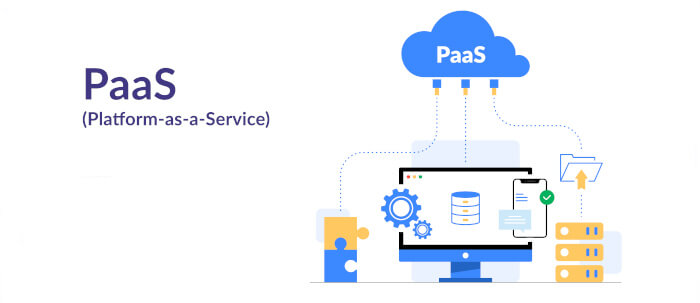
CapRover is an app/database deployment platform and web server package for NodeJS, Python, PHP, ASP.NET, Ruby, MySQL, MongoDB, Postgres, WordPress (and etc…) applications.
No Docker or nginx knowledge is required.
CapRover is free and open source software.
Key Features
- Simple to use interface for many Docker operations: exposing container ports to host, setting up persistent directories, instance count and etc..
- CLI for automation and scripting.
- Web GUI for ease of access and convenience.
- No lock-in! Remove CapRover and your apps keep working.
- Deploy apps in your own space (Node js, PHP, Python, Java literally any language).
- One-click apps – deploying one-click apps is a matter of seconds! MongoDB, Parse, MySQL, WordPress, Postgres and many more.
- Easy deploy – many ways to deploy: upload your source from dashboard, use command line caprover deploy, use webhooks and build upon git push.
- Docker Swarm under the hood for containerization and clustering.
- Nginx (fully customizable template) under the hood for load-balancing.
- Let’s Encrypt under the hood for free SSL (HTTPS). Ability to secure your services over HTTPS for FREE, ability to automatically redirect HTTP to HTTPS.
- Highly customizable – optionally fully customizable nginx config allowing you to enable HTTP2, specific caching logic, custom SSL certs and etc.
- Cluster ready.
Website: CapRover
Support: GitHub Code Repository
Developer: Kasra Bigdeli
License: Apache License, Version 2.0
CapRover is written in TypeScript. Learn TypeScript with our recommended free books and free tutorials.
Related Software
| Platform as a service (PaaS) Cloud Computing Stacks | |
|---|---|
| OKD | Computing platform as a service product from Red Hat |
| Coolify | Self-hostable Heroku / Netlify / Vercel alternative |
| OpenFaaS | Serverless Functions Made Simple |
| Dokku | Smallest PaaS implementation you’ve ever seen |
| CapRover | App/database deployment platform and web server package |
| tsuru | Extensible and open source Platform as a Service software |
| CloudFoundry | Part of the Pivotal Initiative |
| Porter | Fully-managed PaaS that lets teams automate DevOps |
| Cozystack | Kubernetes-based cloud platform and framework |
| Kubero | Deploy applications on Kubernetes without specialized knowledge |
| Canine | Self-hosted Kubernetes deployment platform |
| SwiftWave | Self-hosted, lightweight platform-as-a-service solution |
| Epinio | Application development platform that runs on Kubernetes |
| Convox | Multicloud Platform as a Service based on Kubernetes |
| AppScale GTS | Open Source Implementation of Google App Engine |
| Mist | Lightweight, self-hostable Platform-as-a-Service |
Read our verdict in the software roundup.
 Explore our carefully curated directory of recommended free and open source software, covering every major software category. Explore our carefully curated directory of recommended free and open source software, covering every major software category.The directory forms part of our extensive collection of articles for Linux enthusiasts. It includes hundreds of detailed reviews, together with free and open source alternatives to proprietary software from companies such as Google, Microsoft, Apple, Adobe, IBM, Cisco, Oracle, and Autodesk. LinuxLinks also covers interesting projects worth exploring, Linux-compatible hardware, free programming books and tutorials, and much more. Know a useful free and open source Linux application that we haven’t covered? Tell us about it using our submission form. |
Please read our Comment Policy before commenting.
easy to use? it took me a week just to get this setup. Then countless issues got in the way of app deployment… and of course, once I made it work. I deployed a few apps only to realize they are all asking for login / password which I do not have … just wow. If there is any mention of this in the documentation, might as well be written in chinese. Oh but they do explain how to logout of caprover tho… as if anyone would be dumb enough to have an explanation about a logout button lol. Donations ? yeah right
It’s designed for people like you
Having spent a week setting it up you must have picked up enough information to write better documentation. I guess you volunteered to write documentation for the project.
No wait, I imagine you are just the type of person who grabs but never gives back. You deserve exactly what you get. On second thoughts, given that you couldn’t even work out the basics, you probably aren’t able to write anything worth reading.
No need to even install CapRover to evaluate its suitability. There’s a demo version available (password captain42 as stated clearly on their website)
Documentation is pretty good. I had no problems following it and was up and running in about an hour but I’ve set up many PaaS