

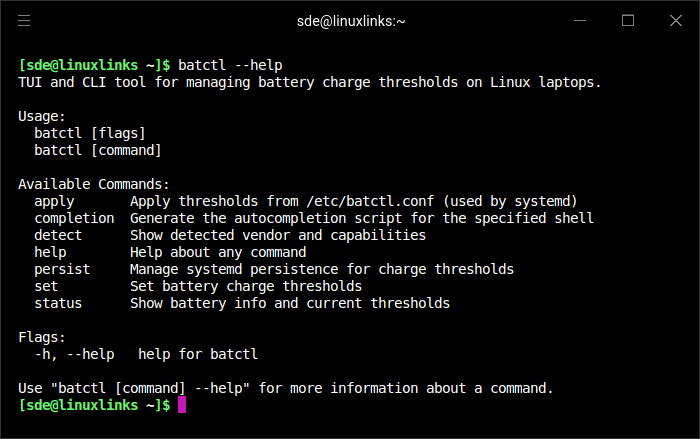
batctl is a terminal UI and CLI tool that lets you control battery charge thresholds on Linux. Set start/stop charge levels to extend battery lifespan, choose from built-in presets, and persist your settings across reboots — all from a single, zero-dependency binary. batctl provides a unified interface that detects supported hardware and exposes these controls in a simple terminal-based application.
The program offers both an interactive terminal interface and a scriptable command-line mode. Users can view battery information, adjust charging start and stop thresholds, and apply predefined charging profiles. The tool also supports persistence so that configured battery limits remain active across system reboots or suspend and resume events, helping maintain consistent battery management behaviour.
This is free and open source software.
Key Features
- Automatically detects supported laptop battery control interfaces.
- Allows configuration of start and stop battery charging thresholds.
- Includes predefined charging profiles to extend battery lifespan.
- Displays battery information such as capacity and health.
- Supports persistent settings across reboots and resume events.
- Designed for Linux laptops with vendor battery charge control support.
Website: github.com/Ooooze/batctl
Support:
Developer: Ooooze
License: MIT License
batctl is written in Go. Learn Go with our recommended free books and free tutorials.
Related Software
| Power Consumption Tools | |
|---|---|
| TLP | Power management package; features in Essential System Tools |
| auto-cpufreq | Automatic CPU speed and power optimizer |
| PowerTOP | Enable various powersaving modes |
| cpupower | Linux kernel tool |
| power-profiles-daemon | Makes power profiles handling available over D-Bus |
| cpupower-gui | Tool to set CPU frequency limits |
| TuneD | Daemon for monitoring and adaptive tuning of system devices |
| asusctl | Control aspects of ASUS laptops |
| system76-power | Utility for managing graphics and power profiles |
| thermald | Thermal daemon for Intel Architecture |
| CPUFreq | System monitor and power manager |
| Wattage | Monitor the health and status of power devices |
| ddogreen | Smart power management tool |
Read our verdict in the software roundup.
 Explore our comprehensive directory of recommended free and open source software. Our carefully curated collection spans every major software category. Explore our comprehensive directory of recommended free and open source software. Our carefully curated collection spans every major software category.This directory is part of our ongoing series of informative articles for Linux enthusiasts. It features hundreds of detailed reviews, along with open source alternatives to proprietary solutions from major corporations such as Google, Microsoft, Apple, Adobe, IBM, Cisco, Oracle, and Autodesk. You’ll also find interesting projects to try, hardware coverage, free programming books and tutorials, and much more. Discovered a useful open source Linux program that we haven’t covered yet? Let us know by completing this form. |