

VNote is a Qt-based note-taking application, focusing on Markdown. VNote is designed to provide a pleasant note-taking platform with excellent editing experience.
VNote is not just a simple editor for Markdown. By providing notes management, VNote makes taking notes in Markdown simpler. In the future, VNote will support more formats besides Markdown.
This is cross-platform software running under Linux, macOS, and Windows. Free and open source.
Key Features
- Simple notes management:
- All plain text, no database.
- Self-contained notebooks, infinite levels of folders, plain notes.
- Tags and attachments.
- Explore and edit external files.
- Own your data:
- All files on your local disk.
- One notebook is exactly one directory.
- Work from anywhere seamlessly via third-party service of your choice.
- In-place preview or side-by-side live preview.
- Focus on your note in both read and edit mode.
- Markdown:
- Minimized gap between read and write of Markdown.
- Syntax highlights and in-place preview.
- Effective images management.
- Interactive outline.
- UML diagrams, flowcharts, and math formulas.
- Highly customizable:
- Themes and styles
- Shortcuts and behaviors
- For programmers:
- Vi mode and Vi-like navigation
- Line number in editor
- Multiple tabs
- Window splits
- Fuzzy search and jump
- Versatile shortcuts
Website: github.com/vnotex/vnote
Support:
Developer: Le Tan
License: GNU Lesser General Public License v3.0
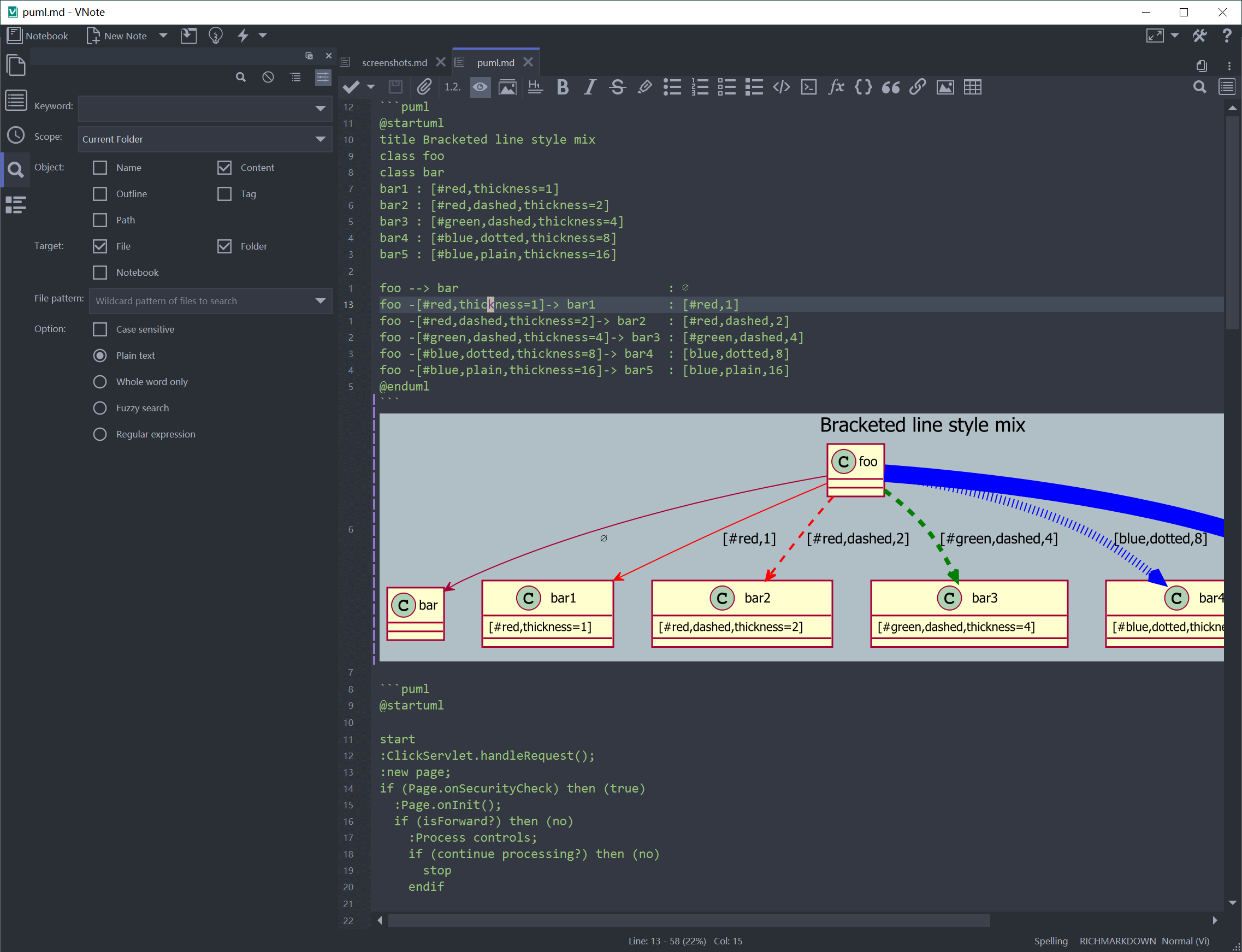
VNote is written in C++ and JavaScript. Learn C++ with our recommended free books and free tutorials.
Related Software
| General Purpose GUI Note Taking Apps | |
|---|---|
| Joplin | Note taking and to-do application with synchronisation |
| Trilium Notes | Hierarchical note taking application |
| CherryTree | Hierarchical note taking application packed with features |
| TagSpaces | Personal data manager for organizing, editing and tagging information |
| VNote | Vim-inspired note-taking application |
| Simplenote | Fast, free, synchronized notes |
| Notesnook | Focused on user privacy and ease of use |
| Tusk | Evernote desktop software |
| QOwnNotes | Plain-text file notepad with markdown support and ownCloud integration |
| heynote | Dedicated scratchpad for developers |
| tomboy-ng | Reincarnation of tomboy |
| Beaver Notes | Notes stay on your device. No sign-ups, no tracking, no complexity |
| Iotas | Distraction-free note taking via its mobile-first design |
| Gnote | Port of Tomboy to C++ |
| KleverNotes | Note taking and management application |
| Treedome | Seeks inspiration from CherryTree |
| Print(Notes) | Markdown notes app made with Flutter |
| Folio | Markdown note-taking app for GNOME |
| FeatherNotes | Lightweight Qt5 hierarchical notes manager |
| nvPY | Inspired by Notational Velocity and ResophNotes |
| Lockbook | Encrypted notebook |
| FromScratch | Simple but smart note-taking app |
| NotNative | Modern note-taking app with Vim-like editing |
| HelixNotes | Local-first Markdown note-taking app |
| Darkwrite | Eye-candy note taking and to-do app |
| Bookup | Streamline notes with Markdown |
| BasKet Note Pads | Organizing, sharing, and taking notes |
| mnemo | Local-first, cross-platform note-taking app leveraging the Typst ecosystem |
| MyNotex | Take and to manage textual notes and activity management |
| Hugvi | Code note-taking desktop app |
Read our verdict in the software roundup.
 Explore our comprehensive directory of recommended free and open source software. Our carefully curated collection spans every major software category. Explore our comprehensive directory of recommended free and open source software. Our carefully curated collection spans every major software category.This directory is part of our ongoing series of informative articles for Linux enthusiasts. It features hundreds of detailed reviews, along with open source alternatives to proprietary solutions from major corporations such as Google, Microsoft, Apple, Adobe, IBM, Cisco, Oracle, and Autodesk. You’ll also find interesting projects to try, hardware coverage, free programming books and tutorials, and much more. Discovered a useful open source Linux program that we haven’t covered yet? Let us know by completing this form. |