

Last Updated on November 22, 2025
The internet uses numbers, not names, to find computers. Domain Name System (DNS) is the internet’s directory service: It takes a human readable name, like “www.linuxlinks.com”, and converts that name to a machine readable “IP” address that your computer can use to connect to www.linuxlinks.com.
Browsers then use those addresses to communicate with origin servers or CDN edge servers to access website information. This all happens thanks to DNS servers: machines dedicated to answering DNS queries.
DNS is one of these things many take for granted that is critical to using the internet. Without DNS, the internet breaks. It’s critical that a DNS server keeps the internet working in a secure and stable manner.
DNS clients, which are built into most modern desktop and mobile operating systems, enable web browsers to interact with DNS servers.
This roundup picks some useful DNS clients for Linux. Only free and open source software is eligible for inclusion here.
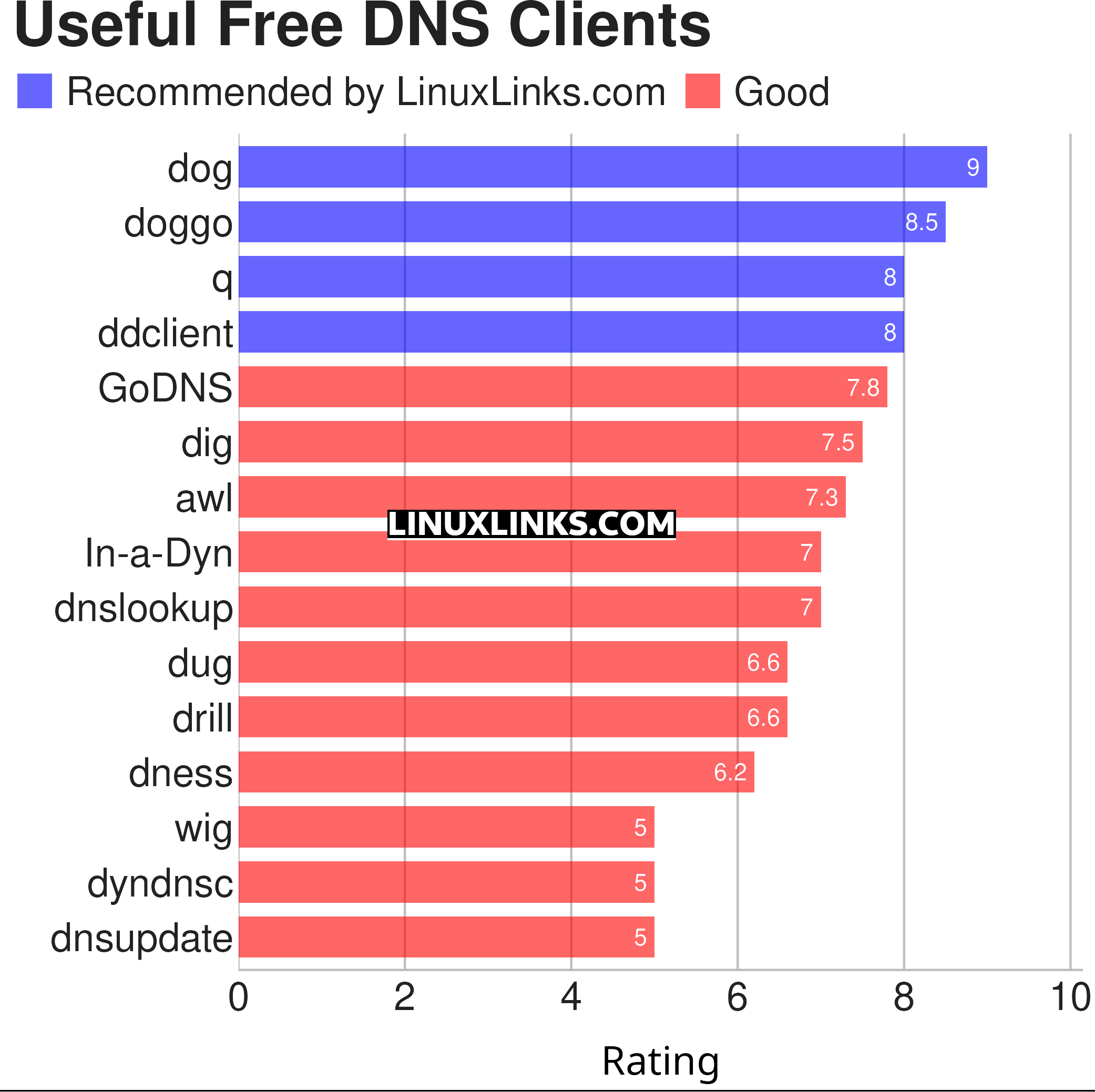
Click the links below to learn more about each tool.
| DNS Clients | |
|---|---|
| dog | Colourful output, understands normal command-line argument syntax |
| doggo | Command-line DNS client for humans |
| q | Tiny command line DNS client supporting UDP, TCP, DoT, DoH, DoQ and ODoH |
| ddclient | Update dynamic DNS entries |
| GoDNS | Dynamic DNS (DDNS) client tool |
| dig | DNS lookup utility |
| awl | DNS lookup tool |
| In-a-Dyn | Small and simple Dynamic DNS, DDNS, client |
| dnslookup | Make DNS lookups |
| dug | Global DNS propagation checker |
| drill | Perform DNS lookups |
| dness | Dynamic DNS client |
| wig | Simple and lightweight DNS client |
| dyndnsc | Dynamic DNS update client |
| dnsupdate | Modern and flexible dynamic DNS client |
 Explore our comprehensive directory of recommended free and open source software. Our carefully curated collection spans every major software category. Explore our comprehensive directory of recommended free and open source software. Our carefully curated collection spans every major software category.This directory is part of our ongoing series of informative articles for Linux enthusiasts. It features hundreds of detailed reviews, along with open source alternatives to proprietary solutions from major corporations such as Google, Microsoft, Apple, Adobe, IBM, Cisco, Oracle, and Autodesk. You’ll also find interesting projects to try, hardware coverage, free programming books and tutorials, and much more. Know a useful open source Linux program that we haven’t covered yet? Let us know by completing this form. |