

Syncthing is a continuous file synchronization application that keeps directories aligned across multiple computers. It exchanges files directly between devices rather than requiring users to upload their data to a conventional cloud storage provider.
Every device has a unique cryptographic identity. Users choose which devices to trust and which folders to share, with synchronization taking place automatically as files are created, modified or deleted. Discovery and relay services help establish connections when machines cannot communicate directly.
Syncthing uses a block-based transfer protocol, allowing devices to exchange changed portions of files instead of repeatedly transferring entire files. It is particularly useful for maintaining personal document collections, sharing folders between workstations and synchronizing data across a home network.
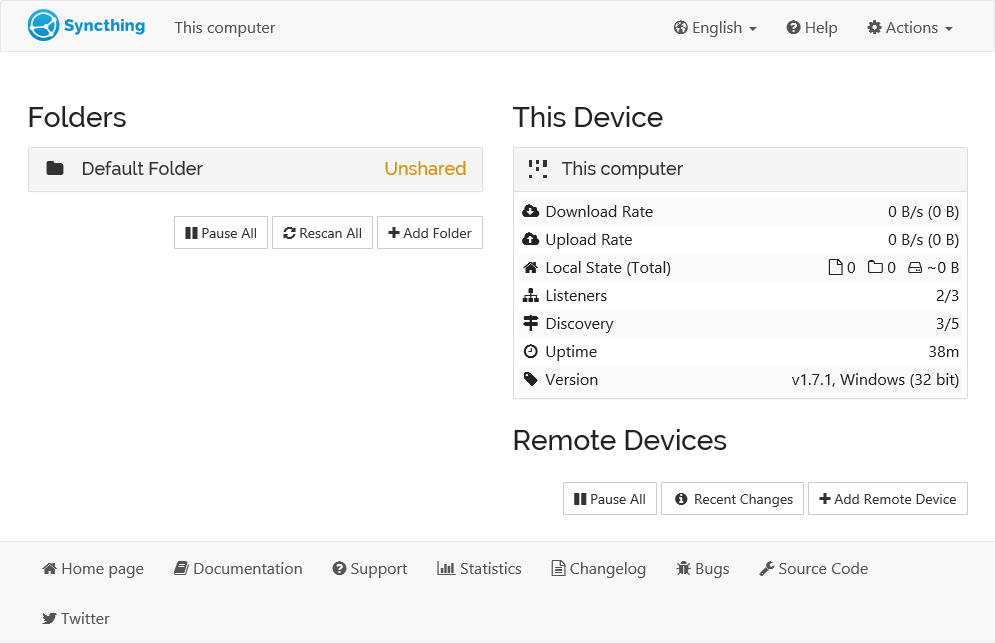
Its interface is accessed through a web browser, while the synchronization engine runs independently in the background.
This is free and open source software.
Key Features
- Continuous synchronization between computers across local networks and the internet.
- Supports send-and-receive, send-only and receive-only folder configurations.
- Encrypts connections using TLS and authenticates devices with cryptographic certificates.
- Global discovery, local discovery, NAT traversal and relay servers help establish connections between devices.
- File versioning options allow older copies of modified or deleted files to be retained.
- Supports encrypted folders on untrusted devices, keeping file contents and names inaccessible to the remote system. This facility remains experimental.
- Detects filesystem changes automatically and schedules rescans where necessary.
- Allows files and directories to be excluded through configurable ignore patterns.
- Detects conflicting modifications and preserves conflict copies for inspection.
- Provides a browser-based management interface and REST API for configuration and automation.
- Supports synchronizing file permissions, symbolic links and extended attributes where compatible with the underlying systems.
- Uses an SQLite database for file indexes and synchronization metadata.
- Structured logging with configurable log levels helps diagnose synchronization problems.
- Cross-platform support – runs on Linux, Windows, macOS and several other operating systems.
Website: syncthing.net
Support:
Developer: Many contributors
License: Mozilla Public License v2.0
Syncthing is written in Go. Learn Go with our recommended free books and free tutorials.
Related Software
| File Synchronization Tools | |
|---|---|
| Syncthing | Continuous file synchronization program |
| Unison | File-synchronization tool for POSIX-compliant systems |
| Rclone | Command line program to sync files and directories |
| rsync | Fast incremental file transfer |
| Cryptomator | Multi-platform transparent client-side encryption of files in the cloud |
| FreeFileSync | Folder comparison and synchronization software |
| syncBackup | Backup and mirror your drives |
| Seafile | Coud storage system with privacy protection and teamwork features |
| Grsync | Graphical user interface for rsync |
| Lsyncd | Live Syncing Daemon |
| luckyBackup | Backup & sync tool |
| YARsync | Yet Another Rsync |
| Sync-in | File sync and server management |
| osync | Two way filesync script running on Bash |
| Celeste | GUI file synchronization client |
| ByteSync | File synchronization, backup, and deduplication |
| bita | Differential file synchronization over HTTP |
| Spacedrive | File manager powered by a virtual distributed filesystem |
Read our verdict in the software roundup.
 LinuxLinks helps you discover the best free and open source software for Linux. Explore our extensive collection of recommended applications, including alternatives to popular proprietary software. LinuxLinks helps you discover the best free and open source software for Linux. Explore our extensive collection of recommended applications, including alternatives to popular proprietary software.We also publish software reviews, Linux tutorials, hardware reviews, free programming books and articles covering the wider open source community. Browse our Linux resources to discover more. Know a useful free and open source Linux application we haven't covered? Suggest a program for inclusion. Has your software been featured on LinuxLinks? Display one of our Featured on LinuxLinks badges on your website or GitHub README. |
Please read our Comment Policy before commenting.